
MoreGroups - subgroup your tabs
Create, organize, and customize tab subgroups to better optimize your browser experience.
As of June 2026, MoreGroups - subgroup your tabs has 591 users and a 3.00/5 rating from 12 reviews in the Workflow & Planning category.
Usersup 40.4 percent+40.4%
591
591
Ratingno change0%
3.00
12 reviews
Reviewsno change0%
12
Version
2.0.0
Manifest V3
90-day change · In the last 90 days this extension 1 version update.
History
9 snapshotsTracking since Apr 1, 2026.
View as table
| Date | Users | Rating | Reviews | Version |
|---|---|---|---|---|
| Apr 1, 2026 | 421 | 3.00 | 12 | 1.0.0 |
| Apr 21, 2026 | 425 | 3.00 | 12 | 1.0.0 |
| May 6, 2026 | 455 | 3.00 | 12 | 1.0.0 |
| May 11, 2026 | 455 | 3.00 | 12 | 2.0.0 |
| May 17, 2026 | 468 | 3.00 | 12 | 2.0.0 |
| May 23, 2026 | 505 | 3.00 | 12 | 2.0.0 |
| May 30, 2026 | 506 | 3.00 | 12 | 2.0.0 |
| Jun 5, 2026 | 541 | 3.00 | 12 | 2.0.0 |
| Jun 13, 2026 | 562 | 3.00 | 12 | 2.0.0 |
| Now | 591 | 3.00 | 12 | 2.0.0 |
Changelog
- May 6, 2026description
Subgroup your Google Chrome tabs.

This extension allows you to effortlessly create tab subgroups to the nth degree. Whether your focus is work or leisure, this extension can help you effectively organize your tabs beyond just one level of tab grouping and streamline your browser experience.

Instructions for Use

1. Highlight the tabs you want, ensuring at least one tab is within the group that you want to be the parent.
2. Group the tabs, and a new group of the same color should appear next to it with the name group_number-parent_name. For example, 1-videos (with videos being the parent in this case).
3. Repeat steps 1-2 to create however many subgroups and levels of subgroups you desire.

Features:
- You can change the name of the subgroup to help you recognize its contents. Should you do this and realize that you would prefer the original name (like 1-videos), simply type $b as the name of the group.
- Closing the parent group deletes all the subgroups from your screen, removing clutter. When you open the parent group again, all of its subgroups will be re-opened.
- If you re-open chrome with the same groups/tabs from your previous session, your previous tab-subgroups will be saved and still work. For example, after re-awakening your computer from sleep, your tab-subgroups will still work.

Current Limitations:
- The extension works best within a single window, and sub-groups created or moved outside of your main window may not function properly.
- There are still some minor bugs when creating groups; sometimes the name of the subgroup does not initialize immediately. If this happens, opening and closing the parent group should fix it.

Credits to Gemma Bardouleau for the screenshots

**DISCLAIMER**
This extension is in a very preliminary state. Unfortunately I've been quite busy and haven't had the time to update the extension. The source code is on github, so if you'd like to improve it yourself feel free to check it out: https://github.com/Garrett-R16/Tab-Subgroups-Extension . Definitely let me know if you do!
Tab Subgroups Extension
Organize your browser by nesting tab groups inside each other. Create powerful hierarchies to keep your workspace clean and navigable.

Features
- Nested Grouping: Create subgroups by moving tabs from one group into another.
- Recursive Collapse: When you collapse a parent group, all its child subgroups are automatically saved and removed from the browser to save space.
- Recursive Expand: When you un-collapse a parent, its direct children are restored in a neat, collapsed state.
- Color Inheritance: Subgroups automatically match the color of their highest-level ancestor ("root parent").
- Smart Priority: When creating a group from multiple tabs, the leftmost tab that already belongs to a group determines the parent.
- Naming Control:
         - Subgroups are automatically named Parent-N.
         - Rename a subgroup normally, and the extension will remember it.
         - Type $b as a title to revert the name back to the automatic Parent-N format.


How to Use
1. Create a Parent Group: Right-click a tab and select "Add tab to new group". Give it a name (e.g., "Work").
2. Create a Subgroup: Drag a tab that is already in "Work" and create a new group with it. The new group will automatically be named "Work-1" and become a child of "Work".
Manage Hierarchies:
3. Click the "Work" group header to collapse it. All "Work-1", "Work-2", etc., tabs will disappear.
4. Click again to expand. The subgroups will reappear as small, collapsed headers.
5. Deep Nesting: You can repeat this process (e.g., creating a subgroup from "Work-1") to create N-levels of organization.

Technical Details
Privacy: All tab data (URLs and titles) is stored locally on your machine using chrome.storage.local. No data ever leaves your browser.
Efficiency: The extension uses persistent ID mapping rather than title parsing, ensuring it never loses track of your groups even if you rename them.

Permissions
tabGroups: Used to create and organize groups.
tabs: Used to save and restore tab URLs.
storage: Used to persist your group hierarchies across browser restarts.
Permissions & access
- Permissions
- tabGroupstabsstorage
- Host access
- None declared
Screenshots


About
Tab Subgroups Extension
Organize your browser by nesting tab groups inside each other. Create powerful hierarchies to keep your workspace clean and navigable.

Features
- Nested Grouping: Create subgroups by moving tabs from one group into another.
- Recursive Collapse: When you collapse a parent group, all its child subgroups are automatically saved and removed from the browser to save space.
- Recursive Expand: When you un-collapse a parent, its direct children are restored in a neat, collapsed state.
- Color Inheritance: Subgroups automatically match the color of their highest-level ancestor ("root parent").
- Smart Priority: When creating a group from multiple tabs, the leftmost tab that already belongs to a group determines the parent.
- Naming Control:
         - Subgroups are automatically named Parent-N.
         - Rename a subgroup normally, and the extension will remember it.
         - Type $b as a title to revert the name back to the automatic Parent-N format.


How to Use
1. Create a Parent Group: Right-click a tab and select "Add tab to new group". Give it a name (e.g., "Work").
2. Create a Subgroup: Drag a tab that is already in "Work" and create a new group with it. The new group will automatically be named "Work-1" and become a child of "Work".
Manage Hierarchies:
3. Click the "Work" group header to collapse it. All "Work-1", "Work-2", etc., tabs will disappear.
4. Click again to expand. The subgroups will reappear as small, collapsed headers.
5. Deep Nesting: You can repeat this process (e.g., creating a subgroup from "Work-1") to create N-levels of organization.

Technical Details
Privacy: All tab data (URLs and titles) is stored locally on your machine using chrome.storage.local. No data ever leaves your browser.
Efficiency: The extension uses persistent ID mapping rather than title parsing, ensuring it never loses track of your groups even if you rename them.

Permissions
tabGroups: Used to create and organize groups.
tabs: Used to save and restore tab URLs.
storage: Used to persist your group hierarchies across browser restarts.
Technical
- Version
- 2.0.0
- Manifest
- V3
- Size
- 26.05KiB
- Min Chrome
- 88
- Languages
- 1
- Featured
- No
Metadata
- ID
- djbmocfpfgbhcglagcibhagfnehcbkfc
- Developer ID
- u681058cc2c657a13c983db9a7abb43e8
- Developer Email
- [email protected]
- Created
- Mar 12, 2024
- Last Updated (Store)
- May 4, 2026
- Last Scraped
- Jun 13, 2026
- Website
- —
- Support URL
- —
Similar extensions
Alternatives to MoreGroups - subgroup your tabs, ranked by description similarity.

Group My Tabs
Group tabs by domain in Chrome with one click, enhancing built-in functionality for organized browsing.
26
★ 5.0
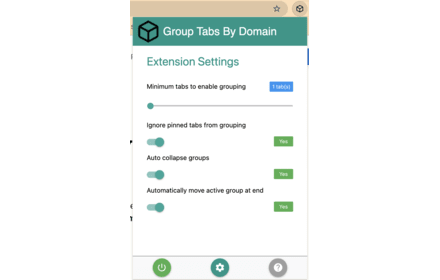
Group Tabs By Domain
Streamline browsing. Group tabs by domain effortlessly. Stay organized, boost productivity.
5.0K
★ 4.3

Taben
Less Tabs, Several Groups, Better Life
1

Tab Manager Pro - Save & Restore Tab Groups
Save, organize, and restore your tab groups with hierarchical subgroups! Restored tabs appear as colored Chrome tab groups!
5

AutoTabGroup
Automatically add tabs to tab groups based on URL rules configured in the extension options
—
★ 5.0

Tab Manager
Manage your tabs in groups
43

Tab Groups to Bookmarks
Manage and Save Your Tab Groups
1.0K
★ 4.7

Group Management
Manage the saving and loading of tab groups
16
★ 5.0
Data sourced from the Chrome Web Store · last verified Jun 13, 2026.