
Search image by Yandex
Reverse image search with Yandex from right-click, drag-and-drop, clipboard, URL, file, or base64 image.
As of June 2026, Search image by Yandex has — users in the Productivity category.
Usersno change0%
—
—
Ratingno change0%
—
— reviews
Reviewsno change0%
—
Version
0.1.0
Manifest V3
History
1 snapshotsTracking since Jun 11, 2026.
Not enough history yet for this metric — the chart fills in as we collect more snapshots.
View as table
| Date | Users | Rating | Reviews | Version |
|---|---|---|---|---|
| Jun 11, 2026 | — | — | — | 0.1.0 |
| Now | — | — | — | 0.1.0 |
Permissions & access
- Permissions
- activeTabcontextMenusstoragetabs
- Host access
- <all_urls>, https://*.yandex.com/*, https://*.yandex.ru/*
Screenshots

About
Search image by Yandex is a simple Chrome extension for visual lookup with Yandex Images.

Find similar pictures, sources, visual matches, product photos, artwork, screenshots, and references faster without manually opening a separate page and uploading files yourself.

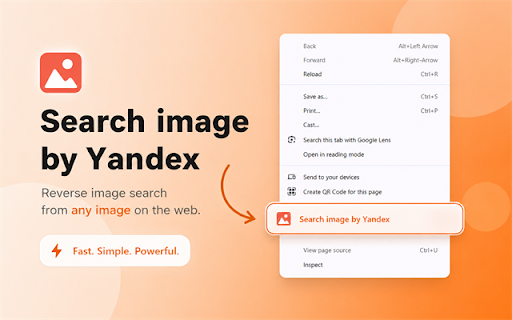
Open the context menu on an image, choose "Search image by Yandex", and the result opens in a new tab next to your current tab. You can also use the popup to drop an image, paste an image from the clipboard, paste an image URL, paste a base64 data URL, or search a local image file.

Why Search image by Yandex

🔎 1. Fast visual lookup
Search selected pictures directly from Chrome.

🖱️ 2. Right-click image search
Use the image context menu to start a search without copying, downloading, or opening another tool.

📋 3. Clipboard image support
Copy an image and paste it into the popup with Ctrl+V or Cmd+V.

📁 4. Local file support
Drop an image file into the popup and search it without using a backend server.

🔗 5. URL and base64 support
Paste an image URL or a full `data:image/...;base64,...` string.

🧭 6. Search tab opens next to your active tab
Results open immediately to the right of your current tab, keeping your browsing flow organized.

🌍 7. Regional domain support
The extension uses `yandex.ru` or `yandex.com` based on your browser language.

🌐 8. English and Russian interface
The popup language follows your browser language by default, and you can switch it manually.

Everyday Features

- Visual search with Yandex Images
- Right-click search from image context menu
- Drag-and-drop image upload
- Clipboard image paste
- Local image file search
- Image URL search
- Base64 data URL search
- Search results opened next to the active tab
- English and Russian popup language
- No backend server
- No remote code execution


Built for Real Browsing

Search image by Yandex is useful when you want a quick lookup workflow for:

- finding similar images
- checking image sources
- searching product photos
- comparing screenshots
- identifying visual references
- researching artwork or design assets
- searching images copied from websites
- searching local files

The extension does not collect, sell, or store user data on its own servers. Image data is sent to Yandex Images only when you explicitly start a search.
Technical
- Version
- 0.1.0
- Manifest
- V3
- Size
- 61.75KiB
- Min Chrome
- 88
- Languages
- 2
- Featured
- No
Metadata
- ID
- dinddpaofnhbdkeiobdmegpodbhebkce
- Developer ID
- u21c6b8fa43765f143d5c5750ddf7e889
- Developer Email
- [email protected]
- Created
- Jun 10, 2026
- Last Updated (Store)
- Jun 10, 2026
- Last Scraped
- Jun 11, 2026
- Website
- —
- Support URL
- —
Data sourced from the Chrome Web Store · last verified Jun 11, 2026.