
Copilot to PDF Exporter
Export single or multiple Copilot conversations (text and images) to PDF with selective questions and answers.
As of June 2026, Copilot to PDF Exporter has 466 users and a 3.86/5 rating from 7 reviews in the Productivity category.
Usersup 55.3 percent+55.3%
466
466
Ratingup 65.7 percent+65.7%
3.86
7 reviews
Reviewsup 133.3 percent+133.3%
7
Version
4.1.0
Manifest V3
90-day change · In the last 90 days this extension 2 version updates.
History
10 snapshotsTracking since Apr 1, 2026.
View as table
| Date | Users | Rating | Reviews | Version |
|---|---|---|---|---|
| Apr 1, 2026 | 300 | 2.33 | 3 | 3.2.0 |
| Apr 19, 2026 | 318 | 3.67 | 6 | 3.2.0 |
| Apr 24, 2026 | 368 | 3.67 | 6 | 4.0.0 |
| May 1, 2026 | 380 | 3.86 | 7 | 4.0.0 |
| May 7, 2026 | 387 | 3.86 | 7 | 4.0.0 |
| May 12, 2026 | 400 | 3.86 | 7 | 4.0.0 |
| May 18, 2026 | 392 | 3.86 | 7 | 4.0.0 |
| May 24, 2026 | 412 | 3.86 | 7 | 4.0.0 |
| May 31, 2026 | 444 | 3.86 | 7 | 4.0.0 |
| Jun 6, 2026 | 450 | 3.86 | 7 | 4.1.0 |
| Now | 466 | 3.86 | 7 | 4.1.0 |
Changelog
- Apr 19, 2026description
Save and archive your Microsoft Copilot conversations with a single click.
This extension automatically captures your full chat history — including text formatting and AI-generated images — and exports it into a clean, well-formatted PDF.

Perfect for research, work documentation, study notes, content drafting, coding assistance, or long-term reference.

🚀 Key Features

✔ Export full Copilot chats to PDF in one click
✔ Includes images generated by Copilot (no placeholders, no broken icons)
✔ Clean layout optimized for readability
✔ Optional selective export — choose only specific messages before saving
✔ Automatic formatting (chat bubbles, spacing, alignment)
✔ No watermarks in Pro version
✔ Works with long, multi-step conversations
✔ Local processing — nothing is uploaded or stored online

🔒 Privacy-Focused

Your conversation stays on your device.
No data is sent to external servers — everything is processed locally inside your browser.

🆓 Free & Pro

Free version: fully functional PDF export (with small watermark).

Pro version: removes watermark, enables unlimited exports.

Ideal For:

📚 Students collecting study answers
🧪 Researchers documenting prompts and responses
📌 Content creators and bloggers
🧰 Developers saving coding help and debugging threads
🧠 Knowledge workers using AI as an assistant
📂 Anyone who wants to save, cite, print, or organize AI-generated content!

🧩 Simple. Quick. Reliable.

Click → Select → Export → Done.

Your Copilot chat becomes a shareable PDF—just like you're saving an email or report.
Save and archive your Microsoft Copilot conversations with a single click.
This extension automatically captures your full chat history — including text formatting and AI-generated images — and exports it into a clean, well-formatted PDF. It supports also the bulk chat to PDF conversion.

Perfect for research, work documentation, study notes, content drafting, coding assistance, or long-term reference.

🚀 Key Features

✔ Export single or multiple Copilot chats to PDF in one click
✔ Includes images generated by Copilot (no placeholders, no broken icons)
✔ You can create image-based PDF or text-based PDF (with searchable and selectable text)
✔ Clean layout optimized for readability
✔ Optional selective export — choose only specific messages before saving
✔ Automatic formatting (chat bubbles, spacing, alignment)
✔ No watermarks in Pro version
✔ Works with long, multi-step conversations
✔ Local processing — nothing is uploaded or stored online

🔒 Privacy-Focused

Your conversation stays on your device.
No data is sent to external servers — everything is processed locally inside your browser.

🆓 Free & Pro

Free version: fully functional PDF export (with small watermark).

Pro version: removes watermark, enables unlimited exports.

🧩 Simple. Quick. Reliable.

Click → Select → Export → Done.

Your Copilot chat becomes a shareable PDF—just like you're saving an email or report.
- Apr 19, 2026short_description
Export Copilot conversations (text and images) to PDF with selective questions and answers.
Export single or multiple Copilot conversations (text and images) to PDF with selective questions and answers.
Permissions & access
- Permissions
- activeTabscripting
- Host access
- None declared
Screenshots


About
Save and archive your Microsoft Copilot conversations with a single click.
This extension automatically captures your full chat history — including text formatting and AI-generated images — and exports it into a clean, well-formatted PDF. It supports also the bulk chat to PDF conversion.

Perfect for research, work documentation, study notes, content drafting, coding assistance, or long-term reference.

🚀 Key Features

✔ Export single or multiple Copilot chats to PDF in one click
✔ Includes images generated by Copilot (no placeholders, no broken icons)
✔ You can create image-based PDF or text-based PDF (with searchable and selectable text)
✔ Clean layout optimized for readability
✔ Optional selective export — choose only specific messages before saving
✔ Automatic formatting (chat bubbles, spacing, alignment)
✔ No watermarks in Pro version
✔ Works with long, multi-step conversations
✔ Local processing — nothing is uploaded or stored online

🔒 Privacy-Focused

Your conversation stays on your device.
No data is sent to external servers — everything is processed locally inside your browser.

🆓 Free & Pro

Free version: fully functional PDF export (with small watermark).

Pro version: removes watermark, enables unlimited exports.

🧩 Simple. Quick. Reliable.

Click → Select → Export → Done.

Your Copilot chat becomes a shareable PDF—just like you're saving an email or report.
Technical
- Version
- 4.1.0
- Manifest
- V3
- Size
- 532KiB
- Min Chrome
- 88
- Languages
- 1
- Featured
- No
Metadata
- ID
- dhncfllemhhgpkficlffphlcjppagean
- Developer ID
- u216935fb83f8af8c16830db2fc9c9d14
- Developer Email
- [email protected]
- Created
- Dec 3, 2025
- Last Updated (Store)
- May 28, 2026
- Last Scraped
- Jun 6, 2026
- Website
- https://onlinegratis.net/
- Support URL
- —
- Privacy Policy
- https://best-extensions.github.io/terms.html
Similar extensions
Alternatives to Copilot to PDF Exporter, ranked by description similarity.

Claude Chat to PDF Saver
Export Claude conversations to PDF with selective questions and answers. Bulk export supported.
341
★ 4.0

AI Chat Exporter - ChatGPT, Claude, Gemini & DeepSeek to PDF
Export ChatGPT, Claude, Gemini, DeepSeek, Grok to PDF. Batch save chats with code, math & images. Export your AI history.
1.0K
★ 4.5

Chat2Doc - Export ChatGPT, Claude & Gemini to PDF/Word
One-click export AI chats (ChatGPT, Claude, Gemini, DeepSeek) to professional PDF, Word, and Markdown documents. Save your history.
115
★ 1.0
ChatGPT Exporter
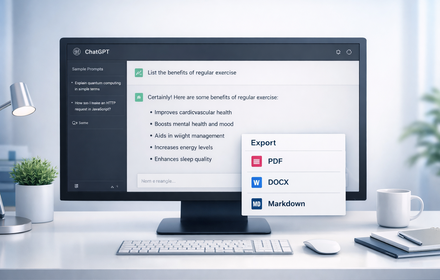
Export ChatGPT conversations to PDF, Word, Markdown, and Text.
194
★ 1.0

AI Chat Exporter Pro
Export conversations from ChatGPT, Claude, Gemini, and more to PDF, Markdown, TXT, HTML, and JSON with images.
9

ChatGPT PDF Exporter – Download ChatGPT History
Easily save your ChatGPT chats as PDF, Markdown, or other formats—every detail preserved flawlessly.
260
★ 4.4

AI Exporter, ChatGPT to PDF+
Convert your AI conversations to pdf, docx, markdown, html and text effortlessly with powerful customization features.
—

DeepSeek PDF Pro
Export DeepSeek chat conversations to PDF with advanced customization options
42
★ 1.0
Data sourced from the Chrome Web Store · last verified Jun 6, 2026.