
Auto-confirm for ChatGPT Actions
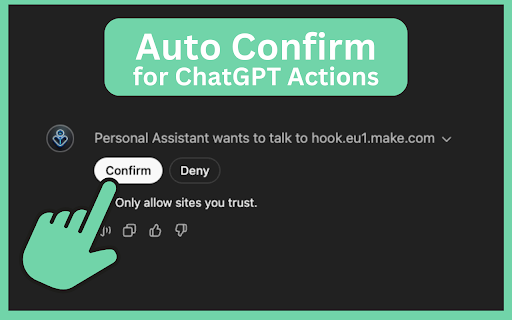
Automatically clicks the Confirm button on Actions in Custom GPTs in ChatGPT.
As of June 2026, Auto-confirm for ChatGPT Actions has 52 users in the Productivity category.
Usersup 48.6 percent+48.6%
52
52
Ratingno change0%
—
— reviews
Reviewsno change0%
—
Version
1.1.1
Manifest V3
History
3 snapshotsTracking since Apr 1, 2026.
View as table
| Date | Users | Rating | Reviews | Version |
|---|---|---|---|---|
| Apr 1, 2026 | 35 | — | — | 1.1.1 |
| May 2, 2026 | 37 | — | — | 1.1.1 |
| Jun 1, 2026 | 41 | — | — | 1.1.1 |
| Now | 52 | — | — | 1.1.1 |
Permissions & access
- Permissions
- storage
- Host access
- None declared
Screenshots
About
✨ Automatically confirms actions in your ChatGPT sessions! Perfect for advanced users and power users who want to streamline interactions and save time by reducing clicks.

🔹 What It Does
Auto-confirm for ChatGPT Actions is a helpful extension that automatically confirms actions in your ChatGPT and custom GPT sessions. By enabling auto-confirmation, you can eliminate repetitive clicking, allowing smoother, faster interactions in ChatGPT.

💡 Features:

✅ One-Click Automation: Instantly confirms actions without repeated clicking, making ChatGPT interactions more seamless.
🎛️ Toggle Control: Enable or disable auto-confirmation easily through the extension popup, so you’re always in control.
🟢 Dynamic Icon Display: See at a glance if auto-confirm is active (green icon) or inactive (red icon).
🚨 Important Disclaimer
This extension is not affiliated with or endorsed by OpenAI or ChatGPT. It’s an independent tool designed for users looking to improve their ChatGPT experience. Use it at your own risk — while active, the extension will automatically confirm all detected actions, so only enable it when needed.

⚙️ How to Use
- Install the Extension from the Chrome Web Store.
- Pin the Extension to your toolbar for easy access.
- Open the popup and toggle Enable Auto-Confirmation to activate.
- Green icon means active, red means inactive — switch it on or off anytime.

⚠️ Disclaimer
Auto-confirm for ChatGPT Actions automates the clicking of confirmation actions in ChatGPT, including custom GPTs. Please use responsibly. This tool is meant for power users who understand its functions, and it operates entirely within your browser without collecting any data.
Technical
- Version
- 1.1.1
- Manifest
- V3
- Size
- 79.71KiB
- Min Chrome
- 88
- Languages
- 1
- Featured
- No
Metadata
- ID
- dfiponmapmachnpedjilhecigmmggffk
- Developer ID
- ubed93030747715e2ba29c373d20ac53e
- Developer Email
- [email protected]
- Created
- Nov 13, 2024
- Last Updated (Store)
- Nov 14, 2024
- Last Scraped
- Jun 1, 2026
- Website
- snipki.de
- Support URL
- https://snipki.de
- Privacy Policy
- https://snipki.de/datenschutz/
Similar extensions
Alternatives to Auto-confirm for ChatGPT Actions, ranked by description similarity.

ChatGPT MCP Auto-Approve
Automatically approves MCP server operations on ChatGPT.
78

GPT Prompts By Ankitkumar
Adds a customizable quick prompts bar to the ChatGPT interface for faster access to common tasks.
17
★ 5.0

OneClick ChatGPT – Advanced ChatGPT Toolbox
Add powerful tools to ChatGPT: bulk delete & archive, branches, split view, and chat lock — all integrated into the native interface
229
★ 5.0

ChatGPT Popup Notifier
ChatGPT Popup Notifier is a chrome extension that creates a notification popup when ChatGPT finishes generating your response.
117
★ 1.0

ChatGPT Helper by Storizzi
Automatically clicks the 'Continue Generating' button on ChatGPT and copies the last generated code block to the clipboard.
—

ChatGPT Auto Clicker
Automatically clicks buttons based on specific conditions.
71
★ 3.0

superkingtoolsgpt
Boost your productivity in ChatGPT with these amazing Google Chrome extensions that will blow your mind!
—

Auto-Click ChatGPT 'Continue generating'
Automatically clicks the 'Continue generating' button on ChatGPT when it stops.
23
Data sourced from the Chrome Web Store · last verified Jun 1, 2026.