
Spark
Find open version of articles as you browse, get access to formatted citations, and explore works cited by your favourite authors.
As of May 2026, Spark has 444 users and a 5.00/5 rating from 1 reviews in the Workflow & Planning category.
Usersdown 6.9 percent−6.9%
444
444
Ratingno change0%
5.00
1 reviews
Reviewsno change0%
1
Version
0.0.5
Manifest V3
History
2 snapshotsTracking since Apr 24, 2026.
View as table
| Date | Users | Rating | Reviews | Version |
|---|---|---|---|---|
| Apr 24, 2026 | 477 | 5.00 | 1 | 0.0.5 |
| May 19, 2026 | 450 | 5.00 | 1 | 0.0.5 |
| Now | 444 | 5.00 | 1 | 0.0.5 |
Permissions & access
- Permissions
- storage
- Host access
- None declared
Screenshots


About
Spark aims to be a helping hand as you browse academic content such as articles, books and preprints. It helps you do three things: Cite, Read and Explore.
- Cite: Spark lets you pick from a range of eight leading citation styles and, at the click of a button, gives you a formatted citation that you can paste wherever you like. This is a lifesaver when you are short on time and just need a tidy-looking reference!
- Read: Spark works behind the scenes to identify open access or otherwise free versions of the academic content you are viewing. If it finds a match, you will be able to go straight to a freely accessible copy (for example, if what you are trying to read is behind a paywall).
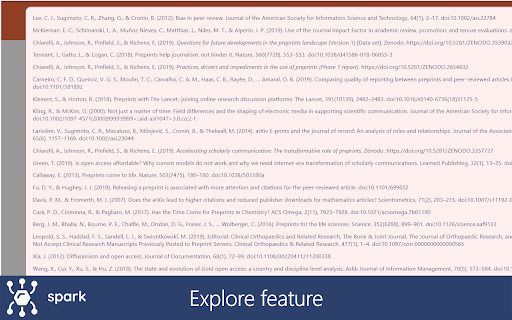
- Explore: Spark is also able to see the scholarly items cited by the academic content you browse. By clicking on the ‘Explore’ button, you will be able to browse these on your screen and open them easily. This is a great feature if you are looking for inspiration or feel like exploring a topic.

Why use Spark?
- Because it’s easy: Spark is very straightforward to use and, if you are happy with the default settings, there is virtually no learning curve! The above description is all the tutorial you need.
- Because it’s open: Spark is open source and available to download, edit and reuse on GitHub – you can fully understand how it works thanks to extensive comments.
- Because it’s free: Spark was built as a personal project. It is free, customisable and just aims to make your life easier.

How does Spark work?
As you browse the internet, Spark looks for DOIs (or Digital Object Identifiers) either displayed on the page or in its HTML code. These are used to query four databases via their publicly accessible APIs, and you are simply presented with the results of this process. Spark works thanks to the fantastic data collection and curation efforts of various organisations and initiatives: CORE, Crosscite, OpenCitations and Unpaywall. These guys are the real MVP.

Just so you know, any of the information gathered by Spark stays in your browser. The email address and the API key in the Options menu are required to manage API requests and are only used for these purposes. No other information is gathered nor sent to third parties.
Technical
- Version
- 0.0.5
- Manifest
- V3
- Size
- 222KiB
- Min Chrome
- 88
- Languages
- 1
- Featured
- Yes
Metadata
- ID
- dfcldhbleocbnmbmnbgnljaeficpbkck
- Developer ID
- uea2f62d7d7fd1a877b9e92e6938fd8f6
- Developer Email
- [email protected]
- Created
- Sep 2, 2021
- Last Updated (Store)
- Nov 28, 2021
- Last Scraped
- May 19, 2026
- Website
- chiarelliandrea.com
- Privacy Policy
- —
Similar extensions
Alternatives to Spark, ranked by description similarity.

getSparks: Manage your web content
Simplest way to add and manage web content using getSparks
14

StudySpark - AI homework & study helper
Ace every test, quiz, and homework quickly and stress-free.
268
★ 1.7

mySpires
An unofficial assistant for INSPIRE, arXiv, and NASA/ADS.
15
★ 5.0

InSpark - Phone & Email Finder | LinkedIn Automation Tool
Find work phone numbers, email addresses | Powerful LinkedIn automation features.
385
★ 5.0

Storytell: Summarize & Chat with Any Webpage
Instantly summarize, extract insights, and chat with any page—skip the scrolling and get AI-powered answers in seconds.
9.0K
★ 4.2

Spark Focus Timer
Focus / break (Pomodoro-style) timer with uplifting facts and quotes during breaks. No tracking. No accounts.
4

SparkProposal – Job Details Assistant
Streamline your SparkProposal workflow by capturing job details directly from Upwork listing pages with a single click.
—

Chat Scholar
“酷学术”智能在线辅助工具是专业的自主学习和学术研究辅助工具,该工具可以实现智能化的文献检索、即时翻译服务以及高效的引用管理功能适用于多种学习和研究应用场景。
554
★ 5.0
Data sourced from the Chrome Web Store · last verified May 19, 2026.