
LockedIn - Remove YouTube Shorts & Distractions
Stop doomscrolling. Hide YouTube Shorts, feeds, and comments. Block the algorithm and stay LockedIn on what matters.
As of June 2026, LockedIn - Remove YouTube Shorts & Distractions has 1,000 users and a 5.00/5 rating from 3 reviews in the Workflow & Planning category.
Usersup 12400.0 percent+12400.0%
1.0K
1,000
Ratingno change0%
5.00
3 reviews
Reviewsno change0%
3
Version
1.1.8
Manifest V3
90-day change · In the last 90 days this extension 5 version updates, changed permissions.
History
9 snapshotsTracking since Apr 1, 2026.
View as table
| Date | Users | Rating | Reviews | Version |
|---|---|---|---|---|
| Apr 1, 2026 | 8 | — | — | 1.1.1 |
| Apr 17, 2026 | 8 | — | — | 1.1.1 |
| Apr 24, 2026 | — | 5.00 | 2 | 1.1.3 |
| May 1, 2026 | 283 | 5.00 | 2 | 1.1.5 |
| May 8, 2026 | 229 | 5.00 | 2 | 1.1.5 |
| May 18, 2026 | — | 5.00 | 2 | 1.1.5 |
| May 25, 2026 | — | 5.00 | 2 | 1.1.6 |
| Jun 1, 2026 | 874 | 5.00 | 2 | 1.1.7 |
| Jun 7, 2026 | 1.0K | 5.00 | 2 | 1.1.7 |
| Now | 1.0K | 5.00 | 3 | 1.1.8 |
Changelog
- May 18, 2026name
LockedIn - Hide YouTube Shorts & Distractions
LockedIn - Remove YouTube Shorts & Distractions
- Apr 24, 2026description
LOCK IN!
GET THIINGS DONE!
BREAK FREE FROM THE YT ALGORITHM!!

• Hide YouTube Shorts  - From Homepage or Shorts tab or Search Results or Completely.. You Decide
• Or maybe Redirect YouTube Shorts  - If you need shorts but dont want to get sucked in Doomscrolling, this extension redirects shorts as normal youtube videos.
• More Focused Search Results - Get rid of the shit like "For you", "People also search for", "Searches related to", "Related to your search", "People also watched", and "Recommended for you" from your search results.
• Hide End screen cards - HIde those Annoying video cards that appear at the end of the video.
• Hide recommended videos sidebar - So you can focus more on the video you're watching.
• Hide comments section - Avoid getting lost in comments.
• Hide entire Homepage Feed - Just watch what you came for on youtube, no more getting lost watching random unrelated videos.
WATCH YOUTUBE ON YOUR OWN TERMS!

How It Works
1. Install the extension
2. Visit YouTube
3. Click the LockedIn icon in your toolbar
4. Toggle which elements you want to hide
5. Browse YouTube distraction-free!

Benefits:
• Stay focused on you're learning
• Reduce time-wasting on shorts or recommended videos
• Improve productivity while using YouTube
• Customize your viewing experience
• Lightweight and fast - no performance impact

 Privacy First, nothing fishy.
• No data collection
• No tracking
• Works entirely locally on your device
• Minimal permissions (only YouTube access and settings storage)
• This is just barebones JavaScript to detect elements and some CSS to apply visual changes.
• The extension calculates your "time saved" stats locally on your device to show your progress. This data never leaves your browser and can be disabled in the menu.
• Best thing.. its OPEN SOURCE!

Open Source & Community-Driven:
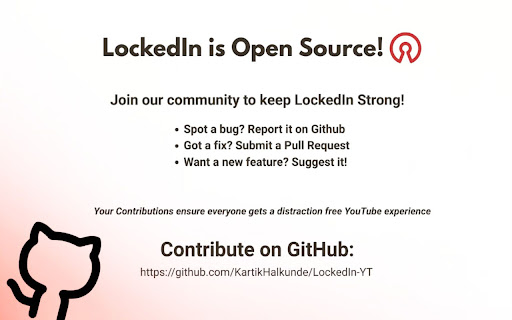
• LockedIn is 100% free and open-source. The code is public for anyone to review.
• Why open-source? YouTube's layout changes constantly. This means a new update can sometimes temporarily break a feature for some users.
• You can help! Because LockedIn is open-source, we can adapt together. You are encouraged to report bugs or even contribute fixes on our GitHub to keep the extension strong for everyone.
• Find my project on GitHub: https://github.com/KartikHalkunde/LockedIn-YT

Perfect for students, professionals, researchers, or anyone who wants to use YouTube intentionally without falling into the rabbit hole.
LOCK IN!
GET THIINGS DONE!
BREAK FREE FROM THE YT ALGORITHM!!

• Hide YouTube Shorts  - From Homepage or Shorts tab or Search Results or Completely.. You Decide
• Or maybe Redirect YouTube Shorts  - If you need shorts but dont want to get sucked in Doomscrolling, this extension redirects shorts as normal youtube videos.
• More Focused Search Results - Get rid of the shit like "For you", "People also search for", "Searches related to", "Related to your search", "People also watched", and "Recommended for you" from your search results.
• Hide End screen cards - HIde those Annoying video cards that appear at the end of the video.
• Hide recommended videos sidebar - So you can focus more on the video you're watching.
• Hide Video Thumbnails - Avoid getting Clickbait hide or blur video thumbnails
• Hide comments section - Avoid getting lost in comments.
• Hide entire Homepage Feed - Just watch what you came for on youtube, no more getting lost watching random unrelated videos.
WATCH YOUTUBE ON YOUR OWN TERMS!

How It Works
1. Install the extension
2. Visit YouTube
3. Click the LockedIn icon in your toolbar
4. Toggle which elements you want to hide
5. Browse YouTube distraction-free!

Benefits:
• Stay focused on you're learning
• Reduce time-wasting on shorts or recommended videos
• Improve productivity while using YouTube
• Customize your viewing experience
• Lightweight and fast - no performance impact

 Privacy First, nothing fishy.
• No data collection
• No tracking
• Works entirely locally on your device
• Minimal permissions (only YouTube access and settings storage)
• This is just barebones JavaScript to detect elements and some CSS to apply visual changes.
• The extension calculates your "time saved" stats locally on your device to show your progress. This data never leaves your browser and can be disabled in the menu.
• Best thing.. its OPEN SOURCE!

Open Source & Community-Driven:
• LockedIn is 100% free and open-source. The code is public for anyone to review.
• Why open-source? YouTube's layout changes constantly. This means a new update can sometimes temporarily break a feature for some users.
• You can help! Because LockedIn is open-source, we can adapt together. You are encouraged to report bugs or even contribute fixes on our GitHub to keep the extension strong for everyone.
• Find my project on GitHub: https://github.com/KartikHalkunde/LockedIn-YT

Perfect for students, professionals, researchers, or anyone who wants to use YouTube intentionally without falling into the rabbit hole.
- Apr 24, 2026name
LockedIn
LockedIn - Hide YouTube Shorts & Distractions
- Apr 17, 2026permissions
storage, alarms
storage, alarms, declarativeNetRequest
Permissions & access
- Permissions
- storagealarmsdeclarativeNetRequest
- Host access
- *://www.youtube.com/*, *://m.youtube.com/*, *://youtube.com/*
Screenshots


About
LOCK IN!
GET THIINGS DONE!
BREAK FREE FROM THE YT ALGORITHM!!

• Hide YouTube Shorts  - From Homepage or Shorts tab or Search Results or Completely.. You Decide
• Or maybe Redirect YouTube Shorts  - If you need shorts but dont want to get sucked in Doomscrolling, this extension redirects shorts as normal youtube videos.
• More Focused Search Results - Get rid of the shit like "For you", "People also search for", "Searches related to", "Related to your search", "People also watched", and "Recommended for you" from your search results.
• Hide End screen cards - HIde those Annoying video cards that appear at the end of the video.
• Hide recommended videos sidebar - So you can focus more on the video you're watching.
• Hide Video Thumbnails - Avoid getting Clickbait hide or blur video thumbnails
• Hide comments section - Avoid getting lost in comments.
• Hide entire Homepage Feed - Just watch what you came for on youtube, no more getting lost watching random unrelated videos.
WATCH YOUTUBE ON YOUR OWN TERMS!

How It Works
1. Install the extension
2. Visit YouTube
3. Click the LockedIn icon in your toolbar
4. Toggle which elements you want to hide
5. Browse YouTube distraction-free!

Benefits:
• Stay focused on you're learning
• Reduce time-wasting on shorts or recommended videos
• Improve productivity while using YouTube
• Customize your viewing experience
• Lightweight and fast - no performance impact

 Privacy First, nothing fishy.
• No data collection
• No tracking
• Works entirely locally on your device
• Minimal permissions (only YouTube access and settings storage)
• This is just barebones JavaScript to detect elements and some CSS to apply visual changes.
• The extension calculates your "time saved" stats locally on your device to show your progress. This data never leaves your browser and can be disabled in the menu.
• Best thing.. its OPEN SOURCE!

Open Source & Community-Driven:
• LockedIn is 100% free and open-source. The code is public for anyone to review.
• Why open-source? YouTube's layout changes constantly. This means a new update can sometimes temporarily break a feature for some users.
• You can help! Because LockedIn is open-source, we can adapt together. You are encouraged to report bugs or even contribute fixes on our GitHub to keep the extension strong for everyone.
• Find my project on GitHub: https://github.com/KartikHalkunde/LockedIn-YT

Perfect for students, professionals, researchers, or anyone who wants to use YouTube intentionally without falling into the rabbit hole.
Technical
- Version
- 1.1.8
- Manifest
- V3
- Size
- 129KiB
- Min Chrome
- 88
- Languages
- 1
- Featured
- No
Metadata
- ID
- ddpdgiidmcljefnhnfpgndbdnimbhdgh
- Developer ID
- ua142efce3c50d42079aada27ac990af8
- Developer Email
- [email protected]
- Created
- Mar 22, 2026
- Last Updated (Store)
- Jun 3, 2026
- Last Scraped
- Jun 7, 2026
- Website
- —
Data sourced from the Chrome Web Store · last verified Jun 7, 2026.