
Design X-Ray — CSS Inspector, Spacing Ruler & Color Picker
Inspect any webpage like a designer: hover for CSS specs, measure spacing in pixels, pick colors, copy CSS, audit fonts & colors.
As of July 2026, Design X-Ray — CSS Inspector, Spacing Ruler & Color Picker has — users in the Developer Tools category.
Usersno change0%
—
—
Ratingno change0%
—
— reviews
Reviewsno change0%
—
Version
1.0.0
Manifest V3
History
1 snapshotsTracking since Jul 4, 2026.
Not enough history yet for this metric — the chart fills in as we collect more snapshots.
View as table
| Date | Users | Rating | Reviews | Version |
|---|---|---|---|---|
| Jul 4, 2026 | — | — | — | 1.0.0 |
| Now | — | — | — | 1.0.0 |
Permissions & access
- Permissions
- activeTabscripting
- Host access
- None declared
Screenshots




About
Design X-Ray turns any webpage into an inspectable design file — no DevTools, no guessing.

Press Alt+Shift+X (or click the icon) and hover over anything to see its real CSS.

FEATURES
• Hover inspect — font, size, color, padding, margin, border-radius and more, instantly.
• Spacing ruler — measure the exact pixel distance between any two elements.
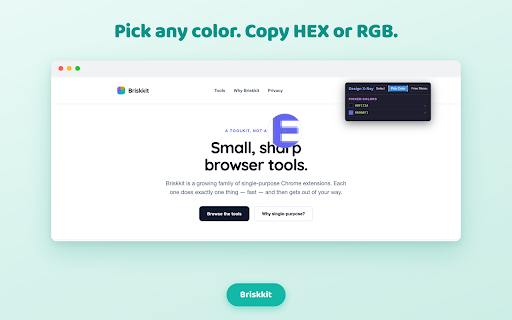
• Eyedropper — pick any color on the page and copy HEX / RGB in one click.
• Copy CSS — grab an element's full computed CSS with a single click.
• Page audit — list every font family and color used across the page.
• Floating panel you can minimize or expand, out of your way.

PRIVACY
Everything runs locally in your current tab. Design X-Ray collects nothing, stores nothing, and sends nothing off your browser. It only activates on the tab you're looking at, when you turn it on.

Made by Briskkit — a set of small, sharp browser tools.
Technical
- Version
- 1.0.0
- Manifest
- V3
- Size
- 52.46KiB
- Min Chrome
- 88
- Languages
- 1
- Featured
- No
Metadata
- ID
- ddohicaocdeneepgfiafdojbagkemhej
- Developer ID
- u5e70ac363155354568aca7047af4f1c5
- Developer Email
- [email protected]
- Created
- Jul 3, 2026
- Last Updated (Store)
- Jul 3, 2026
- Last Scraped
- Jul 4, 2026
- Website
- —
- Support URL
- —
Data sourced from the Chrome Web Store · last verified Jul 4, 2026.