Flow - Tab Manager
A new way to manage chrome tabs and windows easily.
As of May 2026, Flow - Tab Manager has 759 users and a 4.63/5 rating from 27 reviews in the Functionality & UI category.
Usersup 4.1 percent+4.1%
759
759
Ratingno change0%
4.63
27 reviews
Reviewsno change0%
27
Version
1.2.8
Manifest V3
History
5 snapshotsTracking since Apr 1, 2026.
View as table
| Date | Users | Rating | Reviews | Version |
|---|---|---|---|---|
| Apr 1, 2026 | 729 | 4.63 | 27 | 1.2.8 |
| Apr 21, 2026 | 710 | 4.63 | 27 | 1.2.8 |
| May 6, 2026 | 713 | 4.63 | 27 | 1.2.8 |
| May 17, 2026 | 733 | 4.63 | 27 | 1.2.8 |
| May 31, 2026 | 750 | 4.63 | 27 | 1.2.8 |
| Now | 759 | 4.63 | 27 | 1.2.8 |
Permissions & access
- Permissions
- storagetabstabGroupsunlimitedStoragefaviconcontextMenus
- Host access
- None declared
Screenshots
About
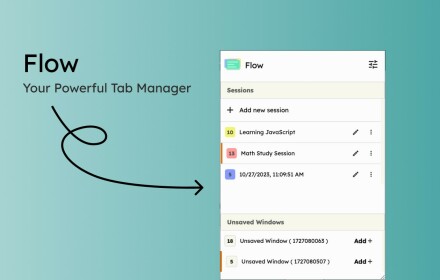
Flow is your ultimate solution for managing tabs and windows in Chrome. Whether you’re a power user or just someone who wants to keep things tidy, Flow streamlines your browsing experience. Here’s why you’ll love it:

Effortless Tab Management
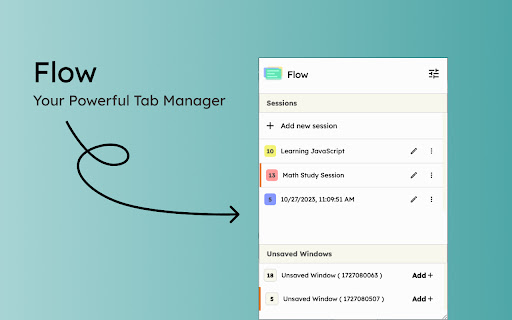
• Create Sessions: Start fresh by initiating a new session. A dedicated Chrome window opens, marking the beginning of your focused browsing journey.
• Automatic Saving: Flow takes care of your tabs in the background. Close a window without hesitation; your tabs are securely saved.
• Resume Seamlessly: Reopen any session whenever you need to pick up where you left off.
• Unsaved Windows: Add any open window to your sessions directly from the ‘Unsaved Windows’ section.

Boost Your Workflow with Additional Features
• Main Session: Designate a session as your ‘Main Session.’ When you launch Chrome, all other windows close, leaving only your essential workstream active.
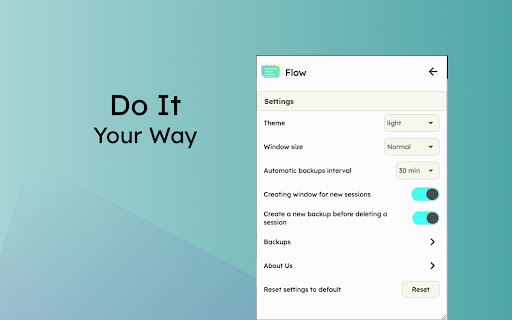
• Backups: Create local backups of your sessions. Flow auto-generates a backup before deleting any session, ensuring you never lose your work.
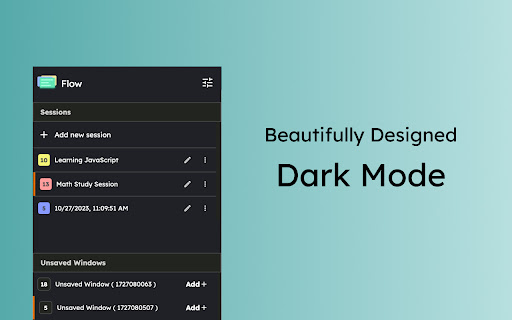
• Dark Mode: Enjoy a sleek dark mode that’s easy on the eyes during late-night browsing.
• Resizable Interface: Customize the extension’s size by simply dragging the bottom right corner to fit your screen and preferences.

Why Flow?

• Simplicity: Flow keeps things straightforward.
• Speed: It’s fast and reliable.
• Organization: Say goodbye to tab overload.

Give Flow a try and experience a clutter-free browsing environment. Your feedback is invaluable in making Flow even better!

What's new?
1.2.8
• Added session badge
• Removed the unsaved window popup

1.2.7
• Added sessions details to view tabs and move tabs between sesssoin
• Added move tabs to session in chrome context menu
• Added permission view to review optional permissions for certain settings

1.2.6
• Added window positions saving.
• Added uninstall survey.
• Bug fixes.

1.2.5
• Now Discarding tabs after title is load to improve search and visibility.
• Clicking on the open sessions will bring them to front.
• Bug fixes.

1.2.4
• Bug fixes.

1.2.3
• Added search in sessions.
• Added session reordering ( holding two horizontal lines in session menu).
• Added session color change ( click on tab count in session menu).

1.2.2
• Added session freeze.
• Code improvements.

1.2.1
• Organizing settings and added a few more settings in additional settings
• Bug fixes

1.2.0
• Two new themes : deepBlue, magicalPurple
• Performance improvements.
• Fixed some bugs.

1.1.0
• Sessions can be opened in the current window.
• Project is open source now. see about us in extension settings for more info.
• Pinned tabs will be saved now.
• Alert will be shown if a window is not saved as session.
• Performance improvements.

#tab-manager #session #tab-groups #flow
Technical
- Version
- 1.2.8
- Manifest
- V3
- Size
- 421KiB
- Min Chrome
- 88
- Languages
- 1
- Featured
- Yes
Metadata
- ID
- ddmmamibgihlgejeklfopeebcnobmfeb
- Developer ID
- uc34d5cd4cc35f0599b96d13ab2ed1ede
- Developer Email
- [email protected]
- Created
- Oct 30, 2023
- Last Updated (Store)
- Aug 4, 2025
- Last Scraped
- May 31, 2026
- Website
- —
- Support URL
- —
- Privacy Policy
- —
Similar extensions
Alternatives to Flow - Tab Manager, ranked by description similarity.

Smart Sessions - Tab Manager
Save & restore your browser sessions. Auto saving, multiple sessions and more.
6.0K
★ 4.1

Tabworks
Powerful tab manager
2
★ 5.0

Thready - Vertical Tabs
Vertical tabs, bookmarks, history and readling list in side panel.
1.0K
★ 4.1

TabFlow - Smart Tab Manager
Save and restore tab layouts in a single click. Boost productivity with auto-loading saved layouts and efficient tab organization.
1
★ 5.0

FlowTab
A beautiful, elegant, and minimalist new tab for your browser.
92
★ 5.0

Tab Session - history, tabs and bookmarks
Improve your productivity in Chrome browser with quickly navigating through tabs, bookmarks or history and more.
2.0K
★ 3.3
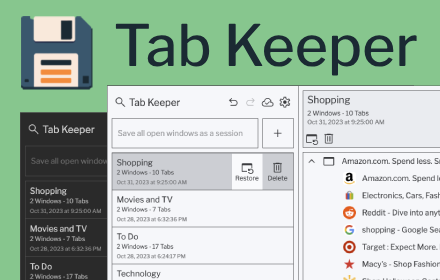
Tab Keeper - Chrome Tab Manager & Sync Tool
Efficiently save and synchronize tabs across devices without the need for personal logins.
4.0K
★ 4.8

Tab Manager Plus for Chrome
Quickly find open tabs, see all windows in one view, find duplicates and limit tabs per window. The best Tab Manager for Chrome.
200.0K
★ 4.7
Data sourced from the Chrome Web Store · last verified May 31, 2026.