
how to split screen
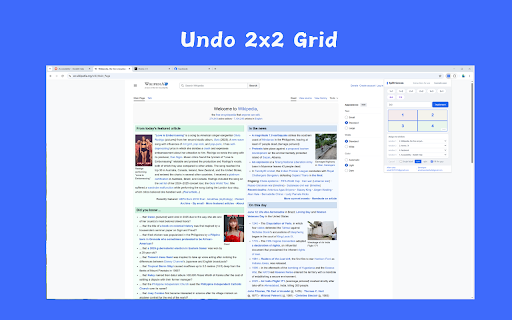
Arrange browser tabs into multi-window layouts. Supports custom ratios.
As of June 2026, how to split screen has — users in the Productivity category.
Usersno change0%
—
—
Ratingno change0%
—
— reviews
Reviewsno change0%
—
Version
1.0npy
Manifest V3
History
1 snapshotsTracking since Jun 14, 2026.
Not enough history yet for this metric — the chart fills in as we collect more snapshots.
View as table
| Date | Users | Rating | Reviews | Version |
|---|---|---|---|---|
| Jun 14, 2026 | — | — | — | 1.0npy |
| Now | — | — | — | 1.0npy |
Permissions & access
- Permissions
- tabsstoragesystem.display
- Host access
- None declared
Screenshots




About
Choose a layout, and the windows will be automatically arranged. Supports 2x2, 1x2, 2x1, 1x3, and 3x1 layouts. Aspect ratios are 6:4 and 7:3. You can also input your own layout, such as 4x4. How to use: Click the icon, select layout, and click execute.
Technical
- Version
- 1.0npy
- Manifest
- V3
- Size
- 87.02KiB
- Min Chrome
- 88
- Languages
- 55
- Featured
- No
Metadata
- ID
- ddcbnmgimbenldlgbebegkegbajodnni
- Developer ID
- u0b7965826b8d23f261ba518d08a80ace
- Developer Email
- [email protected]
- Created
- Jun 13, 2026
- Last Updated (Store)
- Jun 13, 2026
- Last Scraped
- Jun 14, 2026
- Website
- —
- Support URL
- —
Data sourced from the Chrome Web Store · last verified Jun 14, 2026.