
PostCapture
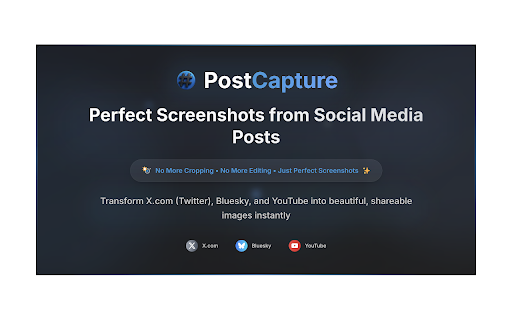
Adds a button to create perfect screenshot images of social media posts
As of May 2026, PostCapture has 8 users and a 3.00/5 rating from 2 reviews in the Social & Communication category.
Usersno change0%
8
8
Ratingno change0%
3.00
2 reviews
Reviewsno change0%
2
Version
1.0.0
Manifest V3
History
5 snapshotsTracking since Apr 1, 2026.
View as table
| Date | Users | Rating | Reviews | Version |
|---|---|---|---|---|
| Apr 1, 2026 | 8 | 3.00 | 2 | 1.0.0 |
| Apr 21, 2026 | 5 | 3.00 | 2 | 1.0.0 |
| May 6, 2026 | 9 | 3.00 | 2 | 1.0.0 |
| May 17, 2026 | 9 | 3.00 | 2 | 1.0.0 |
| May 31, 2026 | 11 | 3.00 | 2 | 1.0.0 |
| Now | 8 | 3.00 | 2 | 1.0.0 |
Permissions & access
- Permissions
- None declared
- Host access
- None declared
Screenshots


About
PostCapture - Professional Twitter Screenshot Tool

Transform your social media workflow with PostCapture, the Chrome extension that creates clean, professional screenshots of Twitter/X posts instantly. Perfect for content creators, marketers, journalists, and anyone who needs high-quality social media captures without browser clutter.

Key Features:

One-Click Screenshot Generation
Create perfect screenshots of any tweet or X post with a single click, directly from a X post.

Professional Quality Images
Generate clean, high-resolution images without browser UI elements or distractions

Seamless Twitter Integration
Native-style buttons that blend perfectly with Twitter/X interface design

Dark and Light Mode Support
Works flawlessly with both Twitter themes automatically

Zero Setup Required
Works immediately after installation with no configuration needed

Mobile Responsive Design
Optimized for all screen sizes and devices

Perfect For:

Content creators who need clean social media screenshots for presentations and content
Marketers capturing competitor analysis and social proof for campaigns
Journalists documenting breaking news and social conversations for articles
Researchers archiving social media content for academic studies
Anyone who wants to share tweets as beautiful, professional images

How It Works:

Simply browse Twitter/X as usual. PostCapture automatically adds discrete capture buttons to every post. Click any button to instantly generate a perfect screenshot that's ready to share, embed, or archive. No more cropping, editing, or dealing with messy browser screenshots.

Privacy Protection:

PostCapture only activates on Twitter/X pages and doesn't collect any personal data. Your browsing privacy is completely protected while using this extension.

Keywords: screenshot, twitter, x, social media, capture, image generator, tweet screenshot, social media tool, content creation, marketing tool
Technical
- Version
- 1.0.0
- Manifest
- V3
- Size
- 30.07KiB
- Min Chrome
- 88
- Languages
- 1
- Featured
- No
Metadata
- ID
- dcnnniobflpighchhhlbidbghhmkdcgg
- Developer ID
- u52575e08471e045cfe12f7158ec6b5f4
- Developer Email
- [email protected]
- Created
- Jul 1, 2025
- Last Updated (Store)
- Jul 1, 2025
- Last Scraped
- May 31, 2026
- Website
- postcapture.com
- Support URL
- —
- Privacy Policy
- https://postcapture.com/privacy
Similar extensions
Alternatives to PostCapture, ranked by description similarity.

Tweet Downloader
Download tweets, videos, or upload screenshots with a hover menu.
6

X.com Post Copier
Advanced copying of X.com (Twitter) posts: content, media, history, premium, trial counter, Stripe, ID sync, event logging.
35
★ 5.0

Social Media Screenshot
Capture screenshots with the right aspect ratio for different social media platforms
33
★ 3.0

ClearX
Generate long images of Twitter content.
33

TwitterShots - Make Stunning Twitter Screenshots
Make Stunning Twitter Screenshots
135
★ 5.0

Orshot - Beautiful Twitter Screenshots
Generate Beautiful Twitter screenshots in Chrome with just one click
70

Circleboom Export Twitter/X Tweets
Export your tweets to a CSV or XLSX file.
58
★ 5.0

CastGenie - AI Content Capture
Capture content from any webpage and transform it into platform-perfect social media posts with AI
1
Data sourced from the Chrome Web Store · last verified May 31, 2026.