
Next Tab
Press a button to go to the next tab.
As of June 2026, Next Tab has 865 users and a 3.86/5 rating from 7 reviews in the Functionality & UI category.
Usersdown 3.0 percent−3.0%
865
865
Ratingno change0%
3.86
7 reviews
Reviewsno change0%
7
Version
1.8
Manifest V3
History
7 snapshotsTracking since Apr 2, 2026.
View as table
| Date | Users | Rating | Reviews | Version |
|---|---|---|---|---|
| Apr 2, 2026 | 892 | 3.86 | 7 | 1.8 |
| Apr 17, 2026 | 880 | 3.86 | 7 | 1.8 |
| Apr 23, 2026 | 893 | 3.86 | 7 | 1.8 |
| May 11, 2026 | 894 | 3.86 | 7 | 1.8 |
| May 19, 2026 | 898 | 3.86 | 7 | 1.8 |
| May 28, 2026 | 882 | 3.86 | 7 | 1.8 |
| Jun 6, 2026 | 903 | 3.86 | 7 | 1.8 |
| Now | 865 | 3.86 | 7 | 1.8 |
Permissions & access
- Permissions
- tabsstorageactiveTab
- Host access
- None declared
Screenshots

About
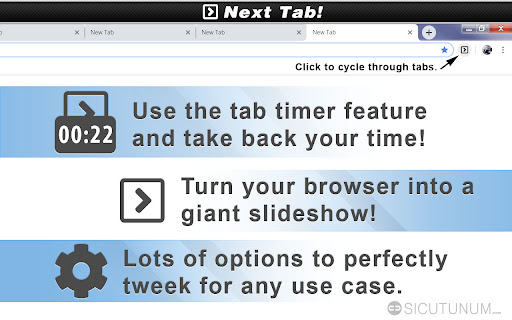
Add a simple button to cycle through open browser tabs without the use of hotkeys. Next Tab also has an awesome productivity feature called "tab timer" that can help you manage time spent browsing websites. You can use it to forcefully move on to the next open tab and even close tabs after the timer runs out. These and more features can be activated in the options menu by right clicking the extension button and selecting the "Options" menu after installing.


𝗔𝗗𝗗𝗜𝗧𝗜𝗢𝗡𝗔𝗟 𝗙𝗘𝗔𝗧𝗨𝗥𝗘𝗦
• Cycle through browser tabs by pressing a button (without hotkeys).

• Use the tab timer to control how much time you spend on websites.

• Display a countdown timer right in your browser at the press of a button.

• Lots of customization, disable icon animation, hide timer and more.

• Use "Auto advance next tab" to automatically advance tab when timer is up.

• Convert your web browser into a customizable slide show.


© Seth Fentress
Technical
- Version
- 1.8
- Manifest
- V3
- Size
- 632KiB
- Min Chrome
- 88
- Languages
- 1
- Featured
- Yes
Metadata
- ID
- dcllegmdokiceklcgfgeabebieaedhmh
- Developer ID
- u253aa94af96c168e813559cdcfcf3e22
- Developer Email
- [email protected]
- Created
- Jul 20, 2019
- Last Updated (Store)
- Jan 29, 2026
- Last Scraped
- Jun 6, 2026
- Website
- sethfentress.com
- Support URL
- —
- Privacy Policy
- —
Similar extensions
Alternatives to Next Tab, ranked by description similarity.

Tab Buddy – Open Tabs Next to Current
Opens new tab next to the current one
245
★ 3.0

Tab Switch with Search
Quickly switch between tabs using Ctrl+Q and a search function
4

OpenNewTab
Multi-functional New Tab extension, giving your new tab page a fresh look! Built-in calendar, to-do, notes, wallpapers, and weather.
11
★ 5.0

HandyTab
Maximize your productivity with HandyTab, a new tab extension that provides quick access to bookmarks, widgets, and more.
2
★ 5.0

New Tab Plus
Add up to 50 shortcuts to the new tab page and choose your preferred search engine.
1.0K
★ 3.8

XTab
Automatically closes tabs after a specified time, and stores their URLs to reopen later.
17
★ 5.0

TabsTree
A tab management sidebar with tree structure and advanced features.
25
★ 5.0

Tabs Counter - Number of Browser Opened Tabs
Count number of opened tabs in web browser current window. Displays tabs count number on the extension/add-on icon in the toolbar
5.0K
★ 3.3
Data sourced from the Chrome Web Store · last verified Jun 6, 2026.