
Go.ly | Short links and Analytics
Go.ly | URL Shortener - Short URLs & Custom Free Link Shortener
As of May 2026, Go.ly | Short links and Analytics has 311 users and a 4.20/5 rating from 5 reviews in the Social & Communication category.
Usersdown 5.5 percent−5.5%
311
311
Ratingno change0%
4.20
5 reviews
Reviewsno change0%
5
Version
0.0.3
Manifest V3
History
2 snapshotsTracking since Apr 24, 2026.
View as table
| Date | Users | Rating | Reviews | Version |
|---|---|---|---|---|
| Apr 24, 2026 | 329 | 4.20 | 5 | 0.0.3 |
| May 19, 2026 | 340 | 4.20 | 5 | 0.0.3 |
| Now | 311 | 4.20 | 5 | 0.0.3 |
Permissions & access
- Permissions
- contextMenusactiveTabstorage
- Host access
- None declared
Screenshots
About
Description:
The Go.ly URL Shortener Chrome extension is a powerful tool that allows you to quickly and easily shorten URLs right from your browser. With just a few clicks, you can transform long, cumbersome links into short and memorable Go.ly URLs. This extension provides a seamless experience, enabling you to share and manage your shortened links effortlessly.

Features:
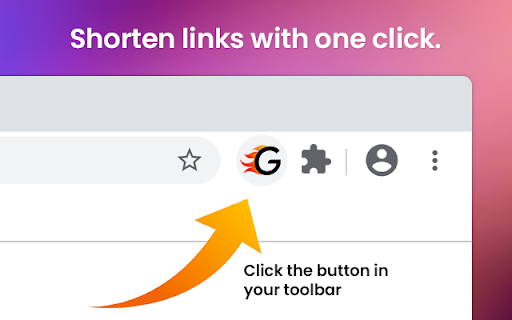
- One-Click Shortening: Shorten any URL with just a single click, directly from the extension toolbar.

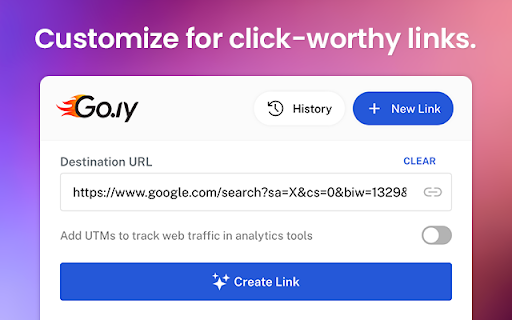
- Customizable Short URLs: Personalize your shortened URLs by specifying custom aliases or let Go.ly generate a unique one for you.

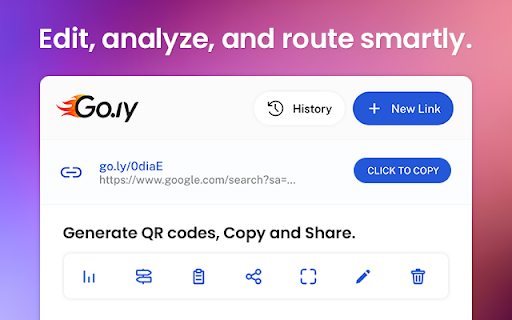
- Analytics Tracking: Gain insights into the performance of your shortened links with detailed analytics, including click statistics and geographic data.

- Copy to Clipboard: Copy the shortened URL to your clipboard with a single click, making it easy to share and paste wherever you need.

- QR Code Generation: Generate QR codes for your shortened URLs, allowing easy scanning and sharing with mobile devices.

- History Management: Access a history of your previously shortened URLs, making it simple to revisit and manage your links.

- Sync Across Devices: Sign in to your Go.ly account and enjoy seamless synchronization of your shortened URLs across multiple devices.

- Keyboard Shortcuts: Utilize handy keyboard shortcuts for quick access and efficient workflow.


How to Use:
1. Install the Go.ly URL Shortener Chrome extension from the Chrome Web Store.
2. Click on the Go.ly icon in your Chrome toolbar to open the extension.
3. Paste the URL you want to shorten into the input field. Optionally, customize the URL alias or let Go.ly generate a unique one for you.
4. Click the "Shorten" button, and your shortened URL will be generated and displayed.
5. Copy the shortened URL to your clipboard or access additional features like analytics and QR code generation.

Compatibility:
The Go.ly URL Shortener Chrome extension is compatible with Chrome browser versions 60 and above on Windows, Mac, and Linux operating systems.

Privacy and Security:
Go.ly takes privacy and security seriously. We do not collect any personally identifiable information through this Chrome extension. The URLs you shorten are only stored in your personal Go.ly account, which is password protected and encrypted.

About Go.ly:
Go.ly is a leading URL shortening service that aims to simplify link management and sharing. With a user-friendly interface and powerful features, Go.ly provides a seamless experience for shortening, tracking, and managing URLs. Visit our website at www.go.ly to learn more.

Feel free to customize the listing to include specific details or features of your Go.ly URL shortener extension.
Technical
- Version
- 0.0.3
- Manifest
- V3
- Size
- 268KiB
- Min Chrome
- 88
- Languages
- 1
- Featured
- No
Metadata
- ID
- dcfpdlciimkekjcagolgkokogjkjfolc
- Developer ID
- u7878788ad0c475c2753ee7e21c55505e
- Developer Email
- [email protected]
- Created
- Jul 9, 2023
- Last Updated (Store)
- Jul 12, 2023
- Last Scraped
- May 19, 2026
- Website
- go.ly
- Support URL
- —
- Privacy Policy
- https://go.ly/pages/terms-privacy-policy
Similar extensions
Alternatives to Go.ly | Short links and Analytics, ranked by description similarity.

Url Shortener for Chrome™
Just click our extension icon on toolbar to shorten the URL of current page with TinyURL.ee url shortener service.
5

QLinkPath - Free URL Shortener, Branded Links & QR Codes
Shorten URLs, manage branded links, and track clicks with QLinkPath — a fast URL shortener.
76
★ 5.0

Replug | URL Shortener & Links Management
Shorten, track and optimize your links with catchy call-to-actions, retargeting pixels, branded links and powerful analytics.
1.0K
★ 4.8

Bitsy Link
Bitsy Link | Shorten, share, shine! With Bitsy Link, create eye-catching short links that boost engagement effortlessly.
6

URL Shortener by LinkJoy
Shorten Long URLs on your Custom Domain in 2 Clicks or Less
411
★ 5.0

U301 URL Shortener
Create short links, QRCodes, with your own domain. Share them anywhere. Track what’s working, and what’s not.
192
★ 4.8

Social Media Pocket Diary
Save your Social Media links here. In a Pocket Diary
6

Lnkk.it — URL Shortener & QR Code Generator
Shorten URLs instantly, generate QR codes, track clicks & analytics. Create custom branded links from your browser.
3
★ 5.0
Data sourced from the Chrome Web Store · last verified May 19, 2026.