SuperFocus - Time Tracker, Block Sites, Hide Distractions
Track time spent on various sites, limit and block distracting websites, and hide distractions.
As of May 2026, SuperFocus - Time Tracker, Block Sites, Hide Distractions has 710 users and a 4.52/5 rating from 21 reviews in the Workflow & Planning category.
Usersup 5.8 percent+5.8%
710
710
Ratingdown 0.7 percent−0.7%
4.52
21 reviews
Reviewsup 5.0 percent+5.0%
21
Version
2.5
Manifest V3
History
5 snapshotsTracking since Apr 1, 2026.
View as table
| Date | Users | Rating | Reviews | Version |
|---|---|---|---|---|
| Apr 1, 2026 | 671 | 4.55 | 20 | 2.5 |
| Apr 21, 2026 | 670 | 4.55 | 20 | 2.5 |
| May 6, 2026 | 663 | 4.52 | 21 | 2.5 |
| May 17, 2026 | 652 | 4.52 | 21 | 2.5 |
| May 30, 2026 | 682 | 4.52 | 21 | 2.5 |
| Now | 710 | 4.52 | 21 | 2.5 |
Permissions & access
- Permissions
- tabsstorageidleunlimitedStoragealarmsnotifications
- Host access
- None declared
Screenshots

About
The SuperFocus extension is the ultimate one-stop productivity extension with three powerful features:

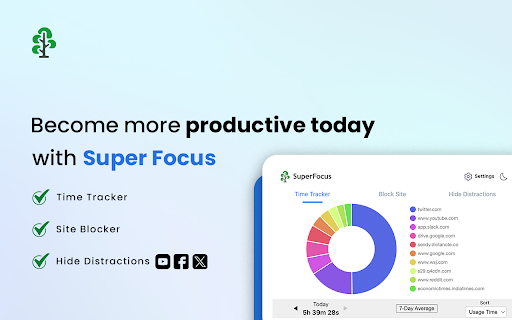
✅ Time Tracker: Discover & Track Your Browsing Habits
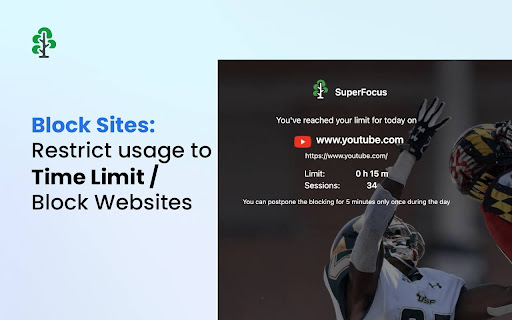
✅ Block Sites: Restrict Usage To Time Limit / Block Websites
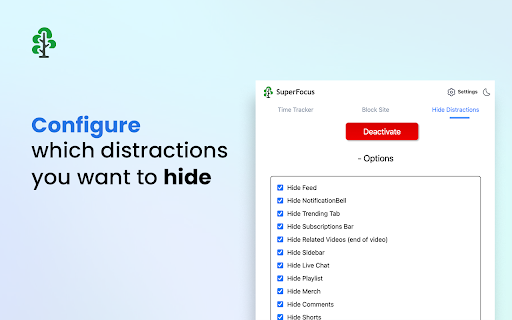
✅ Hide Distractions: Minimize Distractions Like Algorithmic Feeds, etc.

Time Tracker tracks your time spent on all websites. You can visualize the time spent on any website across days and in Settings, get your full historical data with advanced analytics. Use Time Tracker to understand your web usage and which sites are wasting your time.

Use the Block Site feature to restrict the time spent on a particular website. You can set a daily usage limit (like 15 minutes), after which the site will get blocked. Or you can outright block it by setting the usage limit to 0 minutes.

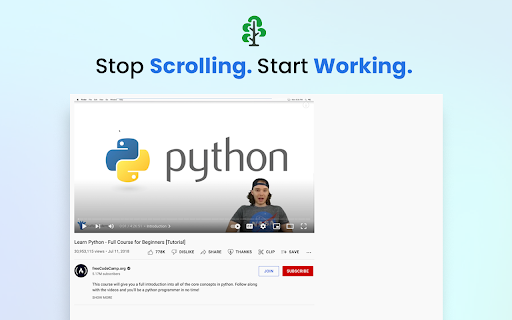
Hide Distractions lets you minimize distractions like algorithmic feeds, notifications, comments, etc., to keep your focus sharp.

You can find more information on the SuperFocus website at https://getsuperfocus.com/
Technical
- Version
- 2.5
- Manifest
- V3
- Size
- 2.1MiB
- Min Chrome
- 88
- Languages
- 40
- Featured
- Yes
Metadata
- ID
- dboceidahklphhjpfbpnicodnbkoiokn
- Developer ID
- u3b840fd2d1fead193a9974f126bbac7f
- Developer Email
- [email protected]
- Created
- Feb 22, 2022
- Last Updated (Store)
- Jul 16, 2025
- Last Scraped
- May 30, 2026
- Website
- getsuperfocus.com
- Support URL
- https://getsuperfocus.com/support/
- Privacy Policy
- https://getsuperfocus.com/privacy/
Similar extensions
Alternatives to SuperFocus - Time Tracker, Block Sites, Hide Distractions, ranked by description similarity.

Deep Work Zone
Create distraction-free focus sessions, track productive time, set goals, and boost productivity for startups and solopreneurs
164
★ 4.0

Focus: Website Time Limiter
Set daily usage time limits for your chosen websites and get notified when the limit is reached.
12

FocusKeeper - Block Distracting Websites, Stay Productive
Block social media sites, set tab limits, and stay focused with FocusKeeper. Boost productivity by limiting online distractions.
20
★ 5.0

Distraction Tracker
Track time spent on distracting websites
6

BlockSite – Focus & Stay Productive
Block distracting websites, stay focused, and track your productivity with a beautiful, powerful site blocker.
6

HyperFocus
Block tempting sites and stay focused!
13
★ 5.0

Hocus Focus
Help yourself focus by blocking time-wasting websites!
14
★ 4.4

Website Blocker
Block distracting websites, track time, and boost productivity
9
Data sourced from the Chrome Web Store · last verified May 30, 2026.