
Canva Custom Size Manager - Fast Custom Sizes Retrieval
Quickly apply, save, and manage custom design sizes in Canva with one click. Add tags and search your presets—right inside Canva!
As of May 2026, Canva Custom Size Manager - Fast Custom Sizes Retrieval has 7 users in the Workflow & Planning category.
Usersup 133.3 percent+133.3%
7
7
Ratingno change0%
—
— reviews
Reviewsno change0%
—
Version
1.0.0
Manifest V3
History
5 snapshotsTracking since Apr 1, 2026.
View as table
| Date | Users | Rating | Reviews | Version |
|---|---|---|---|---|
| Apr 1, 2026 | 3 | — | — | 1.0.0 |
| Apr 21, 2026 | 4 | — | — | 1.0.0 |
| May 6, 2026 | 5 | — | — | 1.0.0 |
| May 17, 2026 | 5 | — | — | 1.0.0 |
| May 30, 2026 | 6 | — | — | 1.0.0 |
| Now | 7 | — | — | 1.0.0 |
Permissions & access
- Permissions
- storage
- Host access
- https://www.canva.com/*
Screenshots


About
Canva Custom Size Manager makes your Canva workflow faster, smarter, and less repetitive.

If you often create designs in fixed or specific dimensions—like social media posts, print layouts, or marketing materials—you know how annoying it is to retype the same width and height over and over again. This extension fixes that.

✅ Why Install It?
-> Save your favorite sizes once, use them forever.
Stop guessing dimensions or digging through notes. Just save your sizes with labels like “Instagram Post,” “A4 Flyer,” or “Gumroad Thumbnail.”

-> Instantly apply custom sizes with one click.
No typing. Just click a saved size and Canva will fill in the width, height, and unit automatically—then open your new design.

-> Stay organized with tags and filters.
Got lots of sizes? Add tags and search by keyword, size, or unit to quickly find what you need.

-> No syncing needed – works across all your Canva tabs.
The extension automatically keeps your size presets available and updated, no matter how many Canva tabs you have open.

-> 100% private – your data never leaves your browser.
Everything is saved locally. No logins, no tracking, no uploading.

💡 Perfect For:
- Designers and marketers who reuse standard formats
- Teams creating branded templates at scale
- Creators who want to launch projects faster
- Anyone tired of repetitive Canva clicks

Install Canva Custom Size Manager and get straight to creating — no more typing, no more guessing.
Your favorite sizes, one click away.
Technical
- Version
- 1.0.0
- Manifest
- V3
- Size
- 36.3KiB
- Min Chrome
- 88
- Languages
- 1
- Featured
- No
Metadata
- ID
- dbmhpanjfmodnobgngmdfhnklohcambo
- Developer ID
- u7c2463df6c0e716d9d21b2260374f492
- Developer Email
- [email protected]
- Created
- Jul 9, 2025
- Last Updated (Store)
- Jul 9, 2025
- Last Scraped
- May 30, 2026
- Website
- —
- Support URL
- —
- Privacy Policy
- —
Similar extensions
Alternatives to Canva Custom Size Manager - Fast Custom Sizes Retrieval, ranked by description similarity.

Canva Quick Downloader: One-Click Export Button
Add a one-click download button to Canva. Instantly export your design in any format Canva supports. No menus, no extra clicks.
350
★ 5.0

Bulk Design Generator for Canva
Automate Canva design variations in bulk with variables, generate batches, and download generated designs faster for workflows.
38
★ 5.0

Bulk BG Remover for Canva
Quickly and easily remove backgrounds from images in bulk with a single click.
295
★ 5.0
Canva AutoMaker
Automate Canva designs with Canva Automaker Chrome extension
104

Text to Image
Transform plain text into gorgeous visuals! Create stunning images with custom fonts and colors. Perfect for creators & marketers
1.0K
★ 4.3
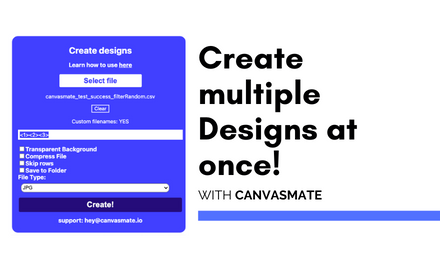
Canva Automation | Make Designs | CanvasMate
Automate canva designs in bulk, create and download multiple design variations automatically
670
★ 3.0

Canva Bulk Maker - Auto Maker for Canva.com
Automate Canva designs by using dynamic variables, then download them automatically on canva.com.
450
★ 4.0

Canva Bulk Maker
Save time and produce efficiently with this tool! Batch create and download designs with automated variable processing on Canva.com
2.0K
★ 3.5
Data sourced from the Chrome Web Store · last verified May 30, 2026.