
Auto Scroll for TikTok Player
Auto scrolling videos in TikTok with full screen option
As of May 2026, Auto Scroll for TikTok Player has 1,000 users and a 1.68/5 rating from 25 reviews in the fun category.
Usersno change0%
1.0K
1,000
Ratingno change0%
1.68
25 reviews
Reviewsno change0%
25
Version
3.3.3
Manifest V3
Permissions & access
- Permissions
- storagetabs
- Host access
- None declared
Screenshots



About
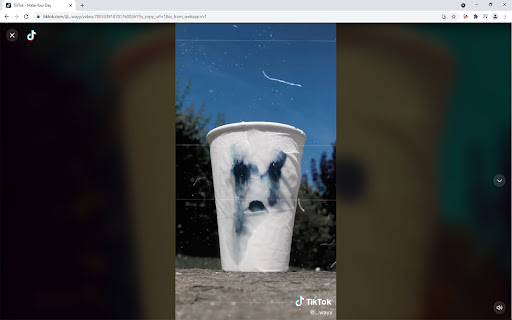
This Chrome Extension allows you to view TikTok videos from your PC (Chrome Browser) in an endless loop, without need to select the next video with your mouse or keyboard.

When the "Auto-Play" view mode is enabled, the video is expanded to fit the browser. In full screen view (F11 key), the video is shown in full screen.

When the playlist ends, the application automatically restarts the tab and loads fresh videos and a new playlist. When the full screen view mode is enabled (F11 key), the video is also expanded to full screen.

Changelog: version 3.2.3 (19/09/2021 22:00)
Added new functions - keyboard shortcuts for play-pause (Space) and for show/disable comments (Ctrl). Also added keyboard shortcuts to scroll through the video (previous - arrows: left; up, next - arrows: right; down).

Changelog: version 3.2.4 (20/09/2021 16:40)
Fixed unexpected stop.

If you have any suggestions or usage issues please post this on the GitHub page: https://github.com/access/TikTok-Player-Auto-Scroll/issues
Technical
- Version
- 3.3.3
- Manifest
- V3
- Size
- 1.78MiB
- Min Chrome
- 88
- Languages
- 1
- Featured
- No
Metadata
- ID
- dbmdglbpkackbphfbhikkadbmelgcjhf
- Developer ID
- uf8ebb16cf41892c42cb7d8e2060ec42b
- Developer Email
- [email protected]
- Created
- Sep 4, 2021
- Last Updated (Store)
- Sep 24, 2021
- Last Scraped
- May 19, 2026
- Website
- —
- Support URL
- —
- Privacy Policy
- —
Similar extensions
Alternatives to Auto Scroll for TikTok Player, ranked by description similarity.

TikTok Auto Play
A simple Chrome extension that will auto play TikToks for you.
100
★ 1.0

TikPak Downloader
TikPak Downloader, helps you view and download videos from Tiktok in one click!
5.0K
★ 3.5

Auto Youtube Shorts Scroller
Automatically scrolls to the next Youtube Short when one ends!
30.0K
★ 3.3

Video Speed Controller
Control the playback speed of HTML5 videos.
5.0K
★ 3.8

Magic Actions for YouTube™
Enhance your YouTube watching experience! Cinema Mode, Mouse Wheel Volume Control, AutoHD, Expand, Snapshots …
700.0K
★ 4.7

Jut.su Extension
Jut.su Extension adds new features on top of your favorite Jut.su
3.0K
★ 4.8

Video Expansion Controller
Chrome Extension for video controller
1.0K
★ 3.6

YouTube Shorts Auto Scroll
Automatically scrolls to the next YouTube Short when the current video ends.
50
Data sourced from the Chrome Web Store · last verified May 19, 2026.