
Iris - Personal New Tab Photos
Display photos from your personal gallery on every new tab
As of June 2026, Iris - Personal New Tab Photos has 3 users in the fun category.
Usersup 200.0 percent+200.0%
3
3
Ratingno change0%
—
— reviews
Reviewsno change0%
—
Version
0.0.1
Manifest V3
History
7 snapshotsTracking since Apr 17, 2026.
View as table
| Date | Users | Rating | Reviews | Version |
|---|---|---|---|---|
| Apr 17, 2026 | 1 | — | — | 0.0.1 |
| Apr 23, 2026 | 2 | — | — | 0.0.1 |
| Apr 27, 2026 | 3 | — | — | 0.0.1 |
| May 10, 2026 | 2 | — | — | 0.0.1 |
| May 22, 2026 | — | — | — | 0.0.1 |
| May 29, 2026 | 1 | — | — | 0.0.1 |
| Jun 10, 2026 | — | — | — | 0.0.1 |
| Now | 3 | — | — | 0.0.1 |
Permissions & access
- Permissions
- storagesearch
- Host access
- None declared
Screenshots


About
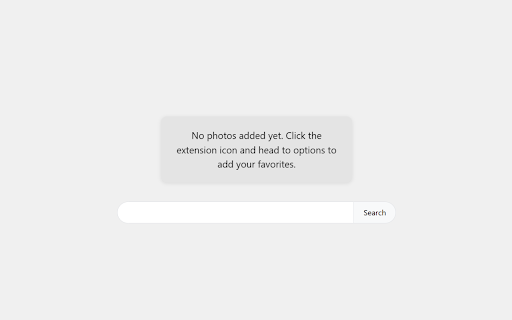
Transform your new tab experience with Iris - a personal photo gallery that displays your cherished photos every time you open a new tab.

Key Features:
• Display random photos from your collection on each new tab
• Easily add and remove photos through the extension's options page
• Change photo button to view a different random image instantly
• Simple, clean interface focused on your photos

Important Notes:
• Chrome's local storage limit is strictly 10MB - make sure you do not exceed this as it will cause unpredictable problems or lag. The extension currently does not check your total gallery size for you.
• To maximize the number of photos you can add, you can minimize file sizes using ImageOptim (https://imageoptim.com/online)
• After optimization, you can typically store 30-50 photos (depending on file sizes)
• Note that the search bar will use your default search engine, even though the UI may display 'Search Google' or similar text

How to Use:
1. Install the extension
2. Access the options page:
   - Click the puzzle piece icon in your Chrome toolbar
   - Find Iris in the extensions list
   - Click the three dots (⋮) next to the extension
   - Select "Options" from the menu
3. Add your photos through the options page
4. Enjoy your personal photos on every new tab!

Your photos stay completely private and are stored locally in your browser.

Potential Future Plans:
• Cloud storage support for larger photo collections
• Total gallery size monitoring
• Additional customization options
Technical
- Version
- 0.0.1
- Manifest
- V3
- Size
- 54.44MiB
- Min Chrome
- 88
- Languages
- 1
- Featured
- No
Metadata
- ID
- dakfiapmeegpolgffobifnbeablenkpp
- Developer ID
- ua9fd151db8fac67a80563a5f7888dfeb
- Developer Email
- [email protected]
- Created
- Mar 7, 2026
- Last Updated (Store)
- Mar 7, 2026
- Last Scraped
- Jun 10, 2026
- Website
- —
- Support URL
- —
- Privacy Policy
- —
Similar extensions
Alternatives to Iris - Personal New Tab Photos, ranked by description similarity.

Photos New Tab
Personalized photos from your Google Photos account in your new tabs.
1.0K
★ 4.1

Black New Tab Wallpapers
100+ black wallpapers for new tab
577

Collections
A simple tool to save, organize, and browse inspiration from across the web.
2

Surprise Tab
Get a surprise fact, joke, or history tidbit every time you open a new tab!
4

New Cat Tab
Displays a random cat image and fact on each new tab!
10

Custom Tab For Chrome
Apply a large collection of Free HD wallpapers in your Chrome and also change the default layout of chrome with Custom Tab Theme.
1.0K
★ 5.0

Bookmark Plus New Tab
New tab rich backgrounds plus bookmarks.
20.0K
★ 4.0

Beach Tab
Gorgeous beach wallpapers in a new tab.
1.0K
Data sourced from the Chrome Web Store · last verified Jun 10, 2026.