
Sheet2Remit
Sync Google Sheets with Remity—pick employees, auto-fill payments, and mark them paid. Payroll in one click, no copy-paste.
As of May 2026, Sheet2Remit has — users and a 5.00/5 rating from 1 reviews in the Accessibility category.
Usersno change0%
—
—
Ratingno change0%
5.00
1 reviews
Reviewsno change0%
1
Version
1.0.0
Manifest V3
History
4 snapshotsTracking since Apr 1, 2026.
View as table
| Date | Users | Rating | Reviews | Version |
|---|---|---|---|---|
| Apr 1, 2026 | 2 | 5.00 | 1 | 1.0.0 |
| Apr 20, 2026 | 1 | 5.00 | 1 | 1.0.0 |
| May 6, 2026 | 1 | 5.00 | 1 | 1.0.0 |
| May 30, 2026 | 1 | 5.00 | 1 | 1.0.0 |
| Now | — | 5.00 | 1 | 1.0.0 |
Permissions & access
- Permissions
- identitystorage
- Host access
- https://sheets.googleapis.com/*
Screenshots

About
Tired of juggling between Google Sheets and Remity for payroll?


With our new extension, you can seamlessly connect your payroll sheet on Google Drive to Remity. No more endless copy-pasting or switching tabs.


Here’s how it works:


Install the extension, and a “Select from Sheets” button appears right on the Remity transfer page.

Choose your Google Sheet, pick the tab, search for the employee’s name, and the amount is instantly populated.

Once the transfer is complete, the extension even auto-updates your Google Sheet to mark the employee as paid.


It’s fast, accurate, and saves you hours every payroll cycle.
Technical
- Version
- 1.0.0
- Manifest
- V3
- Size
- 202KiB
- Min Chrome
- 88
- Languages
- 1
- Featured
- No
Metadata
- ID
- daibbenfdkcnmmjfjolgkeppahgmfepb
- Developer ID
- ue88d9497ef9f4c4fe58970b82d57068c
- Developer Email
- [email protected]
- Created
- Sep 5, 2025
- Last Updated (Store)
- Sep 5, 2025
- Last Scraped
- May 30, 2026
- Website
- —
- Support URL
- —
- Privacy Policy
- —
Similar extensions
Alternatives to Sheet2Remit, ranked by description similarity.

Workday app for pc,windows and Mac (Free use)
Daily Employee Work Status Added By HR
2.0K

Live Preview Opener
Enter your workspace url and click on any button to open Frontend Preview OR Backend Data
78
★ 5.0

Spreadsheet Hub
List your Google Sheets in a popup
9
★ 5.0

Gmailer Extension
Navigate all your Gmails the smart way.
2
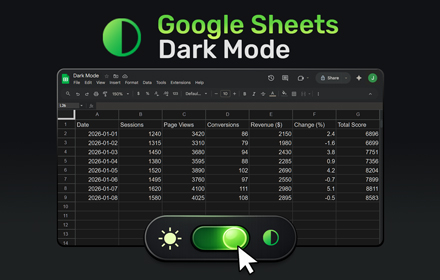
Google Sheets Dark Mode
Use Google Sheets Dark Mode to turn bright spreadsheets into a comfortable dark theme and reduce eye strain while you view, edit,…
6.0K
★ 4.4

QuickBillable
QuickBillable is a user-friendly Chrome extension tailored specifically for professionals who require a reliable and efficient way…
1

Enhancer 4 Google
Improves the UI of various Google services, taking these already user-friendly services to the next level.
80.0K
★ 4.8

Notchup Auto Apply
Streamline your job search with AI-powered auto-apply on LinkedIn
200
★ 4.3
Data sourced from the Chrome Web Store · last verified May 30, 2026.