Google Scholar PDF Reader
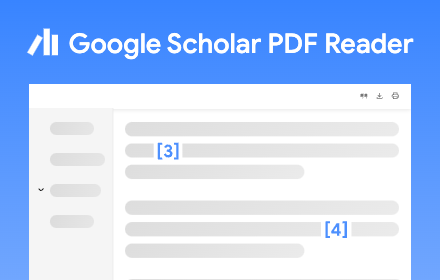
Supercharge your paper reading: follow references, skim outline, jump to figures, cite and save.
As of June 2026, Google Scholar PDF Reader has 2,000,000 users and a 4.11/5 rating from 688 reviews in the Workflow & Planning category.
Usersup 100.0 percent+100.0%
2.0M
2,000,000
Ratingdown 0.7 percent−0.7%
4.11
688 reviews
Reviewsup 3.5 percent+3.5%
688
Version
0.5.2
Manifest V3
90-day change · In the last 90 days this extension gained 1.0M users, 2 version updates.
History
16 snapshotsTracking since Apr 1, 2026.
View as table
| Date | Users | Rating | Reviews | Version |
|---|---|---|---|---|
| Apr 1, 2026 | 1.0M | 4.14 | 665 | 0.4.9 |
| Apr 5, 2026 | 2.0M | 4.14 | 665 | 0.4.9 |
| Apr 8, 2026 | 1.0M | 4.13 | 667 | 0.4.9 |
| Apr 16, 2026 | 1.0M | 4.13 | 668 | 0.4.9 |
| Apr 23, 2026 | 2.0M | 4.12 | 672 | 0.4.10 |
| Apr 26, 2026 | 2.0M | 4.12 | 673 | 0.5.0 |
| May 5, 2026 | 2.0M | 4.12 | 675 | 0.5.0 |
| May 11, 2026 | 2.0M | 4.11 | 679 | 0.5.0 |
| May 13, 2026 | 2.0M | 4.11 | 681 | 0.5.0 |
| May 17, 2026 | 2.0M | 4.11 | 682 | 0.5.0 |
| May 27, 2026 | 2.0M | 4.10 | 683 | 0.5.0 |
| Jun 1, 2026 | 2.0M | 4.10 | 684 | 0.5.0 |
| Jun 6, 2026 | 2.0M | 4.10 | 686 | 0.5.0 |
| Jun 8, 2026 | 2.0M | 4.10 | 685 | 0.5.2 |
| Jun 15, 2026 | 2.0M | 4.11 | 686 | 0.5.2 |
| Jun 22, 2026 | 2.0M | 4.11 | 687 | 0.5.2 |
| Now | 2.0M | 4.11 | 688 | 0.5.2 |
Permissions & access
- Permissions
- webNavigationwebRequestdeclarativeNetRequestscriptingstorageoffscreenclipboardWrite
- Host access
- <all_urls>
Screenshots


About
When you install Scholar Reader, PDFs on all sites will have a new look in Chrome. To make this happen, Chrome will ask for permissions to read and change data on all sites. Scholar Reader makes no changes other than the presentation of PDFs.

• Preview references as you read. Click the in-text citation to see a summary and find the PDF.
• Read faster with the AI outline. Get a quick overview and click on interesting bullets to jump within the paper.
• Highlight and comment on PDFs. Highlights are saved to your Scholar library.
• Make it right for your eyes with light, dark, and night modes.
• Copy and paste common citation formats without leaving the paper.
• Save articles to your Scholar Library to read or cite later.
• Click in-text figure mentions to see the figure and the back button to keep reading.

By installing this extension, you agree to the Google Terms of Service and Privacy Policy at https://www.google.com/intl/en/policies/.
Technical
- Version
- 0.5.2
- Manifest
- V3
- Size
- 3.54MiB
- Min Chrome
- 110.0
- Languages
- 41
- Featured
- Yes
Metadata
- ID
- dahenjhkoodjbpjheillcadbppiidmhp
- Developer ID
- u82f405672d3940aaa330186551178ec9
- Developer Email
- [email protected]
- Created
- Jun 2, 2023
- Last Updated (Store)
- Jun 5, 2026
- Last Scraped
- Jun 22, 2026
- Website
- https://scholar.google.com/
- Support URL
- —
- Privacy Policy
- https://policies.google.com/privacy
Similar extensions
Alternatives to Google Scholar PDF Reader, ranked by description similarity.

Save to Scholaread
Save references and PDFs to Scholaread from your web browser, and read on MOBILE.
3.0K
★ 1.3

Scholar Utility Belt
Personal productivity tools for Google Scholar with minimal extra requests.
1.0K
★ 4.7

Chrome Reader Mode
Reader Mode Chrome extension offers distraction-free reading. It removes clutter, ads allowing users to focus on the content
10.0K
★ 3.9
Reader View
Strips away clutter like buttons, background images, and changes the page's text size, contrast and layout for better readability
40.0K
★ 4.6

Papers by ReadCube
Easily import articles and webpages to your Papers by ReadCube library.
50.0K
★ 4.1

PDF Viewer
Display any PDF files in the Chrome browser with HTML5. Online editor, viewer and PDF converter tool.
100.0K
★ 4.7

ScholarQuest
Unlock achievements with your academic success and view them on Google Scholar!
43
★ 5.0

Highlighter Plus
✨ A powerful text highlighter that helps you highlight and organize text. Perfect for research and study!
198
★ 5.0
Data sourced from the Chrome Web Store · last verified Jun 22, 2026.