
MC Student
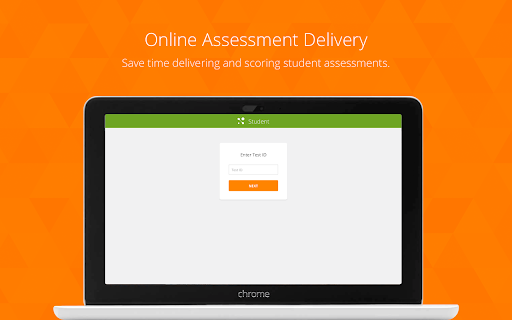
MasteryConnect Student allows students to take assignments, tests, quizzes, and common formative assessments using Chrome…
As of May 2026, MC Student has — users and a 5.00/5 rating from 1 reviews.
Usersno change0%
—
—
Ratingno change0%
5.00
1 reviews
Reviewsno change0%
1
Version
0.2
Manifest V2
History
1 snapshotsTracking since Apr 24, 2026.
Not enough history yet for this metric — the chart fills in as we collect more snapshots.
View as table
| Date | Users | Rating | Reviews | Version |
|---|---|---|---|---|
| Apr 24, 2026 | — | 5.00 | 1 | 0.2 |
| Now | — | 5.00 | 1 | 0.2 |
Permissions & access
- Permissions
- webview
- Host access
- None declared
Screenshots


About
MasteryConnect Student allows students to take assignments, tests, quizzes, and common formative assessments using Chrome application-enabled devices, like Chromebooks. This application can also be run in kiosk mode, which allows for the application to be used by students without any regular browser interface features, like toolbars and menus, that could distract from the student assessing experience.

MasteryConnect empowers educators to assess and track mastery of both state and Common Core standards, share common assessments, and connect in an online professional learning community. With the MC Student app, teachers save time in grading student assignments and assessments.

Teachers can easily create and upload an assessment/assignment in any format (Word, PDF, etc) and deliver them automatically to the device. In addition to document-based assessments, teachers also have the ability to build assessments using items from a purchased item bank or items created by the school or district. These items include simple items, like multiple choice and short answer, and more complex, technology enhanced items, like highlight, classification, graph plotting, and many more. All item-based assessments created in MasteryConnect are compatible with the Chrome MC Student app.

To get started using MasteryConnect, you’ll need to create a MasteryConnect account (www.masteryconnect.com - teachers & educators only please). If you’re a teacher or school administrator, contact MasteryConnect today for a free demonstration!
Technical
- Version
- 0.2
- Manifest
- V2
- Size
- 28.2KiB
- Min Chrome
- 37.0.0.0
- Languages
- 1
- Featured
- No
Metadata
- ID
- dabnemgknmkooddaeahdhbjjocfflnpm
- Developer ID
- u4594dafeb98276749bb0d9095dff583e
- Developer Email
- —
- Created
- Nov 10, 2017
- Last Updated (Store)
- Nov 10, 2017
- Last Scraped
- May 19, 2026
- Support URL
- https://help.masteryconnect.com/
- Privacy Policy
- —
Similar extensions
Alternatives to MC Student, ranked by description similarity.
Socrative Teacher
Socrative Teacher Chrome App
—
★ 4.6

Socrative Student
Socrative Student Chrome App
—
★ 4.1

Exam Login
Exam Login lets students take secure assessments in kiosk mode on a Chromebook, allowing them to take the entire test…
—
★ 2.3

SecureQuiz V2
SecureQuiz App | SecureQuiz.com
Developed by Eric Unangst | Tech Director | Woodridge Schools | X: @unangst
Purpose: Provide…
—
★ 5.0

Spiral Student - Chrome App
Spiral is the complete 1:1 learning platform. A suite of EdTech tools for classroom based collaborative learning with 1:1 devices.
—

Edulastic Kiosk App
The latest version of Edulastic Kiosk app allows you to lockdown student browsers while taking a secured assessment.
To mandate a…
—
★ 5.0

Insight 360 Cloud Student
Prerelease Version
With the Insight 360 Cloud Student App from Turning Technologies, students use the a Chromebook or Chrome…
6

Universal Kiosk
This is a Chrome Kiosk App for displaying web content on Chromebooks while disabling the possibility to do something else on your…
—
★ 3.9
Data sourced from the Chrome Web Store · last verified May 19, 2026.