
ClearTask — Email Clarity & Agreement Tracking
Clarify unclear emails, draft structured replies, and keep track of tasks and agreements.
As of June 2026, ClearTask — Email Clarity & Agreement Tracking has 3 users in the Workflow & Planning category.
Usersno change0%
3
3
Ratingno change0%
—
— reviews
Reviewsno change0%
—
Version
3.1.1
Manifest V3
90-day change · In the last 90 days this extension 1 version update, changed permissions.
History
4 snapshotsTracking since Apr 17, 2026.
View as table
| Date | Users | Rating | Reviews | Version |
|---|---|---|---|---|
| Apr 17, 2026 | 3 | — | — | 2.2.2 |
| Apr 27, 2026 | 2 | — | — | 2.2.2 |
| May 5, 2026 | 3 | — | — | 2.2.2 |
| May 10, 2026 | 4 | — | — | 2.2.2 |
| Now | 3 | — | — | 3.1.1 |
Changelog
- May 10, 2026description
Stop rereading the same email trying to figure out what they want.

ClearTask instantly clarifies the ask, drafts a polite reply, and captures the task — so nothing important slips through.

🧠 BUILT FOR NEURODIVERGENT MINDS
We know the inbox isn't really about email. It's about cognitive load, missed opportunities, and the reputation hit when things fall through the cracks. ClearTask is the scaffolding you've been missing.

✨ WHAT IT DOES

1️⃣ CLARIFY — See instantly: Is this an action, or just FYI? What exactly are they asking for? When do they need it?

2️⃣ ACKNOWLEDGE — One-click reply lets people know you've seen it. No more getting chased.

3️⃣ CAPTURE — Export tasks to Todoist, Asana, Google Calendar, or any system with email-to-task.

⚖️ LIFE BALANCE DASHBOARD
Track commitments across Work, Life Admin, Relationships, and Self. See when work is crowding out what matters. Log tasks from WhatsApp, phone calls, or meetings — not just email.

⚠️ "WHAT MIGHT SLIP" WARNINGS
Before you say yes, see what existing commitments could be affected. Protect your capacity.

🔒 PRIVACY-FIRST (BYOK)
Bring Your Own Key. Your API key stays on your device. Emails go directly from your browser to Claude or OpenAI — we never see your content.

📧 WORKS WITH
- Gmail
- Outlook Web (outlook.com, office.com)

📋 Export tasks to your favourite task manager or calendar via email-to-task integration.

💰 PRICING
- Free: 5 clarifications/day (forever free, no credit card)
- Pro: £7/month — Unlimited clarifications + all features

🇬🇧 UK employees: Access to Work may fund this. Visit our website for an AtW quote.

—

The goal isn't inbox zero. It's never missing what matters.

Built by a neurodivergent founder who was tired of tools that made things worse.
Clarify unclear emails, draft structured replies, and keep track of tasks and agreements.

ClearTask helps you review incoming emails, identify action items, draft structured replies, and maintain a clearer record of commitments and deadlines.

Designed for professionals who deal with high email volume, shifting priorities, and unclear communication.

✨ HOW IT WORKS

When viewing an email in Gmail, click the floating “Clarify” button to run the message through the C.L.E.A.R. Framework.

ClearTask then shows:

• a clarity score (1–5)
• whether clarification is needed before action
• missing deadlines or unclear requests
• a structured draft reply
• workload and priority-fit indicators
• task capture options

✨ THE C.L.E.A.R. FRAMEWORK

Every email is reviewed against five clarity elements:

• Core Ask — what action is being requested?
• Line in the Sand — is there a deadline?
• End State — what does “done” look like?
• Action Blockers — what information is missing?
• Reconnect Point — when should follow-up happen?

You can quickly see what is clear, what is missing, and whether clarification is needed before work starts.

🔒 SEND & LOCK

ClearTask drafts structured replies that:

• confirm your understanding
• clarify missing details
• propose deadlines or next steps
• surface workload trade-offs where relevant

When you use “Send & Lock,” the drafted reply is copied to your clipboard for you to paste into Gmail manually.

ClearTask also saves an agreement record locally in your browser, including:

• task details
• deadlines
• end state
• reconnect date
• surfaced trade-offs
• timestamp

This creates a searchable record of agreements and commitments.

⚖️ CAPACITY & WORKLOAD VISIBILITY

ClearTask can:

• review existing commitments before accepting new work
• flag possible workload conflicts
• surface trade-offs in drafted replies
• show priority-fit indicators
• track commitments across different life areas

📊 LIFE BALANCE DASHBOARD

Track commitments across:

• Work
• Life Admin
• Relationships
• Self

See where tasks are accumulating and maintain visibility across responsibilities.

📋 TASK CAPTURE

Turn email requests into structured tasks you can move into your existing workflow system or calendar.

📧 CURRENT SUPPORT

Works with:

• Gmail (mail.google.com)

🔒 PRIVACY

ClearTask only analyses emails when you manually click “Clarify” on an open email.

It does not scan your inbox automatically in the background.

Agreement records are stored locally in your browser.

If using BYOK mode, your Claude or OpenAI API key is stored locally on your device.

Please review the privacy policy before installing.

💰 PRICING

• Free: 5 hosted clarifications per month
• Optional BYOK mode: use your own Claude or OpenAI API key
• Pro: Included AI credits plus additional features


🇬🇧 UK USERS

Some users may choose to include ClearTask as part of an Access to Work discussion relating to workplace support software. Funding decisions depend on individual circumstances.

More information: ruth-ellen.com/cleartask


The goal is not inbox zero.

The goal is understanding what needs action, confirming what was agreed, and maintaining a clearer record when priorities change.

Built by Ruth-Ellen Danquah.
- May 10, 2026short_description
Clarify emails with capacity-aware scheduling. AI-powered email clarity for neurodivergent professionals.
Clarify unclear emails, draft structured replies, and keep track of tasks and agreements.
- May 10, 2026name
ClearTask - Email Clarity & Task Capture
ClearTask — Email Clarity & Agreement Tracking
- May 10, 2026host_permissions
https://mail.google.com/*, https://api.anthropic.com/*, https://api.openai.com/*
https://mail.google.com/*, https://api.anthropic.com/*, https://api.openai.com/*, https://cleartask-api.ruth-ellen.com/*, https://*.workers.dev/*
- May 10, 2026permissions
storage, activeTab
storage
Permissions & access
- Permissions
- storage
- Host access
- https://mail.google.com/*, https://api.anthropic.com/*, https://api.openai.com/*, https://cleartask-api.ruth-ellen.com/*, https://*.workers.dev/*
Screenshots


About
Clarify unclear emails, draft structured replies, and keep track of tasks and agreements.

ClearTask helps you review incoming emails, identify action items, draft structured replies, and maintain a clearer record of commitments and deadlines.

Designed for professionals who deal with high email volume, shifting priorities, and unclear communication.

✨ HOW IT WORKS

When viewing an email in Gmail, click the floating “Clarify” button to run the message through the C.L.E.A.R. Framework.

ClearTask then shows:

• a clarity score (1–5)
• whether clarification is needed before action
• missing deadlines or unclear requests
• a structured draft reply
• workload and priority-fit indicators
• task capture options

✨ THE C.L.E.A.R. FRAMEWORK

Every email is reviewed against five clarity elements:

• Core Ask — what action is being requested?
• Line in the Sand — is there a deadline?
• End State — what does “done” look like?
• Action Blockers — what information is missing?
• Reconnect Point — when should follow-up happen?

You can quickly see what is clear, what is missing, and whether clarification is needed before work starts.

🔒 SEND & LOCK

ClearTask drafts structured replies that:

• confirm your understanding
• clarify missing details
• propose deadlines or next steps
• surface workload trade-offs where relevant

When you use “Send & Lock,” the drafted reply is copied to your clipboard for you to paste into Gmail manually.

ClearTask also saves an agreement record locally in your browser, including:

• task details
• deadlines
• end state
• reconnect date
• surfaced trade-offs
• timestamp

This creates a searchable record of agreements and commitments.

⚖️ CAPACITY & WORKLOAD VISIBILITY

ClearTask can:

• review existing commitments before accepting new work
• flag possible workload conflicts
• surface trade-offs in drafted replies
• show priority-fit indicators
• track commitments across different life areas

📊 LIFE BALANCE DASHBOARD

Track commitments across:

• Work
• Life Admin
• Relationships
• Self

See where tasks are accumulating and maintain visibility across responsibilities.

📋 TASK CAPTURE

Turn email requests into structured tasks you can move into your existing workflow system or calendar.

📧 CURRENT SUPPORT

Works with:

• Gmail (mail.google.com)

🔒 PRIVACY

ClearTask only analyses emails when you manually click “Clarify” on an open email.

It does not scan your inbox automatically in the background.

Agreement records are stored locally in your browser.

If using BYOK mode, your Claude or OpenAI API key is stored locally on your device.

Please review the privacy policy before installing.

💰 PRICING

• Free: 5 hosted clarifications per month
• Optional BYOK mode: use your own Claude or OpenAI API key
• Pro: Included AI credits plus additional features


🇬🇧 UK USERS

Some users may choose to include ClearTask as part of an Access to Work discussion relating to workplace support software. Funding decisions depend on individual circumstances.

More information: ruth-ellen.com/cleartask


The goal is not inbox zero.

The goal is understanding what needs action, confirming what was agreed, and maintaining a clearer record when priorities change.

Built by Ruth-Ellen Danquah.
Technical
- Version
- 3.1.1
- Manifest
- V3
- Size
- 56.41KiB
- Min Chrome
- 88
- Languages
- 1
- Featured
- No
Metadata
- ID
- cpnlahdedjhlnkokmgipdkaphcdphdap
- Developer ID
- uc4ae5d48e5b2a232d491c89316145194
- Developer Email
- [email protected]
- Created
- Feb 4, 2026
- Last Updated (Store)
- May 9, 2026
- Last Scraped
- Jun 10, 2026
- Website
- —
- Support URL
- —
- Privacy Policy
- https://ruth-ellen.com/cleartask/privacy/
Similar extensions
Alternatives to ClearTask — Email Clarity & Agreement Tracking, ranked by description similarity.

AI TodoList for Gmail
Turn emails into actionable tasks instantly—no more inbox chaos. Sidebar shows urgent tasks prioritized by AI.
10
★ 5.0

Todolyfy
Todo list that breaks down tasks!
17
★ 5.0

Easy tasks by Morgen
Highlight text, press Option+Shift+T/Alt+Shift+T to capture as a to-do with context and link. No app switching.
338
★ 5.0

Taskify: Task Management Made Easy
Designed to help you stay organized, focus on what matters, and sync tasks with Google Calendar.
59
★ 3.5

Context Keeper
Save tabs, notes, screenshots, voice transcripts, and context so you can resume interrupted work without rebuilding your thinking.
2

ActiveInbox: Organize Gmail™ tasks
Overwhelmed by too many to-dos in your inbox? Turn Gmail into an effortless task manager to never forget anything.
10.0K
★ 4.7

NexaTask Orbit
Minimal, privacy-first task planner with reminders, compact controls, and focus workflows.
1
Taskmaster
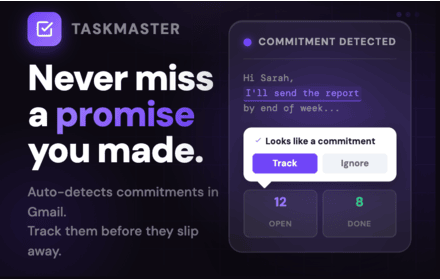
Auto-detect and track every commitment you make in Gmail. Calendar view, streak tracking, notifications, and analytics built in.
—
★ 5.0
Data sourced from the Chrome Web Store · last verified Jun 10, 2026.