Autotube - continue Youtube™ videos
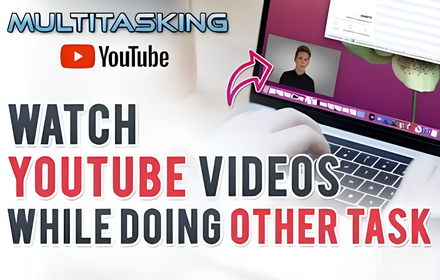
Autotube helps you continue playing Youtube™ videos even when you are browsing other tabs.
As of May 2026, Autotube - continue Youtube™ videos has 915 users and a 4.00/5 rating from 2 reviews in the Productivity category.
Usersup 15.5 percent+15.5%
915
915
Ratingno change0%
4.00
2 reviews
Reviewsno change0%
2
Version
0.0.3
Manifest V3
History
3 snapshotsTracking since Apr 1, 2026.
View as table
| Date | Users | Rating | Reviews | Version |
|---|---|---|---|---|
| Apr 1, 2026 | 792 | 4.00 | 2 | 0.0.3 |
| Apr 30, 2026 | 823 | 4.00 | 2 | 0.0.3 |
| May 27, 2026 | 895 | 4.00 | 2 | 0.0.3 |
| Now | 915 | 4.00 | 2 | 0.0.3 |
Permissions & access
- Permissions
- storagescripting
- Host access
- http://*/*, https://*/*
Screenshots


About
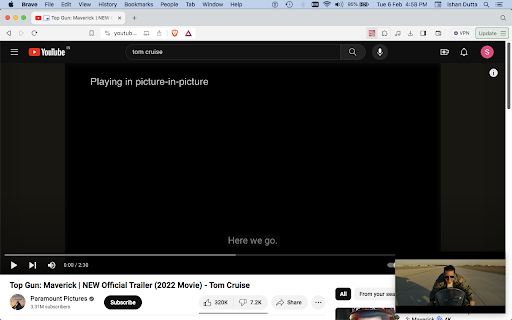
How to Keep Watching YouTube™ Videos While Using Another Tab in Chrome? This feature is indeed very useful when you want to continue watching a video while browsing other tabs. To enable it in Chrome, simply follow these steps: - Navigate to the video on YouTube™ that you wish to watch while using other tab using Chrome. - Click the action button on the chrome tab bar. Make sure you have pinned it before. - The video will now play in a floating window that you can move around and resize as needed. - You can then browse other tabs in Chrome while the video continues to play in the PiP window. - Note that it may not be available on all streaming platforms or in all regions. If you know someone who has asked about how to watch YouTube and use other apps simultaneously on their PC, or if you've encountered this question yourself, sharing this information about enabling PiP mode in Chrome can be beneficial. It's a quick and easy way to enhance your multitasking capabilities while still enjoying your favourite YouTube content. Enjoy the convenience of multitasking with ease. LEGAL: Disclaimer: This Autotube app is not official Youtube™ application. It is an unofficial extension that is developed and maintained independently and has no affiliation to Youtube™ or Google™.
Technical
- Version
- 0.0.3
- Manifest
- V3
- Size
- 93.32KiB
- Min Chrome
- 88
- Languages
- 55
- Featured
- No
Metadata
- ID
- copabfehjikpdncbnnkdmfhecfiognlk
- Developer ID
- u134ecc51a8c7eb31bd125408cdb926f6
- Developer Email
- [email protected]
- Created
- Feb 8, 2024
- Last Updated (Store)
- Apr 16, 2024
- Last Scraped
- May 27, 2026
- Privacy Policy
- https://singularitylabs-ai.github.io/privacypolicy
Similar extensions
Alternatives to Autotube - continue Youtube™ videos, ranked by description similarity.

Youtube Pip Picture in Picture & Floating Video Player
Youtube Pip Picture in Picture & Floating Video Player. Open active video in Picture-in-Picture
149

PiP for YouTube TV
Watch YouTube TV in a floating Picture-in-Picture window. Auto-pops on tab switch, keyboard shortcut supported.
807
★ 1.0

Picture in Picture for Chrome
Use this extension to watch videos on a floating mini player while browsing other tabs.
10

Picture in Picture | PiP | Floating Player for Youtube
Watch video in a floating PiP window. Picture in Picture for YouTube, Netflix & all sites. Always on top.
100.0K
★ 4.9

YouTube Floating Player
Watch YouTube in a floating window while browsing other sites.
271
★ 5.0

Picture in Picture - Floating Player (PiP)
Watch videos in a floating Picture-in-Picture (PiP) mode. Use a floating player to watch videos while doing something else online.
10.0K
★ 4.6

YT Picture-in-Picture - Wollvo
Adds a Picture-in-Picture button to YouTube video player controls.
105
★ 5.0

Video Floating
Keep videos playing in a floating window while you browse or work. Boost productivity with seamless video playback and multitasking.
86
Data sourced from the Chrome Web Store · last verified May 27, 2026.