
Google Docs Quick Write
This Chrome extension helps you to open new Google Docs, Sheets, Keep notes, Slides, Forms, Meetings, Emails with a single click.
As of May 2026, Google Docs Quick Write has 110 users in the Workflow & Planning category.
Usersup 3.8 percent+3.8%
110
110
Ratingno change0%
—
— reviews
Reviewsno change0%
—
Version
1.0
Manifest V3
History
3 snapshotsTracking since Apr 1, 2026.
View as table
| Date | Users | Rating | Reviews | Version |
|---|---|---|---|---|
| Apr 1, 2026 | 106 | — | — | 1.0 |
| Apr 29, 2026 | 100 | — | — | 1.0 |
| May 27, 2026 | 97 | — | — | 1.0 |
| Now | 110 | — | — | 1.0 |
Permissions & access
- Permissions
- None declared
- Host access
- None declared
Screenshots


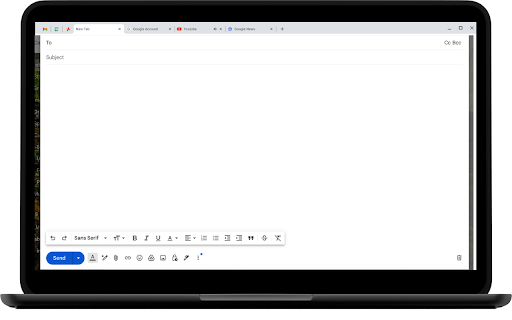

About
Unlock the power of quick and efficient writing with Google Docs Quick Write! Whether you’re a student, professional, or creative writer, this extension is designed to enhance your productivity and streamline your writing process directly within Google Docs.

Key Features:

• Instant Access: Open a new Google Docs document with a single click, perfect for capturing your thoughts and ideas quickly.
• Template Integration: Start with pre-designed templates for various writing needs, including essays, reports, meeting notes, and more.
• Quick Links: Access your recent documents and frequently used templates without leaving the page.
• Enhanced Formatting: Utilize a suite of formatting tools to customize your document to your liking, ensuring your content looks polished and professional.
• Seamless Integration: Enjoy a smooth, integrated experience with Google Docs, allowing you to focus on your writing without distractions.

How to Use:

1. Install the Extension: Add Google Docs Quick Write to your Chrome browser from the Chrome Web Store.
2. Open a New Doc: Click the extension icon to instantly open a new Google Docs document.
3. Choose a Template: Select from a variety of templates to jumpstart your writing process.
4. Start Writing: Begin typing and enjoy the enhanced features and tools designed to make your writing experience more efficient.
Technical
- Version
- 1.0
- Manifest
- V3
- Size
- 9.2MiB
- Min Chrome
- 88
- Languages
- 22
- Featured
- No
Metadata
- ID
- cmieehnbepanbodfemngddghfbdijebf
- Developer ID
- u46a85ad972e635a4fd3ccc470f4b8360
- Developer Email
- [email protected]
- Created
- Jul 28, 2024
- Last Updated (Store)
- Jul 28, 2024
- Last Scraped
- May 27, 2026
- Website
- zmime.com
- Support URL
- https://www.zmime.com/contact-us/
- Privacy Policy
- https://www.zmime.com/privacy-policy/
Similar extensions
Alternatives to Google Docs Quick Write, ranked by description similarity.

Quick Google Docs Create
Quick Google Docs Create
256
★ 5.0

Google Docs Quick Create
Quickly create new Google Docs, Sheets, Slides, and more.
238
★ 4.4

Writer - Extension & Clipper
Create, access and edit Writer documents from any tab, and clip references to a document.
90.0K
★ 4.2

Doc Buddy
The power of AI for your docs.
10

Docsy - Google Docs Quick Launcher
Create new Google Docs, Sheets, Slides, Forms, and Drawings from your browser bar.
11

1 Click Google Docs
1 click to create new Google Docs.
10.0K
★ 4.1

Docx QuickView
View local Word (.docx) files instantly in your browser.
80
★ 1.0

DocFlow - Track and visualize your Google Docs activity
Track and visualize your Google Docs activity
55
Data sourced from the Chrome Web Store · last verified May 27, 2026.