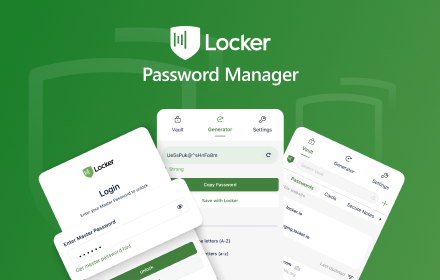
Locker - Password Manager
A browser extension makes your online presence secure and seamless.
As of June 2026, Locker - Password Manager has 1,000 users and a 4.67/5 rating from 48 reviews in the Workflow & Planning category.
Usersdown 75.0 percent−75.0%
1.0K
1,000
Ratingno change0%
4.67
48 reviews
Reviewsno change0%
48
Version
4.0.55
Manifest V3
90-day change · In the last 90 days this extension lost 3.0K users, 3 version updates, changed permissions.
History
6 snapshotsTracking since Apr 4, 2026.
View as table
| Date | Users | Rating | Reviews | Version |
|---|---|---|---|---|
| Apr 4, 2026 | 4.0K | 4.67 | 48 | 4.0.52 |
| Apr 16, 2026 | 5.0K | 4.67 | 48 | 4.0.52 |
| Apr 26, 2026 | 1.0K | 4.67 | 48 | 4.0.52 |
| May 10, 2026 | 1.0K | 4.67 | 48 | 4.0.52 |
| Jun 3, 2026 | 1.0K | 4.67 | 48 | 4.0.53 |
| Jun 9, 2026 | 1.0K | 4.67 | 48 | 4.0.54 |
| Now | 1.0K | 4.67 | 48 | 4.0.55 |
Changelog
- May 10, 2026permissions
tabs, contextMenus, storage, unlimitedStorage, clipboardWrite, activeTab
tabs, contextMenus, storage, unlimitedStorage, clipboardWrite, activeTab, alarms
Permissions & access
- Permissions
- tabscontextMenusstorageunlimitedStorageclipboardWriteactiveTabalarms
- Host access
- http://*/*, https://*/*
Screenshots

About
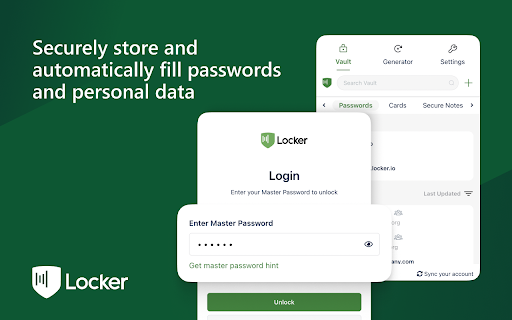
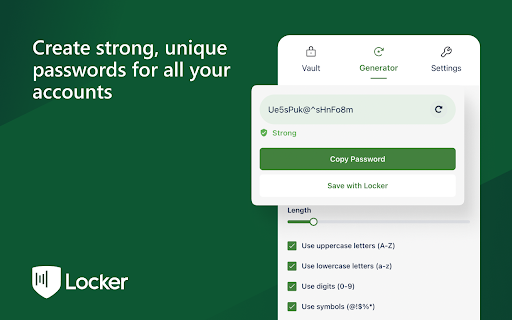
Locker is a cross-platform vault that help users secure sensitive digital assets such as logins and passwords, secret notes, payment cards, online identities, and crypto wallets. It also offers additional features to enhance browsing experience like password autofill, item sharing, and more.

Why choose Locker over other password managers?

1. Security
- Locker uses military-grade encryption to secure your data. AES-256bit encryption combined with PBKDF2 and RSA algorithm makes your data is un-crackable.
- Your vault is encrypted with a Master Password, which is the only key to decrypt your data.

2. Privacy & Transparency
- Your Master Password is only yours. No body, even us, can see your Master Password thanks to Zero-knowledge development model.
- Locker is an open-source product. Everyone can inspect its source code. We believe transparency is the key to better security.

3. Unlimited Sync
- Once you add, edit, remove items in your Locker on a device, the data will be sync-ed across all other devices*.

4. Bring Your Passwords with You
- With Offline Mode, you can use Locker anywhere, anytime, even when your phone is not connected to the internet**.


No more password hassle.
Free Your Mind. Install Locker.

*Data is encrypted before they left the current device.
**Offline Mode is only available on Locker mobile application (Android & iOS).
Technical
- Version
- 4.0.55
- Manifest
- V3
- Size
- 57.03MiB
- Min Chrome
- 88
- Languages
- 2
- Featured
- No
Metadata
- ID
- cmajindocfndlkpkjnmjpjoilibjgmgh
- Developer ID
- u26e3aff0c3ad5cacb40097193f40521e
- Developer Email
- [email protected]
- Created
- Dec 30, 2021
- Last Updated (Store)
- Jun 6, 2026
- Last Scraped
- Jun 9, 2026
- Website
- —
- Support URL
- https://support.locker.io
- Privacy Policy
- https://cystack.net/privacy
Similar extensions
Alternatives to Locker - Password Manager, ranked by description similarity.

Swift Vault: Offline Password & Notes - AUFOUNDATION
The most secure offline password manager. Store notes & credentials locally with AES-256 encryption. 50% profits go to charity.
5
★ 5.0
Total Password
Store your passwords safely and securely - Total Password makes life easier!
20.0K
★ 2.4

KeyGuard - Password Manager
Experience seamless password management with KeyGuard – save, autofill, and secure your credentials effortlessly.
2.0K
★ 4.9

Privé
Secure password manager with sharing capabilities.
8

Vault
Free, open source, and decentralized. Vault utilizes zero-knowledge encryption and stores data on NOSTR network.
141
★ 4.7

PasswordPocket
PasswordPocket is a Bluetooth-enabled portable password manager.
3.0K
★ 2.3

Passport by MetaSafe
Passport by Metasafe-protects your data with the same tech used to secure cryptocurrency & makes password management easier & safer
99
★ 5.0

Link Locker
Save and group links into folders. Simple and secure.
9
★ 5.0
Data sourced from the Chrome Web Store · last verified Jun 9, 2026.