
Annotate PRO
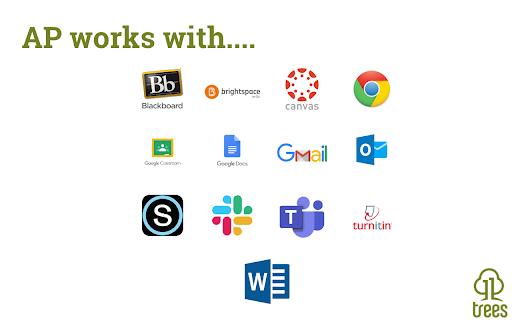
Create, share, and USE reusable comments to edit and grade faster! Use with Canvas, Google Docs/Classroom, Microsoft Teams, Bb...
As of June 2026, Annotate PRO has 5,000 users and a 4.90/5 rating from 10 reviews in the Education category.
Usersno change0%
5.0K
5,000
Ratingno change0%
4.90
10 reviews
Reviewsno change0%
10
Version
7.21.4
Manifest V3
90-day change · In the last 90 days this extension 1 version update.
History
5 snapshotsTracking since Apr 1, 2026.
View as table
| Date | Users | Rating | Reviews | Version |
|---|---|---|---|---|
| Apr 1, 2026 | 5.0K | 4.90 | 10 | 7.21.3 |
| Apr 4, 2026 | 6.0K | 4.90 | 10 | 7.21.3 |
| Apr 16, 2026 | 5.0K | 4.90 | 10 | 7.21.3 |
| Apr 22, 2026 | 6.0K | 4.90 | 10 | 7.21.3 |
| May 23, 2026 | 6.0K | 4.90 | 10 | 7.21.4 |
| Now | 5.0K | 4.90 | 10 | 7.21.4 |
Changelog
- Apr 22, 2026description
AP is the platform for feedback excellence. Share comment banks, syllabus content, school policiies, and rubrics for use across the EDU platforms you know and love: Canvas, Google Docs, Microsoft Word, D2L, Moodle, and more. You can:
- Create and manage content centrally, assuring every teacher has the right rubric, comment bank, policy info, syllabus snippet, or LibGuide URL.
- Use dynamic rubrics and comment banks to handcraft feedback in less time.

With AP you write it once, to perfection, then re-use to your heart's content!

See https://www.11trees.com/solutions/annotate-pro/annotate-pro-works-with/ for a complete list of supported platforms. See https://www.11trees.com/solutions/annotate-pro/features/ for a complete list of features.

For Individuals:
Use the forever-free version of AP to create an unlimited number of comment banks for yourself, then use them with popular education platforms. Sign up and you'll get a 14-day trial of AP+ (no credit card required).

AP+ adds Feedback Forms, Dynamic Rubrics, additional sidebar options, comment history, subgroups, analytics, and Google Translate integration. You can also license content libraries like our College Edition, Presentation Skills Edition, or Legal Writing Edition that provide 100s of stock comments that can be quickly personalized.

For Institutions:
License AP to easily share content libraries across 5, 50, or 500+ faculty. Schools use AP to scale writing across the curriculum initiatives, writing center operations, tutoring, foreign language instruction, project-based learning, presentation skills coaching, science labs grading, and even to centralize and share school resources and policy info through AP's Knowledge Base mode.

AP analytics help measure the impact of feedback and help schools document regular and substantive interaction with students.

With AP+ or Institutional Licenses you can:
- Create and share (institutions only) large or small content libraries to serve as comment banks, rubric sets, or knowledge bases. Quickly add pre-written feedback to documents, respond to discussion posts, create emails, or answer chats.
- Turbocharge specific, personalized feedback with AP Feedback Forms including nested checkboxes.
- Create simple or complex rubrics that escape the traditional grid to create rich, narrative responses for students.
- Search across multiple content libraries, and hundreds of Comments, with full-text search or right-click menu to find just the right comment.
- Leverage Google Translate to flip comments into another language or even provide dual language responses.
- Write free form comments to effortlessly store them in your AP library for reuse.
- Turn on the History feature to store ALL the comments you create in Google Docs or Canvas SpeedGrader so you can easily build out your content libraries and engage students with previous feedback.
- License our College Edition, Presentation Skills Edition, or other content libraries to access hundreds of expertly written comments that you can extend and personalized.
- Review usage data, see where you have invested your engagement energy by comment group, sub-group and individual comment.

Release Notes:
7.21.3 | March 10, 2026
* Minor update - bugz and tweaks.

7.21.2 | January 3, 2026
* Happy New Year!
* Word Count on Feedback Forms and Dynamic Rubrics to help modulate feedback volume.
* Feedback Forms and Dynamic Rubrics stay open by default.
* Bugz!.

7.21.1 | December 3, 2025
* Persist preferred word for "Grade" in rubrics.
* Disable form check if a checkbox preceeds a text entry form.
* Pin text formatting toolbar when editing.
* Improved rubric printing.
* Improved Startup Guide (AP menu > Gear > Startup Guide).
* Bugz!.

7.21.0 | October 23, 2025
* RUBRICS!
* Improved Feedback Forms: nested checkboxes and bulleted lists.
* Improved support for Canvas SpeedGrader.
* Bugz / improvements.

7.20.3 | September 13, 2025
* Improvements to support Canvas SpeedGrader changes
* Improvements to Google Docs/Classroom experience
* Support longer Feedback Form editing from the AP Chrome Extension
* Minor tweaks, bug fixes, and improvements

7.20.2 | July 17, 2025
* Fixes duplicate comment insert when using the green Library dropdown option in the AP toolbar.
* Canvas learnings.
* Improved Edit and Knowledge Base behavior.

7.20 | June 30, 2025
* Right-click a AP content to edit it - from the Extension
* Introducing Feedback Forms and Knowledge Base mode
* Improved Canvas Gradebook support (sidebar, student history)
* Numerous improvements to support D2L's Brightspace, Schoology, Google Classroom
* Bugz and performance improvements

7.16 | March 31, 2025
* Improved Forms and Checklist behavior (keep a checklist open and use across multiple windows)
* Improved support for Feedback Fruits
* Polish & BUGZ!

7.15 | January 31, 2025
* New toolbar options (show all comments, sort by groups). AP+ feature.
* Support for GoReact (video commenting) and Perusall (social learning)
* Improved support for Moodle and BrightSpace
* Polish & BUGZ!

For previous release notes please visit https://www.11trees.com/support/release-notes-annotate-pro-for-google-chrome/.
AP is the platform for feedback excellence. Share comment banks, syllabus content, school policiies, and rubrics for use across the EDU platforms you know and love: Canvas, Google Docs, Microsoft Word, D2L, Moodle, and more. You can:
- Create and manage content centrally, assuring every teacher has the right rubric, comment bank, policy info, syllabus snippet, or LibGuide URL.
- Use dynamic rubrics and comment banks to handcraft feedback in less time.

With AP you write it once, to perfection, then re-use to your heart's content!

See https://www.11trees.com/solutions/annotate-pro/annotate-pro-works-with/ for a complete list of supported platforms. See https://www.11trees.com/solutions/annotate-pro/features/ for a complete list of features.

For Individuals:
Use the forever-free version of AP to create an unlimited number of comment banks for yourself, then use them with popular education platforms. Sign up and you'll get a 14-day trial of AP+ (no credit card required).

AP+ adds Feedback Forms, Dynamic Rubrics, additional sidebar options, comment history, subgroups, analytics, and Google Translate integration. You can also license content libraries like our College Edition, Presentation Skills Edition, or Legal Writing Edition that provide 100s of stock comments that can be quickly personalized.

For Institutions:
License AP to easily share content libraries across 5, 50, or 500+ faculty. Schools use AP to scale writing across the curriculum initiatives, writing center operations, tutoring, foreign language instruction, project-based learning, presentation skills coaching, science labs grading, and even to centralize and share school resources and policy info through AP's Knowledge Base mode.

AP analytics help measure the impact of feedback and help schools document regular and substantive interaction with students.

With AP+ or Institutional Licenses you can:
- Create and share (institutions only) large or small content libraries to serve as comment banks, rubric sets, or knowledge bases. Quickly add pre-written feedback to documents, respond to discussion posts, create emails, or answer chats.
- Turbocharge specific, personalized feedback with AP Feedback Forms including nested checkboxes.
- Create simple or complex rubrics that escape the traditional grid to create rich, narrative responses for students.
- Search across multiple content libraries, and hundreds of Comments, with full-text search or right-click menu to find just the right comment.
- Leverage Google Translate to flip comments into another language or even provide dual language responses.
- Write free form comments to effortlessly store them in your AP library for reuse.
- Turn on the History feature to store ALL the comments you create in Google Docs or Canvas SpeedGrader so you can easily build out your content libraries and engage students with previous feedback.
- License our College Edition, Presentation Skills Edition, or other content libraries to access hundreds of expertly written comments that you can extend and personalized.
- Review usage data, see where you have invested your engagement energy by comment group, sub-group and individual comment.

Release Notes:
7.21.4 | April 20, 2026
* Minor update - bugz and tweaks.

7.21.3 | March 10, 2026
* Minor update - bugz and tweaks.

7.21.2 | January 3, 2026
* Happy New Year!
* Word Count on Feedback Forms and Dynamic Rubrics to help modulate feedback volume.
* Feedback Forms and Dynamic Rubrics stay open by default.
* Bugz!.

7.21.1 | December 3, 2025
* Persist preferred word for "Grade" in rubrics.
* Disable form check if a checkbox preceeds a text entry form.
* Pin text formatting toolbar when editing.
* Improved rubric printing.
* Improved Startup Guide (AP menu > Gear > Startup Guide).
* Bugz!.

7.21.0 | October 23, 2025
* RUBRICS!
* Improved Feedback Forms: nested checkboxes and bulleted lists.
* Improved support for Canvas SpeedGrader.
* Bugz / improvements.

7.20.3 | September 13, 2025
* Improvements to support Canvas SpeedGrader changes
* Improvements to Google Docs/Classroom experience
* Support longer Feedback Form editing from the AP Chrome Extension
* Minor tweaks, bug fixes, and improvements

7.20.2 | July 17, 2025
* Fixes duplicate comment insert when using the green Library dropdown option in the AP toolbar.
* Canvas learnings.
* Improved Edit and Knowledge Base behavior.

7.20 | June 30, 2025
* Right-click a AP content to edit it - from the Extension
* Introducing Feedback Forms and Knowledge Base mode
* Improved Canvas Gradebook support (sidebar, student history)
* Numerous improvements to support D2L's Brightspace, Schoology, Google Classroom
* Bugz and performance improvements

7.16 | March 31, 2025
* Improved Forms and Checklist behavior (keep a checklist open and use across multiple windows)
* Improved support for Feedback Fruits
* Polish & BUGZ!

7.15 | January 31, 2025
* New toolbar options (show all comments, sort by groups). AP+ feature.
* Support for GoReact (video commenting) and Perusall (social learning)
* Improved support for Moodle and BrightSpace
* Polish & BUGZ!

For previous release notes please visit https://www.11trees.com/support/release-notes-annotate-pro-for-google-chrome/.
Permissions & access
- Permissions
- activeTabclipboardWriteclipboardReadcontextMenusoffscreentabsscriptingstoragewebNavigation
- Host access
- <all_urls>
Screenshots


About
AP is the platform for feedback excellence. Share comment banks, syllabus content, school policiies, and rubrics for use across the EDU platforms you know and love: Canvas, Google Docs, Microsoft Word, D2L, Moodle, and more. You can:
- Create and manage content centrally, assuring every teacher has the right rubric, comment bank, policy info, syllabus snippet, or LibGuide URL.
- Use dynamic rubrics and comment banks to handcraft feedback in less time.

With AP you write it once, to perfection, then re-use to your heart's content!

See https://www.11trees.com/solutions/annotate-pro/annotate-pro-works-with/ for a complete list of supported platforms. See https://www.11trees.com/solutions/annotate-pro/features/ for a complete list of features.

For Individuals:
Use the forever-free version of AP to create an unlimited number of comment banks for yourself, then use them with popular education platforms. Sign up and you'll get a 14-day trial of AP+ (no credit card required).

AP+ adds Feedback Forms, Dynamic Rubrics, additional sidebar options, comment history, subgroups, analytics, and Google Translate integration. You can also license content libraries like our College Edition, Presentation Skills Edition, or Legal Writing Edition that provide 100s of stock comments that can be quickly personalized.

For Institutions:
License AP to easily share content libraries across 5, 50, or 500+ faculty. Schools use AP to scale writing across the curriculum initiatives, writing center operations, tutoring, foreign language instruction, project-based learning, presentation skills coaching, science labs grading, and even to centralize and share school resources and policy info through AP's Knowledge Base mode.

AP analytics help measure the impact of feedback and help schools document regular and substantive interaction with students.

With AP+ or Institutional Licenses you can:
- Create and share (institutions only) large or small content libraries to serve as comment banks, rubric sets, or knowledge bases. Quickly add pre-written feedback to documents, respond to discussion posts, create emails, or answer chats.
- Turbocharge specific, personalized feedback with AP Feedback Forms including nested checkboxes.
- Create simple or complex rubrics that escape the traditional grid to create rich, narrative responses for students.
- Search across multiple content libraries, and hundreds of Comments, with full-text search or right-click menu to find just the right comment.
- Leverage Google Translate to flip comments into another language or even provide dual language responses.
- Write free form comments to effortlessly store them in your AP library for reuse.
- Turn on the History feature to store ALL the comments you create in Google Docs or Canvas SpeedGrader so you can easily build out your content libraries and engage students with previous feedback.
- License our College Edition, Presentation Skills Edition, or other content libraries to access hundreds of expertly written comments that you can extend and personalized.
- Review usage data, see where you have invested your engagement energy by comment group, sub-group and individual comment.

Release Notes:
7.21.4 | April 20, 2026
* Minor update - bugz and tweaks.

7.21.3 | March 10, 2026
* Minor update - bugz and tweaks.

7.21.2 | January 3, 2026
* Happy New Year!
* Word Count on Feedback Forms and Dynamic Rubrics to help modulate feedback volume.
* Feedback Forms and Dynamic Rubrics stay open by default.
* Bugz!.

7.21.1 | December 3, 2025
* Persist preferred word for "Grade" in rubrics.
* Disable form check if a checkbox preceeds a text entry form.
* Pin text formatting toolbar when editing.
* Improved rubric printing.
* Improved Startup Guide (AP menu > Gear > Startup Guide).
* Bugz!.

7.21.0 | October 23, 2025
* RUBRICS!
* Improved Feedback Forms: nested checkboxes and bulleted lists.
* Improved support for Canvas SpeedGrader.
* Bugz / improvements.

7.20.3 | September 13, 2025
* Improvements to support Canvas SpeedGrader changes
* Improvements to Google Docs/Classroom experience
* Support longer Feedback Form editing from the AP Chrome Extension
* Minor tweaks, bug fixes, and improvements

7.20.2 | July 17, 2025
* Fixes duplicate comment insert when using the green Library dropdown option in the AP toolbar.
* Canvas learnings.
* Improved Edit and Knowledge Base behavior.

7.20 | June 30, 2025
* Right-click a AP content to edit it - from the Extension
* Introducing Feedback Forms and Knowledge Base mode
* Improved Canvas Gradebook support (sidebar, student history)
* Numerous improvements to support D2L's Brightspace, Schoology, Google Classroom
* Bugz and performance improvements

7.16 | March 31, 2025
* Improved Forms and Checklist behavior (keep a checklist open and use across multiple windows)
* Improved support for Feedback Fruits
* Polish & BUGZ!

7.15 | January 31, 2025
* New toolbar options (show all comments, sort by groups). AP+ feature.
* Support for GoReact (video commenting) and Perusall (social learning)
* Improved support for Moodle and BrightSpace
* Polish & BUGZ!

For previous release notes please visit https://www.11trees.com/support/release-notes-annotate-pro-for-google-chrome/.
Technical
- Version
- 7.21.4
- Manifest
- V3
- Size
- 611KiB
- Min Chrome
- 88
- Languages
- 1
- Featured
- Yes
Metadata
- ID
- clpoilnjjdbfjinifhmcfddhjgneajle
- Developer ID
- u06b3b036794628713f6486b09be29374
- Developer Email
- [email protected]
- Created
- Mar 3, 2016
- Last Updated (Store)
- Apr 21, 2026
- Last Scraped
- Jun 20, 2026
- Website
- http://www.11trees.com/
- Privacy Policy
- https://11trees.com/privacy-policy/
Similar extensions
Alternatives to Annotate PRO, ranked by description similarity.

GradeProAI
Speeds up grading process with AI
34

Google Docs Annotator
Mark My Words Chrome Extension
Transform your feedback process with our Chrome extension that brings the power of Mark My Words…
45

Grading Assistant: Grade transferer tool
Transfer grades from Classroom, Teams and many edtech platforms to PowerSchool, Infinite Campus and other gradebooks.
5.0K
★ 2.5

Quibble - Homework Helper
Learn smarter, not harder.
792
★ 4.3

Talk & Comment - Voice notes anywhere
Voice notes for classrooms and teams. Give feedback students actually hear.
100.0K
★ 4.1

Enhanced Canvas LMS To Do (Ungraded List)
Enhanced Canvas LMS To Do list with ungraded submissions, missing work tracking, bulk messaging, and Excel export.
120
★ 5.0

Revision History: Writing Process Visibility for Google Docs & Slides
Built for teachers: See how students write, not just what they wrote. View the writing process in Google Docs & Slides.
100.0K
★ 3.7

Canvas Betterizer
Quality-of-life improvements for Canvas by Instructure
6.0K
★ 3.5
Data sourced from the Chrome Web Store · last verified Jun 20, 2026.