
SEO Indexing Tool for Google
Index Your Pages in 24 Hours
As of May 2026, SEO Indexing Tool for Google has 2,000 users and a 2.00/5 rating from 8 reviews in the Workflow & Planning category.
Usersno change0%
2.0K
2,000
Ratingno change0%
2.00
8 reviews
Reviewsno change0%
8
Version
1.3
Manifest V3
Permissions & access
- Permissions
- tabsstorage
- Host access
- None declared
Screenshots

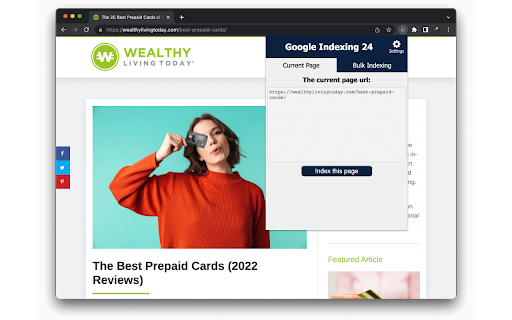
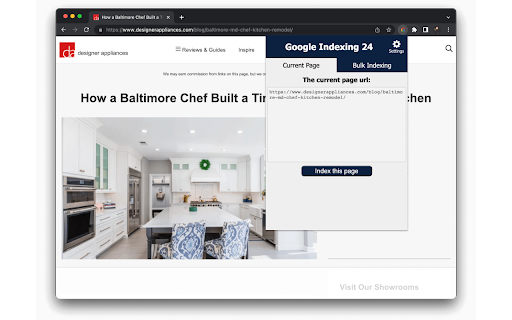


About
SEO indexing tool for Google will index all your URLs in 24 hours like a 🚀.

Pages on your website are not indexed? Try this Google indexing tool, using Google indexing api technique, to improve your SERP coverage and performance.

✓ 95% of Your URLs Will Be Indexed in 24 Hours
✓ UNLIMITED URLs Indexing
✓ Super Simple & Crazy FAST
✓ Click the Button and Voila, Your Pages Are Indexed

🧐What’s different from Rank Math Google Indexing api plugin?

All of them use the Google Indexing api technique. This Chrome extension makes it much easier to send the index request.

Just one click.

It's perfect for the site which isn't based on WordPress or the site owner doesn't want to install Rankmath, maybe the Yoast fans.

📚How to use google indexing api?

To be honest, the whole setting process isn’t easy. So I’ve created this step-by-step guide to help you get it done:
https://www.appthatsells.com/google-indexing-api-tool-guide/

🚄What is Google indexing api quota?

According to the Google Search Console, the default daily Google indexing api quota is 200, which means you can index 200 URLs per day using this extension.

✈️What is a URL?

This is the address of a web page that appears in the browser’s address bar.

The URL you want to index or update on SEO Indexing Tool can be :
- a page or an article from one of your sites;
- a product page or blog page from your e-commerce sites

🧐Why you have to index your page on Google?

In short, if you don’t index your page on Google, you won’t get any organic traffic from Google.

Indexing your URLs is the start of boosting your traffic on Google.

🚀How do I know if a URL has been indexed or not?

* Copy the url that you want to check. Then go to Google and search:
site:https://example.com
or
inurl: https://example.com

* Log in your Google Search Console, then inspect the url you want to check from the top bar of GSC.
Technical
- Version
- 1.3
- Manifest
- V3
- Size
- 13.98KiB
- Min Chrome
- 88
- Languages
- 1
- Featured
- No
Metadata
- ID
- cljmfkdomaigecbgmhfanmlnpndfnlnj
- Developer ID
- u6012bd6a5376fb6dc84fd0d5613c918c
- Developer Email
- [email protected]
- Created
- May 16, 2022
- Last Updated (Store)
- Sep 13, 2022
- Last Scraped
- May 19, 2026
- Support URL
- https://www.appthatsells.com
- Privacy Policy
- https://www.appthatsells.com/privacy-policy/
Similar extensions
Alternatives to SEO Indexing Tool for Google, ranked by description similarity.

Google Search Console – Bulk URL Indexing Tool
Automates URL input in GSC, handles dialogs, and tracks processing stats. Stops on quota.
443
★ 2.3
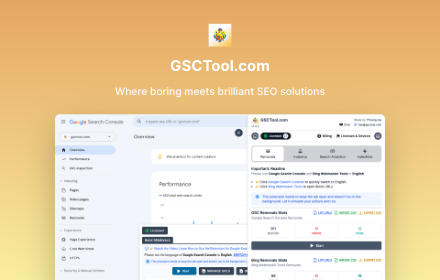
Google Search Console & Bing Webmaster Tools
GSCTool.com - Google Search Console & Bing Webmaster Tools: Removal (Block) Bulk (Multiple) URLs, Indexing, ...
9.0K
★ 4.3

Instant Indexing for GSC
Ekstensi Chrome untuk instant indexing melalui URL Inspection di Google Search Console
25

Google Rank Checker, Keyword SERP Ranking Extractor
Monitor your website's performance on Google search results with our powerful Google SERP Extractor Tool.
4.0K
★ 4.9
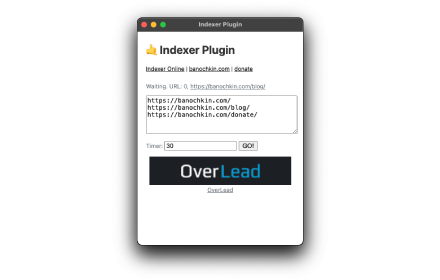
Indexer Plugin
Simple extension for rotate url's in browser.
446
★ 4.7

Crawl date checker for Google
Install the Google bot last crawl date checker extension to access the last crawl date and time of any web page by google.
2.0K
★ 4.3

Serpstat Website SEO Checker
Instantly check your website's SEO, analyze competitors and get advantage of powerful search analytics in one place.
30.0K
★ 4.7

Keyword Surfer
Keyword Surfer allows you to generate keyword ideas and see search volumes directly in Google search results.
600.0K
★ 4.2
Data sourced from the Chrome Web Store · last verified May 19, 2026.