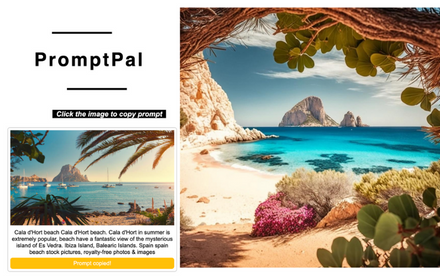
PromptPal
The ultimate idea generator for your Midjourney photos!
As of May 2026, PromptPal has 185 users in the art category.
Usersup 3.9 percent+3.9%
185
185
Ratingno change0%
—
— reviews
Reviewsno change0%
—
Version
1.0
Manifest V3
History
2 snapshotsTracking since Apr 24, 2026.
View as table
| Date | Users | Rating | Reviews | Version |
|---|---|---|---|---|
| Apr 24, 2026 | 178 | — | — | 1.0 |
| May 19, 2026 | 189 | — | — | 1.0 |
| Now | 185 | — | — | 1.0 |
Permissions & access
- Permissions
- activeTabscriptingclipboardWrite
- Host access
- None declared
Screenshots


About
Introducing PromptPal, the ultimate idea generator for your Midjourney photos! PromptPal can be used to train your image prompt writing skills. By extracting descriptions that were used to train Midjourney's text-to-image model, you can gain valuable insights into the process of creating vivid and compelling descriptions that evoke specific images in the mind of the reader. 👉 Step 1: Install the PromptPal extension from the Chrome Web Store. 👉 Step 2: Once installed, activate the extension by clicking on the PromptPal icon in your Chrome toolbar. 👉 Step 3: This will open the PromptPal panel, where you can browse through the collection of images. 👉 Step 4: Browse through the collection of images until you find one that you like. 👉 Step 5: Click on the image to copy the description to your clipboard. 👉 Step 6: Now, head over to Midjourney and start generating photos based on the description you copied from PromptPal. 📷🎨🌅 👉 Step 7: PromptPal is a great tool for anyone who needs inspiration or a little push to get started with Midjourney. 💡✨🚀 👉 Step 8: So, whether you're a photographer or just someone who enjoys generating photos, give PromptPal a try and see how it can help you come up with new and exciting ideas for your Midjourney projects. 📝📸💭 With PromptPal, upgrading your prompt writing skills has never been easier. Not only can you extracting descriptions that were used to train Midjourney's text-to-image model, but you can also use these descriptions as a guide to improve your own writing. By analyzing the language and structure of the descriptions, you can gain a deeper understanding of what makes a compelling and effective writing prompt. Whether you're a professional writer or just looking to hone your skills, PromptPal is the perfect tool to take your writing to the next level. 💪🏼👨🏻💻👩🏼💻
Technical
- Version
- 1.0
- Manifest
- V3
- Size
- 17.33KiB
- Min Chrome
- 88
- Languages
- 1
- Featured
- No
Metadata
- ID
- clenjbnkabepkkcdpmpendmnphdkabkp
- Developer ID
- u1e6c261bde29a3781449cce904b33701
- Developer Email
- [email protected]
- Created
- Mar 30, 2023
- Last Updated (Store)
- Mar 30, 2023
- Last Scraped
- May 19, 2026
- Website
- wolongai.io
- Support URL
- https://wolongai.io
- Privacy Policy
- https://wolongai.io/privacy-policy.html
Similar extensions
Alternatives to PromptPal, ranked by description similarity.

Prompt Catalyst
Your ultimate companion for creating image prompts for AI image generators such as Midjourney, Flux, Stable Diffusion, DALLE.
2.0K
★ 4.7

Midjourney Prompt Enhancer
A tool to help create better Midjourney prompts
2
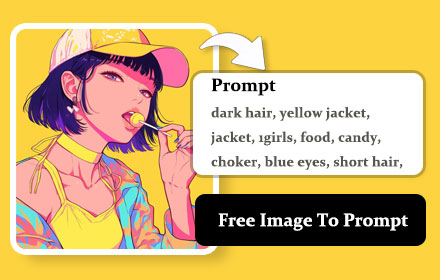
image to prompt
Right-click on any image within a webpage and Turn an image into a prompt
6.0K
★ 2.0

Image Prompt co
image to prompt
49

Awesome Prompts
Curated AI prompts to generate images, apps, games, and more with any AI.
12
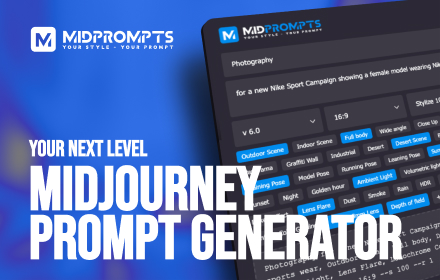
MidPrompts · Your Midjourney Prompt Organizer
Your Style - Your Prompt
420
★ 5.0

Image to Prompt
Right-click any image to generate a descriptive prompt.
107
★ 5.0

Nim - Describe Any Image
Get an instant AI prompt from any image on the web
71
★ 5.0
Data sourced from the Chrome Web Store · last verified May 19, 2026.