multiple-highlighter
Highlight multiple keywords on any webpage with distinct colors so you can scan dense content faster.
As of June 2026, multiple-highlighter has 29 users in the Productivity category.
Usersup 190.0 percent+190.0%
29
29
Ratingno change0%
—
— reviews
Reviewsno change0%
—
Version
0.0.3
Manifest V3
History
10 snapshotsTracking since Apr 1, 2026.
View as table
| Date | Users | Rating | Reviews | Version |
|---|---|---|---|---|
| Apr 1, 2026 | 10 | — | — | 0.0.3 |
| Apr 17, 2026 | 10 | — | — | 0.0.3 |
| Apr 22, 2026 | 15 | — | — | 0.0.3 |
| Apr 27, 2026 | 18 | — | — | 0.0.3 |
| May 4, 2026 | 16 | — | — | 0.0.3 |
| May 10, 2026 | 14 | — | — | 0.0.3 |
| May 15, 2026 | 15 | — | — | 0.0.3 |
| May 28, 2026 | 20 | — | — | 0.0.3 |
| Jun 4, 2026 | 30 | — | — | 0.0.3 |
| Jun 10, 2026 | 31 | — | — | 0.0.3 |
| Now | 29 | — | — | 0.0.3 |
Permissions & access
- Permissions
- sidePanelcontextMenusstorageactiveTab
- Host access
- None declared
Screenshots
About
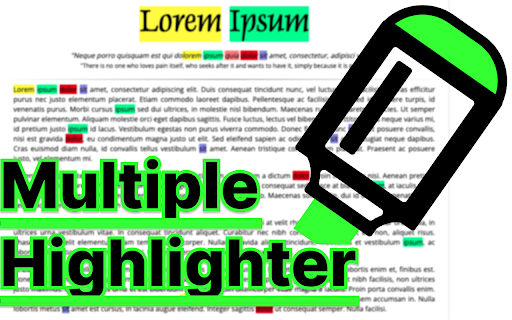
Unlike the regular 'Find in page' in Chrome, this extension can
- search for multiple words at the same time.
- can use regex/wildcard (needs option change)
- can change the highlight color
via the side panel on each tab.

▶Usage
1. Navigate to the web page you want to highlight.
2. (Optional) Pin the extension icon to your toolbar to make your experience more great!
3. Activate the extension,
    - Click the extension icon in your browser toolbar,
    - Right-click and select "Toggle multiple highlighter panel" in the menu
    - (Optional) select a text to be highlighted with right-click and select "Add selected text to multiple highlighter" in the menu
    - Use shortcut(Ctrl+m/Cmd+m). You can set any shortcut key.
4. Enjoy an enhanced highlight of multiple words on your page.

▶TODO
- Highlight in PDF file
- Highlight in textarea
Technical
- Version
- 0.0.3
- Manifest
- V3
- Size
- 126KiB
- Min Chrome
- 88
- Languages
- 1
- Featured
- No
Metadata
- ID
- ckoilofdkmbgpmkbmbodmpnbapbcckhj
- Developer ID
- ue429e7bc16ba0cb9b608803ab288eb77
- Developer Email
- [email protected]
- Created
- Dec 27, 2023
- Last Updated (Store)
- Mar 28, 2026
- Last Scraped
- Jun 10, 2026
- Website
- in-da-shell.com
- Support URL
- —
- Privacy Policy
- —
Data sourced from the Chrome Web Store · last verified Jun 10, 2026.