Enable Javascript for Chrome
Easily switch JavaScript on and off in the Chrome Browser with the help of a Enable JavaScript for Chrome.
As of May 2026, Enable Javascript for Chrome has 192 users in the Productivity category.
Usersdown 7.7 percent−7.7%
192
192
Ratingno change0%
—
— reviews
Reviewsno change0%
—
Version
1.0.0
Manifest V3
History
2 snapshotsTracking since Apr 24, 2026.
View as table
| Date | Users | Rating | Reviews | Version |
|---|---|---|---|---|
| Apr 24, 2026 | 208 | — | — | 1.0.0 |
| May 19, 2026 | 199 | — | — | 1.0.0 |
| Now | 192 | — | — | 1.0.0 |
Permissions & access
- Permissions
- contentSettingsstorage
- Host access
- None declared
Screenshots
About
🚀 Enhance Your Browsing Experience with the "Enable JavaScript" Chrome Extension 🌐

Are you tired of intrusive pop-ups, annoying advertisements, and pesky modal windows cluttering your browsing experience? Look no further – the "Enable JavaScript" Chrome extension is here to revolutionize the way you browse the web.

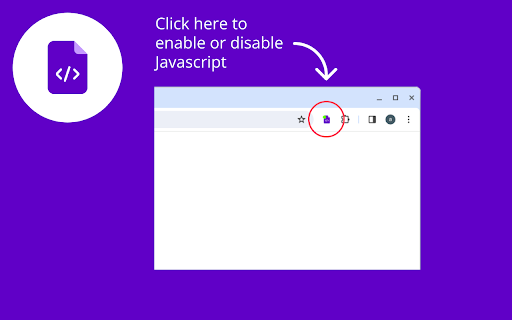
With just the click of a button, you can effortlessly toggle JavaScript on or off in your Chrome browser, giving you unparalleled control over your online experience. Whether you're reading articles, conducting research, or developing websites, this extension empowers you to customize your browsing environment to suit your needs.

Enhanced Reading Experience

Ever been frustrated by pop-up ads interrupting your reading flow? Say goodbye to distractions with the "Enable JavaScript" extension. By disabling JavaScript, you can enjoy a seamless reading experience free from intrusive elements.

Ad-Free Browsing

Tired of being bombarded with advertisements at every turn? Take back control of your browsing with the "Enable JavaScript" extension. Simply turn off JavaScript to eliminate unwanted ads and enjoy a cleaner, ad-free browsing experience.

Streamlined Development

For web developers, the ability to toggle JavaScript on and off with ease is invaluable. Use the "Enable JavaScript" extension to quickly test website functionality, debug code, and optimize performance without hassle.

Customize Your Experience

With the "Enable JavaScript" extension, the power is in your hands. Tailor your browsing experience by enabling or disabling JavaScript as needed. Whether you're blocking modal windows, bypassing paywalls, or enhancing security, this extension puts you in control.

Say goodbye to browsing frustrations and hello to a smoother, more customizable web experience with the "Enable JavaScript" Chrome extension. Download now and unlock a world of possibilities at your fingertips.
Technical
- Version
- 1.0.0
- Manifest
- V3
- Size
- 15.0KiB
- Min Chrome
- 88
- Languages
- 2
- Featured
- No
Metadata
- ID
- cjnafdjegogoloapmkbdahggmnnlfmep
- Developer ID
- u546cdf94cffbc1b2a9817c649e0f4605
- Developer Email
- [email protected]
- Created
- Mar 29, 2024
- Last Updated (Store)
- Mar 29, 2024
- Last Scraped
- May 19, 2026
- Website
- —
- Support URL
- —
Similar extensions
Alternatives to Enable Javascript for Chrome, ranked by description similarity.

Enable Javascript
Quickly toggle JavaScript on/off in the Chrome Browser using a JavaScript enable/disable extension.
777
★ 3.7

Javascript Chrome
Quickly disable/enable JavaScript for the Chrome browser in 1 click. Works on any website.
8.0K
★ 4.7

JavaScript disable Chrome
Quickly toggle JavaScript on/off in the Chrome Browser. JavaScript disable extension.
10.0K
★ 4.3

Javascript Toggle
Activate this extension to enable or disable JavaScript in any website with just one click
77
★ 3.0

Ad Blocker for Chrome
Use this extension to block ads from all websites with just a click
23

Popup Blocker Pro
Blocks popups and popunders and makes you feel better.
300.0K
★ 4.3

Adblock blocker blocker
Adblock blocker blocker extension
57

Adblock.mx - Adblock for Chrome
Adblock.mx - Adblock for Chrome, Chrome ad blocker, hides ad banner and blocks ad urls.
1.0K
★ 4.5
Data sourced from the Chrome Web Store · last verified May 19, 2026.