
CodePress
CodePress: a browser extension for visual code editing
As of June 2026, CodePress has 19 users in the Developer Tools category.
Usersno change0%
19
19
Ratingno change0%
—
— reviews
Reviewsno change0%
—
Version
1.2.1
Manifest V3
90-day change · In the last 90 days this extension 5 version updates, changed permissions.
History
9 snapshotsTracking since Apr 3, 2026.
View as table
| Date | Users | Rating | Reviews | Version |
|---|---|---|---|---|
| Apr 3, 2026 | — | — | — | 1.1.57 |
| Apr 17, 2026 | — | — | — | 1.1.59 |
| Apr 24, 2026 | 15 | — | — | 1.1.60 |
| May 2, 2026 | 17 | — | — | 1.1.60 |
| May 8, 2026 | 18 | — | — | 1.1.61 |
| May 19, 2026 | 17 | — | — | 1.1.61 |
| May 25, 2026 | 18 | — | — | 1.2.0 |
| Jun 1, 2026 | 16 | — | — | 1.2.1 |
| Jun 7, 2026 | 15 | — | — | 1.2.1 |
| Now | 19 | — | — | 1.2.1 |
Changelog
- May 19, 2026host_permissions
<all_urls>, https://api.codepress.dev/*, http://localhost:8007/*, http://localhost:4321/*
<all_urls>, https://api.codepress.dev/*, http://localhost/*, http://127.0.0.1/*
Permissions & access
- Permissions
- scriptingstoragetabsdeclarativeNetRequestwebNavigation
- Host access
- <all_urls>, https://api.codepress.dev/*, http://localhost/*, http://127.0.0.1/*
Screenshots


About
CodePress – The IDE for Everyone Else

Edit your custom codebase visually. Ship without engineering.

CodePress brings the simplicity of Squarespace style editing directly into your own codebase — no CMS lock-ins, no painful setup. Designers, marketers, and founders can update copy, images, and layouts instantly, while engineers keep full control of the underlying code.

🚀 What It Does

Edit directly on your live site
Install the CodePress Chrome Extension to visually edit text, images, and layouts right inside your browser.

Instant publishing
Save changes that automatically commit to GitHub — no dev setup required.

Generate pages in seconds
Build and test multiple landing pages in your brand’s style without engineering tickets.

Integrates with any codebase
Works seamlessly with React, Next.js, and any modern frontend stack.

Own your code — no lock-in
Keep full control of your codebase while enabling your team to move fast.

💡 Who It’s For

Marketers, designers, and CEOs who want to ship updates without waiting on developers.
Developers who want to empower teammates without compromising code quality.

⚙️ How It Works

Install the Chrome extension.

Connect CodePress to your repo.

Click any element on your live site to edit visually.

Commit your changes with one click.

🧠 Why CodePress

Built by the Q5 team behind 20+ custom apps and $12M+ in revenue, CodePress combines:

The ease of no-code tools,

The power of real code, and

The flexibility of AI-powered editing.

Think “Squarespace for your codebase.”
Technical
- Version
- 1.2.1
- Manifest
- V3
- Size
- 10.85MiB
- Min Chrome
- 88
- Languages
- 1
- Featured
- No
Metadata
- ID
- cjihcmbdjlnjcbblkbkoabpikhhjehbn
- Developer ID
- u87290e01d380fc19b4434e2f11daf2ee
- Developer Email
- [email protected]
- Created
- Sep 8, 2025
- Last Updated (Store)
- May 20, 2026
- Last Scraped
- Jun 7, 2026
- Website
- codepress.dev
- Support URL
- https://codepress.dev/support
- Privacy Policy
- http://codepress.dev/privacy
Similar extensions
Alternatives to CodePress, ranked by description similarity.

Resurface
Replace editable page fields with a pop-out Monaco (VS Code) editor
77

HTML & CSS Code Viewer
Editeur de code HTML et CSS avec prévisualisation et panneau latéral. Importez, modifiez et visualisez facilement votre code.
241
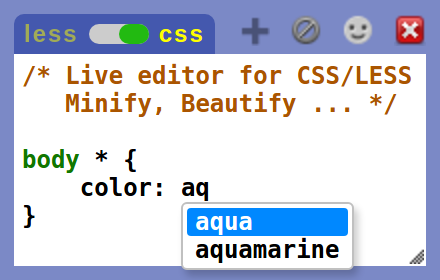
Live editor for CSS, Less & Sass - Magic CSS
Live preview of CSS/Less/Sass code changes. Auto-save file, autocomplete, Less/Sass to CSS, beautify, CSS reloader, lint, ...
70.0K
★ 4.6

CodeQuick
Code Quick allows you to quickly test and preview custom HTML and CSS directly in your browser.
7

Code Preview Extension
Preview HTML, CSS & JS code in real-time
315
★ 4.7

DesignQA
Edit any website visually and push real code to GitHub
218
★ 5.0

Codex Dev
Developer's Insight Tool - View your website in multiple responsive screen sizes simultaneously with synchronized scrolling.
1.0K
★ 5.0

Pinegrow Web Designer
Easily mockup and design webpages with drag & drop components library, multi-page editing, LESS Css styling and Bootstrap 3 support.
8.0K
★ 3.9
Data sourced from the Chrome Web Store · last verified Jun 7, 2026.