
Scrroll In
An extension to save scroll position of a webpage
As of May 2026, Scrroll In has 3,000 users and a 4.07/5 rating from 42 reviews in the Workflow & Planning category.
Usersno change0%
3.0K
3,000
Ratingup 0.5 percent+0.5%
4.07
42 reviews
Reviewsup 2.4 percent+2.4%
42
Version
3.2
Manifest V3
History
1 snapshotsTracking since Apr 24, 2026.
View as table
| Date | Users | Rating | Reviews | Version |
|---|---|---|---|---|
| Apr 24, 2026 | 3.0K | 4.05 | 41 | 3.2 |
| Now | 3.0K | 4.07 | 42 | 3.2 |
Permissions & access
- Permissions
- tabsstorageactiveTabscripting
- Host access
- http://*/, https://*/
Screenshots


About
✨ What's new -
- You can now save upto 20 scroll positions for any page and manage (get, update and delete) them individually.
- Added an opt-in to show toasts when performing actions with a scrroll for better UX (Experimental).

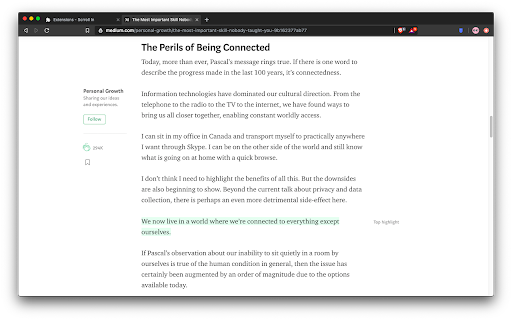
You must have been in a situation wherein you are reading a long article but you don't have enough time to finish it so you close the tab, and the next time you open the article again, you have no idea where you left it.

Well not anymore, with this extension you can save the scroll position of the page and then revisit the page at any time to continue where you left.

I know that there are other extensions similar to this, but most of them either don't work reliably or lack the features mentioned below -

🤹 Color changing icon
The icon changes color whenever the extension detects that you have already saved a scroll position for a page.

✨ Sleek UI
Ability to add, remove, update or delete the scroll position directly from the popup menu.

💾 Unlimited Storage
Under the hood this extension uses chrome's local storage API, so you'll never run out of storage for your articles.

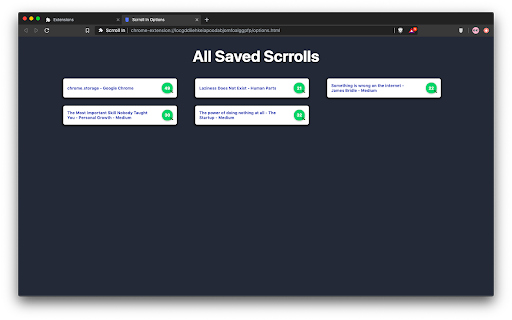
🤳 View all your saved scrrolls
An options page to view all your saved pages, with the percentage of the page completed.

📜 Completely free and open source
Scrroll In was and will always be free to use and open source. Feel free to open an issue for feature request or bug report on the issues page on Github
Technical
- Version
- 3.2
- Manifest
- V3
- Size
- 222KiB
- Min Chrome
- 88
- Languages
- 1
- Featured
- Yes
Metadata
- ID
- cjgjbjogfodppempgdlppgefojbcmjom
- Developer ID
- u5bc47912896238f365f8c9947caf08df
- Developer Email
- [email protected]
- Created
- Sep 23, 2019
- Last Updated (Store)
- Jul 18, 2021
- Last Scraped
- May 19, 2026
- Website
- —
- Support URL
- —
- Privacy Policy
- —
Similar extensions
Alternatives to Scrroll In, ranked by description similarity.

PageMark Navigator
Mark your position on the page and jump between marks using F2 key
223
★ 1.8
Simple Autoscroll
An extension that adds the ability to automatically scroll through long pages.
100.0K
★ 3.9

Page Go-Quick page flipping tool
Long webpage tool, bottom right quick flip, return top, jump bottom, page up/down, added mid-page button.
848
★ 5.0

Auto Scroll to Bottom/Top
Smoothly auto-scrolls the page up or down with speed controller.
113
★ 1.0

Chrome Note Keeper
Chrome Note Keeper: keep notes on specific websites pages.
518
★ 4.7

Snap Scroll
Mark a scroll checkpoint and snap back to it instantly.
6
★ 5.0
Save Chrome Tabs For Later
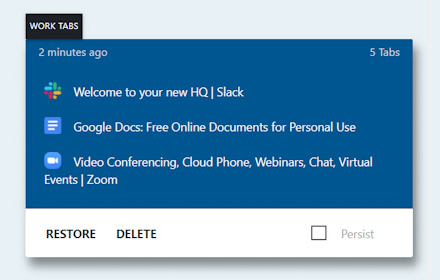
Set aside your currently open tabs to quickly reopen them later.
10.0K
★ 3.9

Last Update Checker
Scans website and all resources to find out when exactly was page last updated - with precision to seconds.
957
★ 1.0
Data sourced from the Chrome Web Store · last verified May 19, 2026.