
Leads tracker
What is Leads Tracker? This Leads Tracker extension will help you save, manage, and organize all of your leads with important…
As of May 2026, Leads tracker has 11 users in the Workflow & Planning category.
Usersup 22.2 percent+22.2%
11
11
Ratingno change0%
—
— reviews
Reviewsno change0%
—
Version
1.0
Manifest V3
History
3 snapshotsTracking since Apr 1, 2026.
View as table
| Date | Users | Rating | Reviews | Version |
|---|---|---|---|---|
| Apr 1, 2026 | 9 | — | — | 1.0 |
| May 1, 2026 | 10 | — | — | 1.0 |
| May 30, 2026 | 13 | — | — | 1.0 |
| Now | 11 | — | — | 1.0 |
Permissions & access
- Permissions
- tabs
- Host access
- None declared
Screenshots

About
What is Leads Tracker?
This Leads Tracker extension will help you save, manage, and organize all of your leads with important links. Apt for salespersons, marketers, researchers, or people who generally need to keep tabs on web pages.

What does it do?
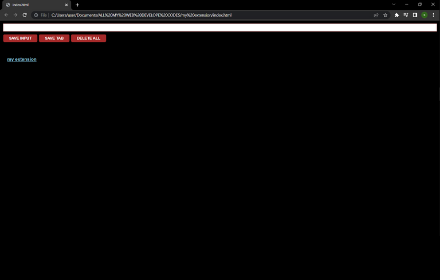
Manual Lead Saving: Enter and save URLs with the help of the input field.
Save Active Tab: Click once to save the URL of the tab you're on.
Organize Leads: View your saved leads in a nice list with clickable links.
Delete Leads: Double-click to remove all your saved leads.

How Does It Work?
Save Input: Enter a URL and then hit "SAVE INPUT" to append.
Save Tab: Click "SAVE TAB" to store the tab URL what you see to view later.
View Leads Can click on any saved link to open.
Delete Leads: All leads are deleted with a double-click on "DELETE ALL".

Use Cases:
Sales and Marketing: Track potential clients and leads.
Research: Gather and organize links to your sources.
Personal Use: Save articles, blog posts, or URLs that you like.
Project management: This means storing links to all resources used during the project.

Why Leads Tracker?
Simplicity: forget complicated setups. Start saving time right now.
Efficiency: save and access links without leaving your browser.
Organization: Maintain your leads and URLs in a clean and organized way.
Convenience: Store active tabs with one click.

Get Started:
Install Leads Tracker from the Chrome Web Store.
Click the Leads Tracker Icon from your toolbar.
Save your leads and important links in one click.
Get in charge of your Leads with Leads Tracker and never miss a precious webpage again!
Technical
- Version
- 1.0
- Manifest
- V3
- Size
- 8.02KiB
- Min Chrome
- 88
- Languages
- 1
- Featured
- No
Metadata
- ID
- chnhhagjiddmehnfohkjmfmbabehadjg
- Developer ID
- u844ef4621cb5cd6393257f13514f4f34
- Developer Email
- [email protected]
- Created
- Jul 29, 2024
- Last Updated (Store)
- Jul 29, 2024
- Last Scraped
- May 30, 2026
- Website
- —
- Support URL
- —
Similar extensions
Alternatives to Leads tracker, ranked by description similarity.

Leads & Reference Tracker
This extension makes tracking leads or references easy and simple with an auto save functionality.
35
★ 5.0

Leads tracker
Leads tracker:
It lets the user save a URL by typing it in the address and clicking the SAVE INPUT button. It also lets the user…
5
★ 5.0

Leads Snap
Simplify lead management with this Chrome extension. Save and organize leads with ease, capturing URLs, notes, and content while…
6

Leads tracker
It tracks your leads so you can access them later. You copy the URL of the desired page, simply paste it in the extension's input…
—

Leads tracker
Add sales leads from urls and via unput, remove them when you no longer require them.
92
Senaga Leads Extractor - SLE
Senaga Leads Extractor is an extension focused on helping: Marketers, Entrepreneurs, Teachers, Students and any other individual…
8
★ 5.0

Leads tracker
Leads Tracker is a simple web application to help businesses manage and track their leads effectively. It allows users to add and…
3

Leads tracker
This extension helps any sales representative to save urls for potential clients (leads) in a list. The list is persistent across…
—
★ 5.0
Data sourced from the Chrome Web Store · last verified May 30, 2026.