TabAtlas
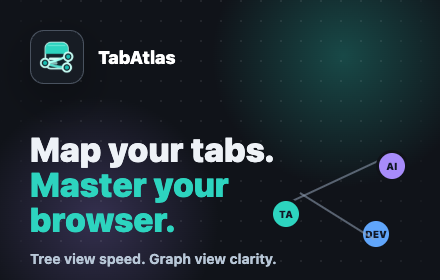
Map your tabs. Master your browser with tree and graph views for open Chrome tabs.
As of June 2026, TabAtlas has 6 users and a 5.00/5 rating from 2 reviews in the Workflow & Planning category.
Usersno change0%
6
6
Ratingno change0%
5.00
2 reviews
Reviewsno change0%
2
Version
1.1.0
Manifest V3
90-day change · In the last 90 days this extension 1 version update, changed permissions.
History
5 snapshotsTracking since May 3, 2026.
View as table
| Date | Users | Rating | Reviews | Version |
|---|---|---|---|---|
| May 3, 2026 | — | — | — | 1.0 |
| May 9, 2026 | — | — | — | 1.0 |
| May 26, 2026 | 7 | 5.00 | 2 | 1.1.0 |
| Jun 2, 2026 | 5 | 5.00 | 2 | 1.1.0 |
| Jun 8, 2026 | 9 | 5.00 | 2 | 1.1.0 |
| Now | 6 | 5.00 | 2 | 1.1.0 |
Changelog
- May 9, 2026description
Tab Manager for Chrome helps you quickly understand, navigate, and organize your open tabs.

It groups tabs by website inside Chrome’s side panel, so you can see related pages together instead of hunting through a crowded tab bar. You can switch between a compact tree view and a visual graph view, jump directly to any tab, group tabs by site, or ungroup them when you are done.

Features:

View open tabs grouped by website
Collapse and expand site groups
Switch between Tree View and Graph View
Group tabs by site using Chrome tab groups
Ungroup all tabs or a single site group
Click any tab to jump to it
Light and dark themes inspired by VS Code
Runs locally in your browser
Privacy-friendly:
Tab Manager for Chrome does not send your browsing data to any server. Tab information is only used locally to display and organize your open tabs.
TabAtlas turns your open Chrome tabs into a clean, local map of your browsing session.

Use the compact Tree View when you need speed. Switch to Graph View when you want to understand how your tabs are clustered across sites. TabAtlas helps you find the right tab, group related tabs, and reduce tab chaos without sending your browsing data anywhere.

Features:

Search open tabs by title, site, or URL.
View tabs grouped by website in a compact Tree View.
Expand and collapse site groups to reduce clutter.
See your browsing session as a visual Graph View.
Group open tabs by site using Chrome tab groups.
Ungroup all tabs or ungroup a single site group.
Jump directly to any open tab.
Use light or dark mode with a polished side-panel interface.
Optionally support development through the Sponsor link.
This extension runs locally in your browser. It does not send your tab data to any server.
- May 9, 2026short_description
Organize open Chrome tabs by site in a side panel with tree and graph views.
Map your tabs. Master your browser with tree and graph views for open Chrome tabs.
- May 9, 2026name
Tab Manager for Chrome
TabAtlas
- May 9, 2026permissions
tabs, tabGroups, sidePanel
tabs, tabGroups, sidePanel, storage
Permissions & access
- Permissions
- tabstabGroupssidePanelstorage
- Host access
- None declared
Screenshots


About
TabAtlas turns your open Chrome tabs into a clean, local map of your browsing session.

Use the compact Tree View when you need speed. Switch to Graph View when you want to understand how your tabs are clustered across sites. TabAtlas helps you find the right tab, group related tabs, and reduce tab chaos without sending your browsing data anywhere.

Features:

Search open tabs by title, site, or URL.
View tabs grouped by website in a compact Tree View.
Expand and collapse site groups to reduce clutter.
See your browsing session as a visual Graph View.
Group open tabs by site using Chrome tab groups.
Ungroup all tabs or ungroup a single site group.
Jump directly to any open tab.
Use light or dark mode with a polished side-panel interface.
Optionally support development through the Sponsor link.
This extension runs locally in your browser. It does not send your tab data to any server.
Technical
- Version
- 1.1.0
- Manifest
- V3
- Size
- 146KiB
- Min Chrome
- 88
- Languages
- 1
- Featured
- No
Metadata
- ID
- cflnilopdkhccmndfpejapomabhmmebh
- Developer ID
- u694784549f884cb641bec912bb421430
- Developer Email
- [email protected]
- Created
- May 2, 2026
- Last Updated (Store)
- May 4, 2026
- Last Scraped
- Jun 8, 2026
- Website
- —
- Support URL
- https://github.com/sponsors/bot-shashank
- Privacy Policy
- —
Data sourced from the Chrome Web Store · last verified Jun 8, 2026.