
Smart Link Organizer
Save and categorize your links manually and automatically with ease.
As of May 2026, Smart Link Organizer has 8 users in the Workflow & Planning category.
Usersup 60.0 percent+60.0%
8
8
Ratingno change0%
—
— reviews
Reviewsno change0%
—
Version
1.0.0
Manifest V3
History
4 snapshotsTracking since Apr 1, 2026.
View as table
| Date | Users | Rating | Reviews | Version |
|---|---|---|---|---|
| Apr 1, 2026 | 5 | — | — | 1.0.0 |
| Apr 21, 2026 | 6 | — | — | 1.0.0 |
| May 6, 2026 | 5 | — | — | 1.0.0 |
| May 17, 2026 | 6 | — | — | 1.0.0 |
| Now | 8 | — | — | 1.0.0 |
Permissions & access
- Permissions
- activeTabstoragetabscontextMenusbookmarks
- Host access
- None declared
Screenshots


About
Most people save a ton of links and rarely return to them. Smart-Link-Organizer (SLO) fixes that by making capture effortless, structure minimal, and retrieval instantaneous. The result is simple: saving becomes knowing—so you actually go back, recall, and use what matters. Simple. Minimal. Quick.

SLO adds a lightweight popup you can open anywhere to save the current page in one click from the toolbar, by right-clicking, or with a keyboard shortcut. Organize with folders and multi-tags, keep a calm “Unsorted/Inbox” for quick drops, and find anything in milliseconds with lightning search across titles, URLs, notes, and tags. Import your existing Chrome bookmarks so you start organized on day one. Everything feels snappy, works in light or dark mode, and stays smooth even with large collections.

Our philosophy:
tools should make you sharper, not busier. SLO respects your time by staying out of the way—capture in one second, find in one second, and move on with your work. If you’ve ever thought “I saved it somewhere,” this is the moment you become the person who can pull it up in a second. Install SLO, save with one click, and turn your bookmark pile into a reliable working memory.

MVP features today:
- one-click saving from toolbar,
- context menu, and shortcut;
- clean folders plus flexible multi-tags;
- instant search across titles, URLs, and tags;
- Unsorted/Inbox for quick capture;
- bookmark import so you’re organized immediately;
- fast, responsive UI with light and dark themes.
- save any page with a single click (toolbar button, right-click menu, or Ctrl+Shift+L / Cmd+Shift+L),

Advanced features (coming soon):
- auto-tagging to label links for you,
- quick summaries to refresh your memory at a glance,
- smart resurfacing that brings back what’s valuable when you need it,
- analytics and sync for power users. These will arrive as opt-in upgrades so the core stays minimal and fast.
Technical
- Version
- 1.0.0
- Manifest
- V3
- Size
- 1.01MiB
- Min Chrome
- 88
- Languages
- 1
- Featured
- No
Metadata
- ID
- cfgiieecapbhkjdcgegebijplggihnbl
- Developer ID
- u9d88266ff8739e0244eea24fa6ccd9c2
- Developer Email
- [email protected]
- Created
- Sep 9, 2025
- Last Updated (Store)
- Sep 9, 2025
- Last Scraped
- May 31, 2026
- Website
- —
- Privacy Policy
- —
Similar extensions
Alternatives to Smart Link Organizer, ranked by description similarity.

Grabber - Save & find links fast ( A Bookmark Alternative )
Grabber is a smarter bookmark alternative to save, tag, and organize links. Build swipe files, team libraries, or read-it-later hubs
99
★ 5.0

Keeplinker: Save & Organize Links
Save and organize links effortlessly. One-click bookmarking, thematic collections, and seamless experience!
146
★ 4.8

Bookmark Enhancer
Enhance your bookmarks with notes, tags, search, and reminders
4
★ 5.0

LINQLO
Official LINQLO Chrome Extension
3
★ 5.0

LinkSphinx
Right-click to save and jump to your most used sites via categorized context menus.
2

Co-Link
Save links with auto-generated metadata and organize them by source with collapsible groups
8
★ 5.0
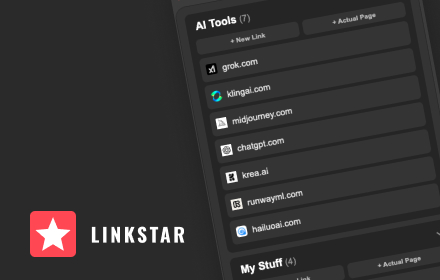
LInkStar
Save, edit, and organize your favorite / daily links directly in the browser. 100% free.
3

Webloggle
Webloggle
2
Data sourced from the Chrome Web Store · last verified May 31, 2026.