
Quick Draw
Draw and customize colored shapes directly on any webpage
As of June 2026, Quick Draw has 84 users and a 5.00/5 rating from 1 reviews in the Productivity category.
Usersup 25.4 percent+25.4%
84
84
Ratingno change0%
5.00
1 reviews
Reviewsno change0%
1
Version
1.4
Manifest V3
History
7 snapshotsTracking since Apr 1, 2026.
View as table
| Date | Users | Rating | Reviews | Version |
|---|---|---|---|---|
| Apr 1, 2026 | 67 | 5.00 | 1 | 1.4 |
| Apr 20, 2026 | 68 | 5.00 | 1 | 1.4 |
| Apr 29, 2026 | 74 | 5.00 | 1 | 1.4 |
| May 9, 2026 | 76 | 5.00 | 1 | 1.4 |
| May 17, 2026 | 80 | 5.00 | 1 | 1.4 |
| May 26, 2026 | 78 | 5.00 | 1 | 1.4 |
| Jun 4, 2026 | 74 | 5.00 | 1 | 1.4 |
| Now | 84 | 5.00 | 1 | 1.4 |
Permissions & access
- Permissions
- activeTab
- Host access
- None declared
Screenshots
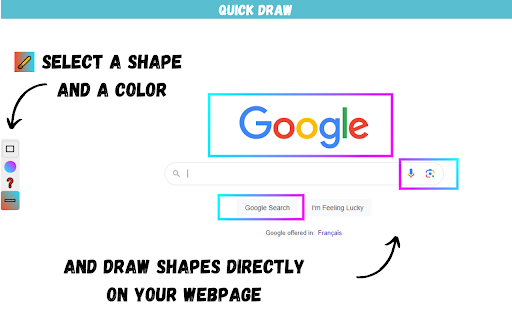

About
Quick Draw lets you draw and customize colored shapes directly on any webpage. Perfect for annotations, presentations, tutorials, or visual highlights.

  Features:
  • 6 shape tools: Rectangle, Spotlight, Circle, Line, Arrow, Freehand
  • Gradient color options
  • Adjustable stroke width
  • 🧹 Eraser - Remove individual shapes
  • 🔴 Laser pointer - For presentations
  • ⬜ Whiteboard mode - Clean white background
  • Scroll while drawing
  • Works in fullscreen mode

  How to Use:
  • Click the extension icon to open Quick Draw
  • Left-click + drag → Draw a temporary shape
  • Right-click + drag → Draw a permanent shape
  • Left-click → Clear all shapes
  • Press Escape to close

  Feedback Welcome!
  This extension is actively improved based on user feedback. Feel free to leave a review or comment - I read them all!
Technical
- Version
- 1.4
- Manifest
- V3
- Size
- 34.15KiB
- Min Chrome
- 88
- Languages
- 1
- Featured
- No
Metadata
- ID
- cdbokgooiokffjcgknheempagfakhbhl
- Developer ID
- u1794a8c7b775aa597c68c60065805a65
- Developer Email
- [email protected]
- Created
- Sep 26, 2024
- Last Updated (Store)
- Jan 12, 2026
- Last Scraped
- Jun 4, 2026
- Website
- —
- Support URL
- —
- Privacy Policy
- —
Similar extensions
Alternatives to Quick Draw, ranked by description similarity.

QuickPaint - Draw on Any Webpage
Draw freely on any webpage, capture and share your annotated screenshots.
48
★ 1.0

Draw Quick
Draw free‑hand on any web page.
223

Draw On Any Web Page
Use this extension to draw on any webpage like freehand, rectangle, circle, undo, print, line, and clear options
81

ScreenDraw Pro
Draw, highlight, blur, and annotate on any webpage with keyboard shortcuts
4

Draw on Screen
Draw, highlight, and annotate on any webpage with Draw on Screen — the simplest way to comment as you browse!
3.0K
★ 4.6

Drawr - Draw and Annotate on Any Webpage
Draw, highlight, add shapes and text to any webpage. Take annotated screenshots with pen, highlighter, arrows, and more.
32
★ 5.0

Draw on Page
One-click to draw on page! Start drawing on pages instantly. Highlight, take screenshots, share ideas with this browser page marker.
1.0K
★ 4.6

Draw on Web
Draw and highlight on any website live. Add text, shapes, and lines. Move, undo, or redo your drawings.
50
★ 5.0
Data sourced from the Chrome Web Store · last verified Jun 4, 2026.