
Rewards Auto Search: Automate searches with 1-Click
Automatically earn Bing search reward points with just 1 click for both PC & Mobile. Run everyday in background and tackle COOLDOWN
As of June 2026, Rewards Auto Search: Automate searches with 1-Click has 10,000 users and a 4.33/5 rating from 278 reviews in the Productivity category.
Usersno change0%
10.0K
10,000
Ratingdown 0.2 percent−0.2%
4.33
278 reviews
Reviewsup 0.4 percent+0.4%
278
Version
2.0.1
Manifest V3
90-day change · In the last 90 days this extension 2 version updates.
History
7 snapshotsTracking since Apr 18, 2026.
View as table
| Date | Users | Rating | Reviews | Version |
|---|---|---|---|---|
| Apr 18, 2026 | 10.0K | 4.34 | 277 | 1.4.8 |
| Apr 29, 2026 | 10.0K | 4.34 | 277 | 2.0.0 |
| May 16, 2026 | 10.0K | 4.34 | 276 | 2.0.0 |
| May 25, 2026 | 10.0K | 4.34 | 277 | 2.0.0 |
| Jun 3, 2026 | 10.0K | 4.34 | 278 | 2.0.0 |
| Jun 8, 2026 | 10.0K | 4.34 | 277 | 2.0.0 |
| Jun 14, 2026 | 10.0K | 4.33 | 278 | 2.0.0 |
| Now | 10.0K | 4.33 | 278 | 2.0.1 |
Changelog
- Apr 18, 2026description
🔥 Earn Microsoft Search Rewards effortlessly for PC and Mobile! This extension automates Bing searches, helping you maximize points without extra effort. Just install & let it work for you! Schedule searches daily and run in Background.

🛠 How to Use:
1️⃣ Log in to your Microsoft Account in your browser.
2️⃣ Open the Bing Rewards Auto Search extension.
3️⃣ Enter the total number of PC and Mobile searches you want. 🎯
4️⃣ You can enter a maximum of 100 searches.
5️⃣ Click ‘Start’ 🚀
6️⃣ The extension will automatically search with Bing 🖥️, opening a new tab, typing keywords, and closing it.
7️⃣ Stop anytime ⏹️ by clicking the ‘Stop’ button.
8️⃣ Check your points 🏆 in the top-right corner of Bing. (Earning starts after your 3rd search of the day! 🎉)

New in 1.3.7
1. Select your mobile device
2. Choose your search categories.
3. New Icon just for PRO members.
4. Over 30k+ Search keywords.
5. Mimic Bing as default Search Engine
6. Earn Referrals by simply featuring your referral link for 1 Week for every new user that signs up for our Extension.

🚀 PRO Benefits (Unlock More Rewards!)
📱Unlock unlimited Mobile searches everyday
🔥 Automate daily searches based on your search numbers.
🎯 Auto-collect daily activity points when you click Start or as per a daily schedule.
⏳ Tackle COOLDOWN by scheduling searches every 15 minutes.

Maximize your Microsoft Rewards effortlessly! 🏆✨


Disclaimer: This extension does its best to simulate genuine searches and human like typings. Please use this extension at your own risk in case Microsoft flags certain reward accounts.
Warning: YOU WILL BE BANNED FROM USING THIS EXTENSION IF WE DETECT YOU ARE USING MULTIPLE ACCOUNTS FOR THE REWARDS SEARCH PROGRAM, this extension does not promote abuse of microsoft rewards program
🔥 Earn Microsoft Bing Search Rewards effortlessly for PC and Mobile! This extension automates Bing searches, helping you maximize points without extra effort. Just install & let it work for you! Schedule searches daily and run in Background.

🛠 How to Use:
1️⃣ Log in to your Microsoft Account in your browser.
2️⃣ Open the Bing Rewards Auto Search extension.
3️⃣ Enter the total number of PC and Mobile searches you want. 🎯
4️⃣ You can enter a maximum of 100 searches.
5️⃣ Click ‘Start’ 🚀
6️⃣ The extension will automatically search with Bing 🖥️, opening a new tab, typing keywords, and closing it.
7️⃣ Stop anytime ⏹️ by clicking the ‘Stop’ button.
8️⃣ Check your points 🏆 in the top-right corner of Bing. (Earning starts after your 3rd search of the day! 🎉)

New in 1.3.7
1. Select your mobile device
2. Choose your search categories.
3. New Icon just for PRO members.
4. Over 30k+ Search keywords.
5. Mimic Bing as default Search Engine
6. Earn Referrals by simply featuring your referral link for 1 Week for every new user that signs up for our Extension.

🚀 PRO Benefits (Unlock More Rewards!)
📱Unlock unlimited Mobile searches everyday
🔥 Automate daily searches based on your search numbers.
🎯 Auto-collect daily activity points when you click Start or as per a daily schedule.
⏳ Tackle COOLDOWN by scheduling searches every 15 minutes.

Maximize your Microsoft Rewards effortlessly! 🏆✨


Disclaimer: This extension does its best to simulate genuine searches and human like typings. Please use this extension at your own risk in case Microsoft flags certain reward accounts.
Warning: YOU WILL BE BANNED FROM USING THIS EXTENSION IF WE DETECT YOU ARE USING MULTIPLE ACCOUNTS FOR THE REWARDS SEARCH PROGRAM, this extension does not promote abuse of microsoft rewards program
- Apr 18, 2026name
Bing Rewards Auto Search: Automate searches with 1-Click
Rewards Auto Search: Automate searches with 1-Click
Permissions & access
- Permissions
- storagedebugger
- Host access
- https://www.dropbox.com/*, https://www.google.com/
Screenshots


About
🔥 Earn Microsoft Bing Search Rewards effortlessly for PC and Mobile! This extension automates Bing searches, helping you maximize points without extra effort. Just install & let it work for you! Schedule searches daily and run in Background.

🛠 How to Use:
1️⃣ Log in to your Microsoft Account in your browser.
2️⃣ Open the Bing Rewards Auto Search extension.
3️⃣ Enter the total number of PC and Mobile searches you want. 🎯
4️⃣ You can enter a maximum of 100 searches.
5️⃣ Click ‘Start’ 🚀
6️⃣ The extension will automatically search with Bing 🖥️, opening a new tab, typing keywords, and closing it.
7️⃣ Stop anytime ⏹️ by clicking the ‘Stop’ button.
8️⃣ Check your points 🏆 in the top-right corner of Bing. (Earning starts after your 3rd search of the day! 🎉)

New in 1.3.7
1. Select your mobile device
2. Choose your search categories.
3. New Icon just for PRO members.
4. Over 30k+ Search keywords.
5. Mimic Bing as default Search Engine
6. Earn Referrals by simply featuring your referral link for 1 Week for every new user that signs up for our Extension.

🚀 PRO Benefits (Unlock More Rewards!)
📱Unlock unlimited Mobile searches everyday
🔥 Automate daily searches based on your search numbers.
🎯 Auto-collect daily activity points when you click Start or as per a daily schedule.
⏳ Tackle COOLDOWN by scheduling searches every 15 minutes.

Maximize your Microsoft Rewards effortlessly! 🏆✨


Disclaimer: This extension does its best to simulate genuine searches and human like typings. Please use this extension at your own risk in case Microsoft flags certain reward accounts.
Warning: YOU WILL BE BANNED FROM USING THIS EXTENSION IF WE DETECT YOU ARE USING MULTIPLE ACCOUNTS FOR THE REWARDS SEARCH PROGRAM, this extension does not promote abuse of microsoft rewards program
Technical
- Version
- 2.0.1
- Manifest
- V3
- Size
- 5.07MiB
- Min Chrome
- 88
- Languages
- 1
- Featured
- Yes
Metadata
- ID
- cchbiimlfghekahajijogkanaadkkbfl
- Developer ID
- u224e457eec7f97265ee2354442f11739
- Developer Email
- [email protected]
- Created
- Oct 9, 2024
- Last Updated (Store)
- Jun 10, 2026
- Last Scraped
- Jun 14, 2026
- Support URL
- —
- Privacy Policy
- —
Similar extensions
Alternatives to Rewards Auto Search: Automate searches with 1-Click, ranked by description similarity.

Automate Your Bing Searches
Automatically complete your Bing searches to earn Microsoft Rewards points.
100.0K
★ 3.4

Automate Bing Rewards Searches
Automate Bing Rewards Searches: automate Bing searches to earn Microsoft Rewards points in one click.
20.0K
★ 3.9

AUTOMATOOR
Automate Bing Searches & Earn Microsoft Rewards on Autopilot
316
★ 4.1
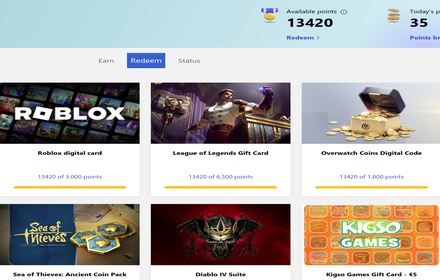
Search automatic rewards
Script that gives you maximum amount of microsoft rewards points every day automatically or by a click of a button.
40.0K
★ 4.5

Search Helper
Get help with your searches on Google, Bing, Rewards
6

Microsoft Bing Search with Rewards
Use the Microsoft Rewards extension to find new ways to earn every day, easily track your points and set your default search to Bing
3.0M
★ 4.3

Healthy Search
Maintain a balanced and healthy lifestyle while searching the web
9
★ 4.5

Point Pilot Rewards Auto
Automatize suas pesquisas de rotina e mantenha suas contas de recompensas e métricas sempre em dia, de forma 100% segura e rápida…
11
★ 4.5
Data sourced from the Chrome Web Store · last verified Jun 14, 2026.