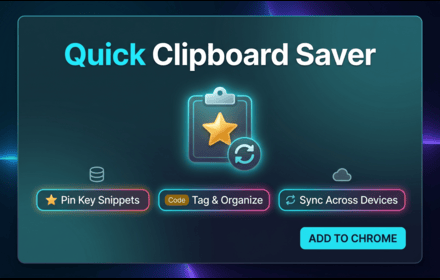
Quick Clipboard Saver
Save, pin, tag, and manage text snippets from anywhere on the web.
As of June 2026, Quick Clipboard Saver has — users in the Productivity category.
Usersno change0%
—
—
Ratingno change0%
—
— reviews
Reviewsno change0%
—
Version
1.0.0
Manifest V3
History
1 snapshotsTracking since Jun 9, 2026.
Not enough history yet for this metric — the chart fills in as we collect more snapshots.
View as table
| Date | Users | Rating | Reviews | Version |
|---|---|---|---|---|
| Jun 9, 2026 | — | — | — | 1.0.0 |
| Now | — | — | — | 1.0.0 |
Permissions & access
- Permissions
- contextMenusstorageclipboardWrite
- Host access
- None declared
Screenshots


About
Quick Clipboard Saver is a lightweight Chrome extension that lets you save, organize, and retrieve any text from the web in seconds — without switching apps or losing your place.

🔖 HOW IT WORKS
Select any text on any webpage → right-click → "Save to Clipboard Saver". That's it. Your clip is saved instantly and available anytime from the toolbar icon.

⚡ KEY FEATURES

📌 Pin Clips
Keep your most important snippets pinned at the top so they're always within reach.

🏷️ Tags & Labels
Organize clips with colour-coded tags like Work, Personal, Code, Research, and more. Filter your clips by tag in one click.

🔍 Instant Search
Search through all your saved clips in real time with keyword highlighting.

📋 One-Click Copy
Copy any saved clip to your clipboard instantly with a single button.

📤 Export
Download all your clips as JSON (with full metadata) or plain TXT for use in any app.

🚫 Duplicate Detection
Automatically blocks saving the same text twice, keeping your list clean.

⌨️ Keyboard Shortcut
Press Ctrl+Shift+S (Cmd+Shift+S on Mac) to open the extension from anywhere — no mouse needed.

🗑️ Easy Cleanup
Delete individual clips or clear everything with one tap.

💾 LOCAL & PRIVATE
All data is stored locally on your device using Chrome Storage. Nothing is sent to any server. Your clips are yours.

✅ PERFECT FOR
- Researchers saving quotes and references
- Developers copying code snippets
- Writers collecting ideas and inspiration
- Sales and support teams saving reusable replies
- Anyone who copies and pastes text regularly

No account. No cloud. No ads. Just fast, private clipboard management.
Technical
- Version
- 1.0.0
- Manifest
- V3
- Size
- 710KiB
- Min Chrome
- 88
- Languages
- 1
- Featured
- No
Metadata
- ID
- ccbndpkaflllnkibnffibnbdjkeohafb
- Developer ID
- ub484d12f800dcd27351f8a9feca53926
- Developer Email
- [email protected]
- Created
- Jun 8, 2026
- Last Updated (Store)
- Jun 8, 2026
- Last Scraped
- Jun 9, 2026
- Website
- —
- Support URL
- —
- Privacy Policy
- https://quickclipboardsaver.netlify.app
Data sourced from the Chrome Web Store · last verified Jun 9, 2026.