
Linkedin Message Assistant
A chrome extension to help you write messages on LinkedIn
As of May 2026, Linkedin Message Assistant has 8 users in the Productivity category.
Usersup 33.3 percent+33.3%
8
8
Ratingno change0%
—
— reviews
Reviewsno change0%
—
Version
1.1.1
Manifest V3
History
3 snapshotsTracking since Apr 1, 2026.
View as table
| Date | Users | Rating | Reviews | Version |
|---|---|---|---|---|
| Apr 1, 2026 | 6 | — | — | 1.1.1 |
| Apr 30, 2026 | 5 | — | — | 1.1.1 |
| May 29, 2026 | 9 | — | — | 1.1.1 |
| Now | 8 | — | — | 1.1.1 |
Permissions & access
- Permissions
- storage
- Host access
- *://*.linkedin.com/*
Screenshots
About
Writing assistant for LinkedIn messages using the local LLM.
- Install the extension
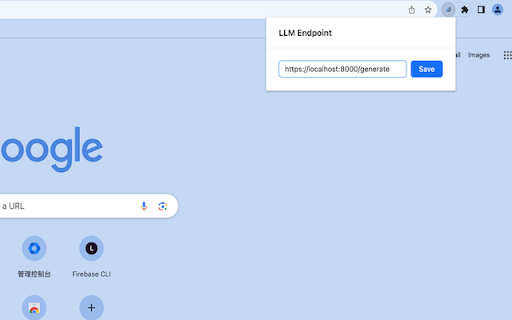
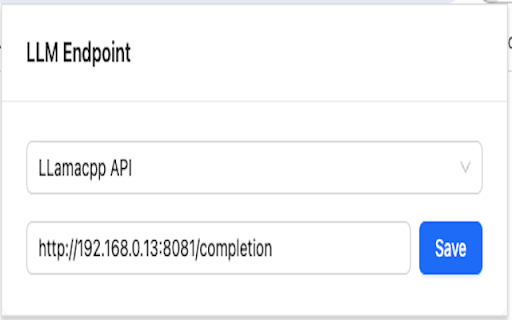
- Click on the extension icon.
- Paste your local LLM url (e.g. TGI endpoint `http://localhost:8000/generate` or Llamacpp endpoint `http://localhost:8000/completion`) and click on `Save`.
- Open Linkedin message page in your browser.
- Type your objective or intention of the message in the text box and click the button at the bottom to generate the message.
- Enjoy!

Limitations:
- Currently, only the dolphin-2.2-yi-34b model prompt format is supported due to it being the best model I found for writing LinkedIn messages assistant.
- The backend API only supports the HuggingFace text generation inference because it is the most production-ready and easy to use.
Technical
- Version
- 1.1.1
- Manifest
- V3
- Size
- 225KiB
- Min Chrome
- 88
- Languages
- 1
- Featured
- No
Metadata
- ID
- ccblcjhcdaobpplhjdnmpihaclfmlalk
- Developer ID
- u93cff06af3f31aac27f500c9684aec7d
- Developer Email
- [email protected]
- Created
- Nov 27, 2023
- Last Updated (Store)
- Dec 12, 2023
- Last Scraped
- May 29, 2026
- Website
- —
- Support URL
- —
- Privacy Policy
- —
Similar extensions
Alternatives to Linkedin Message Assistant, ranked by description similarity.

LinkedIn Amigo
Accelerates your LinkedIn message replies by generating responses using a local Llama3 model running on Ollama.
—

LinkedIn Message Assistant
Generate AI-powered responses for LinkedIn messages using latest LLM models
2

Personalized Linkedin Messenger by Metaphysical
Personalize LinkedIn messages using AI to generate contextually relevant messages for efficiency.
2

ForgeText AI
Helps with writing, rewriting selected text, and generating reply to threads.
—

Vyda
Enhance your browsing with a language assistant, email writing suggestions, and AI chat powered by LLMs
4

LinkedIn Assistant
Your smart assistant for LinkedIn.
9
★ 5.0

LLM-X
LLM-X! An app for people to talk to Ollama, LM Studio, Automatic 1111, Gemini nano and more!
143
★ 4.0

Linked Intelligence: LinkedIn Replies
AI-powered reply assistant for LinkedIn. Generate authentic, contextual replies in your voice.
27
★ 5.0
Data sourced from the Chrome Web Store · last verified May 29, 2026.