
Peacock TV Skipper: skip ads, intros & more [QVI]
Automatically skip intros, recaps, block ads and click next episode button on Peacock TV
As of June 2026, Peacock TV Skipper: skip ads, intros & more [QVI] has 20,000 users and a 4.22/5 rating from 91 reviews in the fun category.
Usersno change0%
20.0K
20,000
Ratingdown 1.4 percent−1.4%
4.22
91 reviews
Reviewsup 3.4 percent+3.4%
91
Version
1.1.38
Manifest V3
90-day change · In the last 90 days this extension 2 version updates.
History
5 snapshotsTracking since Apr 16, 2026.
View as table
| Date | Users | Rating | Reviews | Version |
|---|---|---|---|---|
| Apr 16, 2026 | 20.0K | 4.28 | 88 | 1.1.36 |
| Apr 23, 2026 | 20.0K | 4.25 | 89 | 1.1.37 |
| Apr 29, 2026 | 20.0K | 4.25 | 89 | 1.1.37 |
| May 12, 2026 | 20.0K | 4.21 | 90 | 1.1.37 |
| Jun 13, 2026 | 20.0K | 4.22 | 91 | 1.1.37 |
| Now | 20.0K | 4.22 | 91 | 1.1.38 |
Permissions & access
- Permissions
- scriptingstorage
- Host access
- *://*.peacocktv.com/*
Screenshots
![Peacock TV Skipper: skip ads, intros & more [QVI] screenshot 2](https://lh3.googleusercontent.com/-04icmtUxZ55ejzw_p7i8BG4TIRPmt97So9x1JsxYud6Mg8da5xlePIs0whwRJG6Sch59sNt7B9zeBdKZvDoSUgD)
About
Extension to skip ads, intros and recaps when watching PeacockTV series.

Save your time, muscles and keyboard buttons!
One click to play all series episodes in a row without a single move from the couch.

Add Peacock TV Skipper to your browser to automatically:

- Skip ads
- Skip all intros and recaps
- Go to the next episode

One extension to play all episodes of your favorite series in a row smoothly. All you need to do is to add the extension to your browser, switch on skipping options using toggles and log into your PeacockTV  account. You are ready to binge series all night. It is as simple as that!

No unnecessary clicking when watching PeacockTV  series anymore!

How does it work?
Skipper automatically clicks "skip" buttons which appear while watching. Please note that this extension was developed and tested for the English version only. It may not work for other languages or if the "skip" button is not available by default.

Disclaimer :  Peacock TV is a trademark of NBCUniversal Television and Streaming. This website & extension hold no association or affiliation with Peacock TV or any third-party companies.

This extension is part of the Quality Viewership Initiative, a collaborative effort to enhance the understanding of audience engagement. It collects anonymous, aggregated viewing insights to support creators and studios in improving the quality of their content. You can stop sharing your information at any time by switching the toggle on the options page.
Technical
- Version
- 1.1.38
- Manifest
- V3
- Size
- 75.55KiB
- Min Chrome
- 88
- Languages
- 1
- Featured
- No
Metadata
- ID
- cbkfnnlepjdalfmgjoffgacclhgpgpen
- Developer ID
- u7777b7c701afe47fc468ed73741e3c4b
- Developer Email
- [email protected]
- Created
- Dec 31, 2021
- Last Updated (Store)
- Jun 12, 2026
- Last Scraped
- Jun 19, 2026
- Website
- —
- Privacy Policy
- https://dogooodapp.com/privacy_policy_qvi/
Similar extensions
Alternatives to Peacock TV Skipper: skip ads, intros & more [QVI], ranked by description similarity.

Peacock TV Extended: boost your viewing [QVI]
Boost your Peacock TV viewing experience: adjust speed, skip intros & recaps, hide spoilers.
1.0K
★ 4.4

Prime Video Skipper: skip intros & recaps [QVI]
Automatically skip intros, recaps, and click next episode button on Amazon Prime Video
6.0K
★ 3.5
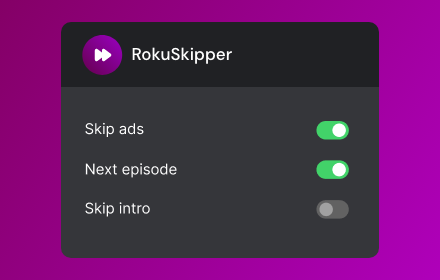
Roku Channel Skipper: Skip ads, intros
Automatically skip ads, intros and click next episode button on Roku Channel.
904
★ 5.0

Apple TV Skipper: skip intros & recaps
Automatically skip intros, recaps, and click next episode button on AppleTV
222
★ 3.3

Amazon Prime Freevee Skipper: skip ads, intros & more [QVI]
Automatically skip intros, recaps, block ads, and click the next episode button on Amazon Prime Freevee
30.0K
★ 4.2
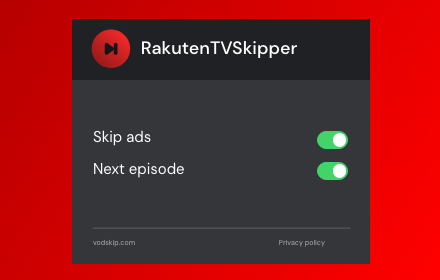
Rakuten TV Ad Skipper | Ad Blocker
Automatically skip and disable ads on Rakuten TV.
322

HBOmax Skipper: skip ads and intros
Automatically skip ads, intros and recaps, and click the next episode button on HBOMax
20.0K
★ 3.6

Viaplay Skipper: skip recaps, intros & more
Automatically skip intros, recaps and go to next episode on Viaplay.
21
Data sourced from the Chrome Web Store · last verified Jun 19, 2026.