
TaskingBot
AI assistant floating action button
As of June 2026, TaskingBot has 2 users and a 5.00/5 rating from 1 reviews in the Developer Tools category.
Usersno change0%
2
2
Ratingno change0%
5.00
1 reviews
Reviewsno change0%
1
Version
2.7
Manifest V3
History
8 snapshotsTracking since Apr 3, 2026.
View as table
| Date | Users | Rating | Reviews | Version |
|---|---|---|---|---|
| Apr 3, 2026 | — | — | — | 2.7 |
| Apr 17, 2026 | — | — | — | 2.7 |
| Apr 23, 2026 | 2 | 5.00 | 1 | 2.7 |
| Apr 27, 2026 | 3 | 5.00 | 1 | 2.7 |
| May 5, 2026 | 2 | 5.00 | 1 | 2.7 |
| May 10, 2026 | 1 | 5.00 | 1 | 2.7 |
| May 16, 2026 | 2 | 5.00 | 1 | 2.7 |
| Jun 5, 2026 | 3 | 5.00 | 1 | 2.7 |
| Now | 2 | 5.00 | 1 | 2.7 |
Permissions & access
- Permissions
- activeTabdesktopCapturesidePaneltabstabGroupsstoragecookiesscriptingalarms
- Host access
- https://tasking.tech/*
Screenshots


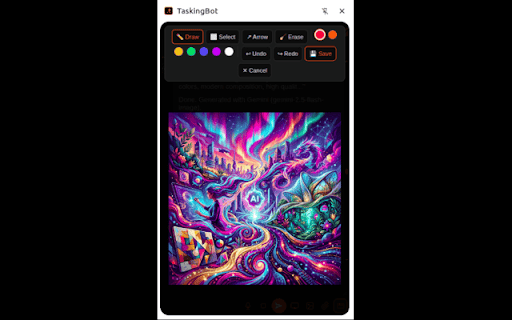
About
TaskingBot - AI Automation Agent

Your AI-powered personal operations agent. Automate tasks, manage workflows, and execute operations 24/7.

TaskingBot is an intelligent AI agent that manages tasks, automates workflows, and executes operations on your behalf.

🚀 KEY FEATURES:

✅ Task Management - Create, track, and complete tasks automatically
✅ Browser Automation - Navigate websites, fill forms, extract data
✅ AI Integrations - Connect Slack, Discord, Email, and more
✅ Media Generation - Create images, videos, voice, and music
✅ Smart Workflows - Chain multiple actions together
✅ Memory & Learning - Remembers your preferences and improves over time
✅ Multi-Project Support - Organize work across projects
✅ Real-time Collaboration - Work with AI participants

💡 WHAT CAN TASKINGBOT DO?

• Schedule and manage tasks across all your projects
• Automate repetitive browser tasks and form filling
• Generate creative content (images, videos, audio)
• Send messages to Slack, Discord, and email
• Research topics and compile information
• Create documents, reports, and presentations
• Monitor websites and track changes
• Execute complex multi-step workflows

🎯 PERFECT FOR:

• Entrepreneurs managing multiple projects
• Marketing teams automating campaigns
• Developers streamlining workflows
• Content creators generating media
• Anyone who wants to save time on repetitive tasks

⚡ GET STARTED:

1. Install the extension
2. Pin TaskingBot to your toolbar
3. Click the icon to open the AI assistant
4. Start delegating tasks!

Stop managing tasks manually. Let TaskingBot execute for you.

=== CATEGORY ===
Productivity

=== LANGUAGE ===
English

=== PRIVACY POLICY ===
https://tasking.tech/privacy

=== SUPPORT ===
https://tasking.tech/support

=== KEYWORDS ===
Agentic AI, automation, AI agent, task automation, smart assistant
Technical
- Version
- 2.7
- Manifest
- V3
- Size
- 2.44MiB
- Min Chrome
- 88
- Languages
- 1
- Featured
- No
Metadata
- ID
- cbemnochdmlomjnnppneppacobiopgka
- Developer ID
- u0ac58ad727104f449d2f1bee1ba75ab6
- Developer Email
- [email protected]
- Created
- Apr 2, 2026
- Last Updated (Store)
- Apr 22, 2026
- Last Scraped
- Jun 11, 2026
- Website
- tasking.tech
- Support URL
- https://tasking.tech
- Privacy Policy
- https://tasking.tech/privacy-policy
Data sourced from the Chrome Web Store · last verified Jun 11, 2026.