
Hulu.jp用スピーダー: 再生速度を調整
拡張機能は、Hulu.jpの再生速度をお好みに合わせて調整できます
As of June 2026, Hulu.jp用スピーダー: 再生速度を調整 has 16 users in the Entertainment category.
Usersdown 38.5 percent−38.5%
16
16
Ratingno change0%
—
— reviews
Reviewsno change0%
—
Version
1.0.4
Manifest V3
90-day change · In the last 90 days this extension 1 version update.
History
8 snapshotsTracking since Apr 18, 2026.
View as table
| Date | Users | Rating | Reviews | Version |
|---|---|---|---|---|
| Apr 18, 2026 | 26 | — | — | 1.0.3 |
| Apr 28, 2026 | 22 | — | — | 1.0.3 |
| May 6, 2026 | 16 | — | — | 1.0.4 |
| May 11, 2026 | 21 | — | — | 1.0.4 |
| May 16, 2026 | 20 | — | — | 1.0.4 |
| May 23, 2026 | 23 | — | — | 1.0.4 |
| Jun 5, 2026 | 22 | — | — | 1.0.4 |
| Jun 12, 2026 | 21 | — | — | 1.0.4 |
| Now | 16 | — | — | 1.0.4 |
Permissions & access
- Permissions
- storage
- Host access
- https://*/*
Screenshots
About
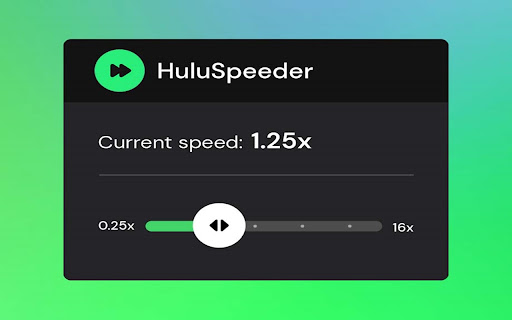
スケートを履いて、Hulu.jp の再生速度をコントロールしましょう。この拡張機能を使用すると、番組や映画のスピードを上げたり下げたりして、お気に入りのコンテンツを自分のペースで楽しむことができます。

早口のセリフが聞き取れませんでしたか? お気に入りのシーンをスローモーションで体験したいですか? あるいは、シリーズの最終回を楽しむために、あまり面白くない部分を早送りしたいですか? ここに、ビデオの速度を変更するためのソリューションがあります。

必要なのは、ブラウザに拡張機能を追加して、0.25 倍から最大 16 倍の速度を選択できるコントロール パネルを実行することだけです。キーボードのホットキーを使用して制御することもできます。とても簡単です!

Speeder のコントロール パネルを見つける方法:
1. インストール後、Chrome プロファイル アバターの横にある小さなパズル ピース アイコンをクリックします (ブラウザ ウィンドウの右上隅)
2. インストールされ、有効になっているすべての拡張機能が表示されます。
3. Speeder for Hulu.jp をピン留めして、ブラウザで常に最前面に表示することができます。
4. Speeder アイコンをクリックし、さまざまな速度設定を試してください。

免責事項: Hulu は Disney Media and Entertainment Distribution の商標です。この Web サイトと拡張機能は、Hulu または第三者企業とは一切関係がありません。
Technical
- Version
- 1.0.4
- Manifest
- V3
- Size
- 35.82KiB
- Min Chrome
- 88
- Languages
- 2
- Featured
- No
Metadata
- ID
- cacddhonkiibhndcfkjganmbdhmgljjd
- Developer ID
- u7d51e6b4088d44a768f979b18eb2e299
- Developer Email
- [email protected]
- Created
- Oct 17, 2024
- Last Updated (Store)
- Apr 21, 2026
- Last Scraped
- Jun 12, 2026
- Website
- —
- Privacy Policy
- https://thebestchromeextensions.com/privacy_policy/
Similar extensions
Alternatives to Hulu.jp用スピーダー: 再生速度を調整, ranked by description similarity.

Hulu Speeder: adjust playback speed [QVI]
Extension allows to adjust the playback speed on Hulu according to your preferences
10.0K
★ 4.3

Hulu.jp の Skipper はイントロと要約をスキップします
Hulu.jp でイントロや要約を自動的にスキップし、次のエピソードのボタンをクリックする
152

Hulu.jp のピクチャー・イン・ピクチャー [QVI]
Hulu をピクチャー イン ピクチャー モードで視聴するための拡張機能。別のフローティング ウィンドウを有効にして、お気に入りのビデオ コンテンツを楽しめます。
651
★ 4.0
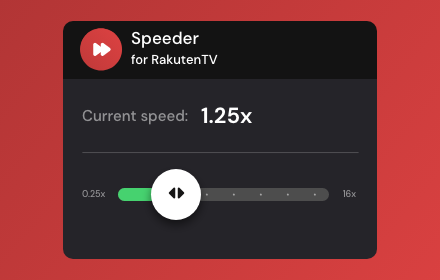
Speeder for Rakuten TV: adjust playback speed
Extension allows to adjust the playback speed on Rakuten TV according to your preferences.
110

CANAL+ Speeder: Adjust Playback Speed
This extension allows you to adjust the playback speed on CANAL+ according to your preferences.
131

Globoplay Speeder: Adjust Playback Speed
This extension allows you to adjust the playback speed on Globoplay according to your preferences.
60
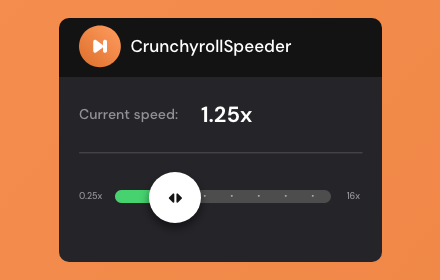
Crunchyroll Speeder: adjust playback speed [QVI]
Extension allows to adjust the playback speed on Crunchyroll according to preference
30.0K
★ 4.7

YouTube Speeder: adjust playback speed [QVI]
Extension allows to adjust the playback speed on YouTube according to preference
2.0K
★ 5.0
Data sourced from the Chrome Web Store · last verified Jun 12, 2026.