
audiovisualizer
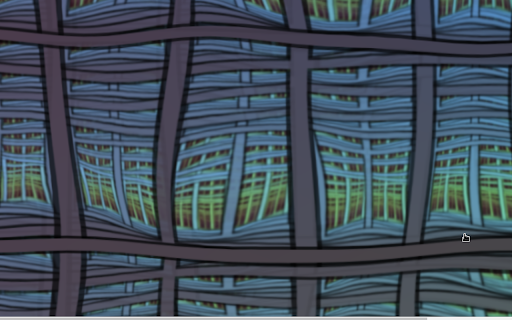
Visualizes music in a cool way
As of June 2026, audiovisualizer has 20,000 users and a 4.45/5 rating from 145 reviews in the fun category.
Usersno change0%
20.0K
20,000
Ratingup 0.2 percent+0.2%
4.45
145 reviews
Reviewsup 0.7 percent+0.7%
145
Version
12.2.1
Manifest V3
90-day change · In the last 90 days this extension 2 version updates.
History
4 snapshotsTracking since Apr 16, 2026.
View as table
| Date | Users | Rating | Reviews | Version |
|---|---|---|---|---|
| Apr 16, 2026 | 20.0K | 4.44 | 144 | 12.0.0 |
| Apr 22, 2026 | 20.0K | 4.44 | 144 | 12.0.0 |
| May 4, 2026 | 20.0K | 4.44 | 144 | 12.1.0 |
| May 12, 2026 | 20.0K | 4.45 | 145 | 12.1.0 |
| Now | 20.0K | 4.45 | 145 | 12.2.1 |
Changelog
- May 12, 2026description
* Works on any website.
* Choose among several scenes.
* It's Open Source
* Play around with scene settings to fundamentally change any scene.

Note: This extension contains flickering effects.

Tips:
* Under scene settings, hover mouse over the value you want to change, then drag mouse up/down while holding down left mouse button to increase/decrease value.

Contribute:
* Suggestions, pull requests, new scenes or other ideas are very welcome.
  https://github.com/afreakk/ChromeAudioVisualizerExtension

Patch notes:
12.1.0
 - New: Custom Scenes — save your tweaked settings as named scenes via "Save as New Scene", then pick them from the scene dropdown (prefixed with "*")
 - Selected scene now persists across reloads
 - Butterchurn preset dropdown now updates live as presets auto-cycle
 - New debug/recovery Options page (chrome://extensions → Audio Visualizer → Extension options) for inspecting, editing, or clearing raw settings
12.0.0
 - New scene: CosmicAurora
 - Settings now persist across sessions
 - Performance improvements across all scenes
 - Fixed various rendering glitches and crashes
 - Removed PulsingGrid scene
11.0.0
- Lots more scenes and improvements!
10.0.0
- Total rewrite of the extension to work with chrome manifest v3
6.0.12
- Reduce amount of permissions needed.
6.0.11
- Fix bug which affected playing on youtube, things should be more stable now.
6.0.10
- Less crazy default settings for Spectrum Analyziz
6.0.9
- Disabled a couple of butter-scenes that were laggy.
6.0.8
- Chrome update broke utilized functionality, cannot set runtime.Port.name directly anymore,  resulted in extension throwing exception and not being able to pass audiodata to scenes. now fixed by passing name in object to chrome.tabs.connect.
6.0.6-7
- Added option `opacity` to SpectrumAnalizyz
- Made ProceduralTerrain lower poly by default (you can still choose whatever poly resolution you want in scene-settings)
- Added option `FadeControls` (fades controls out when mouse is not over controls when enabled)

6.0
- MilkDrop support added (from butterchurn ttps://github.com/jberg/butterchurn) !!
- More support for this will be added, like possibility to create and use custom MilkDrop plugin

5.2
- Make custom ProceduralTerrain scenes work, they were bugged.
- Make transparent background work in proceduralTerrain
- added scene: DacingCubes3DSinus
- added scene: DacingCubes3D
- added site for sharing scenes
- added scene: DancingCubes
- added option: 'LatencyHint', default value is set to: 'playback'.
Earlier we always used 'interactive', but that caused choppy sound on some browser versions.
'playback' option is less precise than 'interactive', so if you dont have any choppy-issues with 'interactive', you should run 'interactive' :).
- made seventies scene more reactive to music

5.1
- added procedural-terrain scene !
5
- added import and export custom scene, now you can share your scene with others!
4.500.1.5
- webgl scenes added back.. seems chome has fixed it?
4.500.1.4
- webgl scenes removed, chrome+contentscript+webgl,- somethings not working right.

4.500.1.3
- Startupscene now working + optimization.

4.500.1
- DrawMode should now work without transparentmode. (transparentmode will always be active in the background while drawmode is enabled(so the scene doesnt redraw its background))

4.500
- Performance improvement, found a bug in code that resized the canvas each frame. Drawmode is back and working (except for in opengl scenes: spinningcube, sinusmode and madness)
Canvas is no longer following scrolling.

4.420.9
- Madness Scene added :O

4.420.8
- stability and performance update and removed drawmode(was not working with newer chrome).

4.420.7.2
- Canvas width will no longer make a vertical scrollbar, and canvas will now be locked to scroll height. (can make it an option, if anyone actually liked being able to scroll away from the canvas)

4.420.7
- New icon! :)

4.420.5-6
- New feature: DrawMode (located under settings) for cool effects (does not work on hexagon, spinningcube or sinuscolormix)
- Save Scene Bugfix

4.420.1-4
- bugfixes (context offset ++) new forked-scene (PainScene from WormScene)
- Added full-screen setting.

4.420
- two new scenes(DotsAndLines and ParticleCircle), better options and options experience and general code improvements(hopefully).

4.20
- Major bugfix regarding spectrum data, so everything is much better now.
  revamped some scenes, added webgl support and addeed 2 new webgl scenes.

3.52042
- fftSize added to options

3.420
- fleshed out options

2.43
- stability etc

2.41
- improved gui/options and errorhandling

2.37
- categorized gui + new scene "Swipe"

2.36
- Custom example included, changed some scenes(some earlier saves may break)

2.35:
- Now you can save and load custom scenes, and view/delete them in extension options.
* Works on any website.
* Choose among several scenes.
* It's Open Source
* Play around with scene settings to fundamentally change any scene.

Note: This extension contains flickering effects.

Tips:
* Under scene settings, hover mouse over the value you want to change, then drag mouse up/down while holding down left mouse button to increase/decrease value.

Contribute:
* Suggestions, pull requests, new scenes or other ideas are very welcome.
  https://github.com/afreakk/ChromeAudioVisualizerExtension

Patch notes:
12.2.1
 - New: Capture source, switch between Tab capture and Microphone / system audio from a dropdown in settings.
 - Visualize any app's audio (Spotify desktop, games, system sounds) by combining Microphone source with OS audio routing: Stereo Mix on Windows, BlackHole/Loopback on macOS, pavucontrol "Monitor of <output>" on Linux
12.1.0
 - New: Custom Scenes — save your tweaked settings as named scenes via "Save as New Scene", then pick them from the scene dropdown (prefixed with "*")
 - Selected scene now persists across reloads
 - Butterchurn preset dropdown now updates live as presets auto-cycle
 - New debug/recovery Options page (chrome://extensions → Audio Visualizer → Extension options) for inspecting, editing, or clearing raw settings
12.0.0
 - New scene: CosmicAurora
 - Settings now persist across sessions
 - Performance improvements across all scenes
 - Fixed various rendering glitches and crashes
 - Removed PulsingGrid scene
11.0.0
- Lots more scenes and improvements!
10.0.0
- Total rewrite of the extension to work with chrome manifest v3
6.0.12
- Reduce amount of permissions needed.
6.0.11
- Fix bug which affected playing on youtube, things should be more stable now.
6.0.10
- Less crazy default settings for Spectrum Analyziz
6.0.9
- Disabled a couple of butter-scenes that were laggy.
6.0.8
- Chrome update broke utilized functionality, cannot set runtime.Port.name directly anymore,  resulted in extension throwing exception and not being able to pass audiodata to scenes. now fixed by passing name in object to chrome.tabs.connect.
6.0.6-7
- Added option `opacity` to SpectrumAnalizyz
- Made ProceduralTerrain lower poly by default (you can still choose whatever poly resolution you want in scene-settings)
- Added option `FadeControls` (fades controls out when mouse is not over controls when enabled)

6.0
- MilkDrop support added (from butterchurn ttps://github.com/jberg/butterchurn) !!
- More support for this will be added, like possibility to create and use custom MilkDrop plugin

5.2
- Make custom ProceduralTerrain scenes work, they were bugged.
- Make transparent background work in proceduralTerrain
- added scene: DacingCubes3DSinus
- added scene: DacingCubes3D
- added site for sharing scenes
- added scene: DancingCubes
- added option: 'LatencyHint', default value is set to: 'playback'.
Earlier we always used 'interactive', but that caused choppy sound on some browser versions.
'playback' option is less precise than 'interactive', so if you dont have any choppy-issues with 'interactive', you should run 'interactive' :).
- made seventies scene more reactive to music

5.1
- added procedural-terrain scene !
5
- added import and export custom scene, now you can share your scene with others!
4.500.1.5
- webgl scenes added back.. seems chome has fixed it?
4.500.1.4
- webgl scenes removed, chrome+contentscript+webgl,- somethings not working right.

4.500.1.3
- Startupscene now working + optimization.

4.500.1
- DrawMode should now work without transparentmode. (transparentmode will always be active in the background while drawmode is enabled(so the scene doesnt redraw its background))

4.500
- Performance improvement, found a bug in code that resized the canvas each frame. Drawmode is back and working (except for in opengl scenes: spinningcube, sinusmode and madness)
Canvas is no longer following scrolling.

4.420.9
- Madness Scene added :O

4.420.8
- stability and performance update and removed drawmode(was not working with newer chrome).

4.420.7.2
- Canvas width will no longer make a vertical scrollbar, and canvas will now be locked to scroll height. (can make it an option, if anyone actually liked being able to scroll away from the canvas)

4.420.7
- New icon! :)

4.420.5-6
- New feature: DrawMode (located under settings) for cool effects (does not work on hexagon, spinningcube or sinuscolormix)
- Save Scene Bugfix

4.420.1-4
- bugfixes (context offset ++) new forked-scene (PainScene from WormScene)
- Added full-screen setting.

4.420
- two new scenes(DotsAndLines and ParticleCircle), better options and options experience and general code improvements(hopefully).

4.20
- Major bugfix regarding spectrum data, so everything is much better now.
  revamped some scenes, added webgl support and addeed 2 new webgl scenes.

3.52042
- fftSize added to options

3.420
- fleshed out options

2.43
- stability etc

2.41
- improved gui/options and errorhandling

2.37
- categorized gui + new scene "Swipe"

2.36
- Custom example included, changed some scenes(some earlier saves may break)

2.35:
- Now you can save and load custom scenes, and view/delete them in extension options.
- Apr 22, 2026description
* Works on any website.
* Choose among several scenes.
* It's Open Source
* Play around with scene settings to fundamentally change any scene.

Note: This extension contains flickering effects.

Tips:
* Under scene settings, hover mouse over the value you want to change, then drag mouse up/down while holding down left mouse button to increase/decrease value.

Contribute:
* Suggestions, pull requests, new scenes or other ideas are very welcome.
  https://github.com/afreakk/ChromeAudioVisualizerExtension

Patch notes:
12.0.0
 - New scene: CosmicAurora
 - Settings now persist across sessions
 - Performance improvements across all scenes
 - Fixed various rendering glitches and crashes
 - Removed PulsingGrid scene
11.0.0
- Lots more scenes and improvements!
10.0.0
- Total rewrite of the extension to work with chrome manifest v3
6.0.12
- Reduce amount of permissions needed.
6.0.11
- Fix bug which affected playing on youtube, things should be more stable now.
6.0.10
- Less crazy default settings for Spectrum Analyziz
6.0.9
- Disabled a couple of butter-scenes that were laggy.
6.0.8
- Chrome update broke utilized functionality, cannot set runtime.Port.name directly anymore,  resulted in extension throwing exception and not being able to pass audiodata to scenes. now fixed by passing name in object to chrome.tabs.connect.
6.0.6-7
- Added option `opacity` to SpectrumAnalizyz
- Made ProceduralTerrain lower poly by default (you can still choose whatever poly resolution you want in scene-settings)
- Added option `FadeControls` (fades controls out when mouse is not over controls when enabled)

6.0
- MilkDrop support added (from butterchurn ttps://github.com/jberg/butterchurn) !!
- More support for this will be added, like possibility to create and use custom MilkDrop plugin

5.2
- Make custom ProceduralTerrain scenes work, they were bugged.
- Make transparent background work in proceduralTerrain
- added scene: DacingCubes3DSinus
- added scene: DacingCubes3D
- added site for sharing scenes
- added scene: DancingCubes
- added option: 'LatencyHint', default value is set to: 'playback'.
Earlier we always used 'interactive', but that caused choppy sound on some browser versions.
'playback' option is less precise than 'interactive', so if you dont have any choppy-issues with 'interactive', you should run 'interactive' :).
- made seventies scene more reactive to music

5.1
- added procedural-terrain scene !
5
- added import and export custom scene, now you can share your scene with others!
4.500.1.5
- webgl scenes added back.. seems chome has fixed it?
4.500.1.4
- webgl scenes removed, chrome+contentscript+webgl,- somethings not working right.

4.500.1.3
- Startupscene now working + optimization.

4.500.1
- DrawMode should now work without transparentmode. (transparentmode will always be active in the background while drawmode is enabled(so the scene doesnt redraw its background))

4.500
- Performance improvement, found a bug in code that resized the canvas each frame. Drawmode is back and working (except for in opengl scenes: spinningcube, sinusmode and madness)
Canvas is no longer following scrolling.

4.420.9
- Madness Scene added :O

4.420.8
- stability and performance update and removed drawmode(was not working with newer chrome).

4.420.7.2
- Canvas width will no longer make a vertical scrollbar, and canvas will now be locked to scroll height. (can make it an option, if anyone actually liked being able to scroll away from the canvas)

4.420.7
- New icon! :)

4.420.5-6
- New feature: DrawMode (located under settings) for cool effects (does not work on hexagon, spinningcube or sinuscolormix)
- Save Scene Bugfix

4.420.1-4
- bugfixes (context offset ++) new forked-scene (PainScene from WormScene)
- Added full-screen setting.

4.420
- two new scenes(DotsAndLines and ParticleCircle), better options and options experience and general code improvements(hopefully).

4.20
- Major bugfix regarding spectrum data, so everything is much better now.
  revamped some scenes, added webgl support and addeed 2 new webgl scenes.

3.52042
- fftSize added to options

3.420
- fleshed out options

2.43
- stability etc

2.41
- improved gui/options and errorhandling

2.37
- categorized gui + new scene "Swipe"

2.36
- Custom example included, changed some scenes(some earlier saves may break)

2.35:
- Now you can save and load custom scenes, and view/delete them in extension options.
* Works on any website.
* Choose among several scenes.
* It's Open Source
* Play around with scene settings to fundamentally change any scene.

Note: This extension contains flickering effects.

Tips:
* Under scene settings, hover mouse over the value you want to change, then drag mouse up/down while holding down left mouse button to increase/decrease value.

Contribute:
* Suggestions, pull requests, new scenes or other ideas are very welcome.
  https://github.com/afreakk/ChromeAudioVisualizerExtension

Patch notes:
12.1.0
 - New: Custom Scenes — save your tweaked settings as named scenes via "Save as New Scene", then pick them from the scene dropdown (prefixed with "*")
 - Selected scene now persists across reloads
 - Butterchurn preset dropdown now updates live as presets auto-cycle
 - New debug/recovery Options page (chrome://extensions → Audio Visualizer → Extension options) for inspecting, editing, or clearing raw settings
12.0.0
 - New scene: CosmicAurora
 - Settings now persist across sessions
 - Performance improvements across all scenes
 - Fixed various rendering glitches and crashes
 - Removed PulsingGrid scene
11.0.0
- Lots more scenes and improvements!
10.0.0
- Total rewrite of the extension to work with chrome manifest v3
6.0.12
- Reduce amount of permissions needed.
6.0.11
- Fix bug which affected playing on youtube, things should be more stable now.
6.0.10
- Less crazy default settings for Spectrum Analyziz
6.0.9
- Disabled a couple of butter-scenes that were laggy.
6.0.8
- Chrome update broke utilized functionality, cannot set runtime.Port.name directly anymore,  resulted in extension throwing exception and not being able to pass audiodata to scenes. now fixed by passing name in object to chrome.tabs.connect.
6.0.6-7
- Added option `opacity` to SpectrumAnalizyz
- Made ProceduralTerrain lower poly by default (you can still choose whatever poly resolution you want in scene-settings)
- Added option `FadeControls` (fades controls out when mouse is not over controls when enabled)

6.0
- MilkDrop support added (from butterchurn ttps://github.com/jberg/butterchurn) !!
- More support for this will be added, like possibility to create and use custom MilkDrop plugin

5.2
- Make custom ProceduralTerrain scenes work, they were bugged.
- Make transparent background work in proceduralTerrain
- added scene: DacingCubes3DSinus
- added scene: DacingCubes3D
- added site for sharing scenes
- added scene: DancingCubes
- added option: 'LatencyHint', default value is set to: 'playback'.
Earlier we always used 'interactive', but that caused choppy sound on some browser versions.
'playback' option is less precise than 'interactive', so if you dont have any choppy-issues with 'interactive', you should run 'interactive' :).
- made seventies scene more reactive to music

5.1
- added procedural-terrain scene !
5
- added import and export custom scene, now you can share your scene with others!
4.500.1.5
- webgl scenes added back.. seems chome has fixed it?
4.500.1.4
- webgl scenes removed, chrome+contentscript+webgl,- somethings not working right.

4.500.1.3
- Startupscene now working + optimization.

4.500.1
- DrawMode should now work without transparentmode. (transparentmode will always be active in the background while drawmode is enabled(so the scene doesnt redraw its background))

4.500
- Performance improvement, found a bug in code that resized the canvas each frame. Drawmode is back and working (except for in opengl scenes: spinningcube, sinusmode and madness)
Canvas is no longer following scrolling.

4.420.9
- Madness Scene added :O

4.420.8
- stability and performance update and removed drawmode(was not working with newer chrome).

4.420.7.2
- Canvas width will no longer make a vertical scrollbar, and canvas will now be locked to scroll height. (can make it an option, if anyone actually liked being able to scroll away from the canvas)

4.420.7
- New icon! :)

4.420.5-6
- New feature: DrawMode (located under settings) for cool effects (does not work on hexagon, spinningcube or sinuscolormix)
- Save Scene Bugfix

4.420.1-4
- bugfixes (context offset ++) new forked-scene (PainScene from WormScene)
- Added full-screen setting.

4.420
- two new scenes(DotsAndLines and ParticleCircle), better options and options experience and general code improvements(hopefully).

4.20
- Major bugfix regarding spectrum data, so everything is much better now.
  revamped some scenes, added webgl support and addeed 2 new webgl scenes.

3.52042
- fftSize added to options

3.420
- fleshed out options

2.43
- stability etc

2.41
- improved gui/options and errorhandling

2.37
- categorized gui + new scene "Swipe"

2.36
- Custom example included, changed some scenes(some earlier saves may break)

2.35:
- Now you can save and load custom scenes, and view/delete them in extension options.
Permissions & access
- Permissions
- tabCaptureoffscreen
- Host access
- None declared
Screenshots



About
* Works on any website.
* Choose among several scenes.
* It's Open Source
* Play around with scene settings to fundamentally change any scene.

Note: This extension contains flickering effects.

Tips:
* Under scene settings, hover mouse over the value you want to change, then drag mouse up/down while holding down left mouse button to increase/decrease value.

Contribute:
* Suggestions, pull requests, new scenes or other ideas are very welcome.
  https://github.com/afreakk/ChromeAudioVisualizerExtension

Patch notes:
12.2.1
 - New: Capture source, switch between Tab capture and Microphone / system audio from a dropdown in settings.
 - Visualize any app's audio (Spotify desktop, games, system sounds) by combining Microphone source with OS audio routing: Stereo Mix on Windows, BlackHole/Loopback on macOS, pavucontrol "Monitor of <output>" on Linux
12.1.0
 - New: Custom Scenes — save your tweaked settings as named scenes via "Save as New Scene", then pick them from the scene dropdown (prefixed with "*")
 - Selected scene now persists across reloads
 - Butterchurn preset dropdown now updates live as presets auto-cycle
 - New debug/recovery Options page (chrome://extensions → Audio Visualizer → Extension options) for inspecting, editing, or clearing raw settings
12.0.0
 - New scene: CosmicAurora
 - Settings now persist across sessions
 - Performance improvements across all scenes
 - Fixed various rendering glitches and crashes
 - Removed PulsingGrid scene
11.0.0
- Lots more scenes and improvements!
10.0.0
- Total rewrite of the extension to work with chrome manifest v3
6.0.12
- Reduce amount of permissions needed.
6.0.11
- Fix bug which affected playing on youtube, things should be more stable now.
6.0.10
- Less crazy default settings for Spectrum Analyziz
6.0.9
- Disabled a couple of butter-scenes that were laggy.
6.0.8
- Chrome update broke utilized functionality, cannot set runtime.Port.name directly anymore,  resulted in extension throwing exception and not being able to pass audiodata to scenes. now fixed by passing name in object to chrome.tabs.connect.
6.0.6-7
- Added option `opacity` to SpectrumAnalizyz
- Made ProceduralTerrain lower poly by default (you can still choose whatever poly resolution you want in scene-settings)
- Added option `FadeControls` (fades controls out when mouse is not over controls when enabled)

6.0
- MilkDrop support added (from butterchurn ttps://github.com/jberg/butterchurn) !!
- More support for this will be added, like possibility to create and use custom MilkDrop plugin

5.2
- Make custom ProceduralTerrain scenes work, they were bugged.
- Make transparent background work in proceduralTerrain
- added scene: DacingCubes3DSinus
- added scene: DacingCubes3D
- added site for sharing scenes
- added scene: DancingCubes
- added option: 'LatencyHint', default value is set to: 'playback'.
Earlier we always used 'interactive', but that caused choppy sound on some browser versions.
'playback' option is less precise than 'interactive', so if you dont have any choppy-issues with 'interactive', you should run 'interactive' :).
- made seventies scene more reactive to music

5.1
- added procedural-terrain scene !
5
- added import and export custom scene, now you can share your scene with others!
4.500.1.5
- webgl scenes added back.. seems chome has fixed it?
4.500.1.4
- webgl scenes removed, chrome+contentscript+webgl,- somethings not working right.

4.500.1.3
- Startupscene now working + optimization.

4.500.1
- DrawMode should now work without transparentmode. (transparentmode will always be active in the background while drawmode is enabled(so the scene doesnt redraw its background))

4.500
- Performance improvement, found a bug in code that resized the canvas each frame. Drawmode is back and working (except for in opengl scenes: spinningcube, sinusmode and madness)
Canvas is no longer following scrolling.

4.420.9
- Madness Scene added :O

4.420.8
- stability and performance update and removed drawmode(was not working with newer chrome).

4.420.7.2
- Canvas width will no longer make a vertical scrollbar, and canvas will now be locked to scroll height. (can make it an option, if anyone actually liked being able to scroll away from the canvas)

4.420.7
- New icon! :)

4.420.5-6
- New feature: DrawMode (located under settings) for cool effects (does not work on hexagon, spinningcube or sinuscolormix)
- Save Scene Bugfix

4.420.1-4
- bugfixes (context offset ++) new forked-scene (PainScene from WormScene)
- Added full-screen setting.

4.420
- two new scenes(DotsAndLines and ParticleCircle), better options and options experience and general code improvements(hopefully).

4.20
- Major bugfix regarding spectrum data, so everything is much better now.
  revamped some scenes, added webgl support and addeed 2 new webgl scenes.

3.52042
- fftSize added to options

3.420
- fleshed out options

2.43
- stability etc

2.41
- improved gui/options and errorhandling

2.37
- categorized gui + new scene "Swipe"

2.36
- Custom example included, changed some scenes(some earlier saves may break)

2.35:
- Now you can save and load custom scenes, and view/delete them in extension options.
Technical
- Version
- 12.2.1
- Manifest
- V3
- Size
- 506KiB
- Min Chrome
- 88
- Languages
- 1
- Featured
- Yes
Metadata
- ID
- bojhikphaecldnbdekplmadjkflgbkfh
- Developer ID
- uc9f1193610762d656dd1040554b2c65f
- Developer Email
- [email protected]
- Created
- May 13, 2015
- Last Updated (Store)
- May 11, 2026
- Last Scraped
- Jun 12, 2026
- Website
- —
- Support URL
- —
- Privacy Policy
- —
Similar extensions
Alternatives to audiovisualizer, ranked by description similarity.

YouTube™ Music Visualizer
Enjoy some visuals while listening your favorite music on YouTube.
3.0K
★ 4.2

CRT Retro Effect
Add retro CRT TV scanlines, glowing bloom, RGB shift, and VHS tracking errors to any webpage. Fully customizable nostalgic effects.
191
★ 5.0

Gartic Cellulart for Gartic Phone
Level up your Gart.
2.0K
★ 3.1

Bugged Pomodoro
A Pomodoro timer with bug squashing during breaks
6

Od Wepkit
Turn any webpage into an interactive visual playground.
15
★ 5.0

Mem Tile (Popup Game)
Memory Based Tile Sliding Game
6.0K
★ 4.8

Crazy Cursor - Magical Particle Mouse Effects
Beautiful particle mouse effects plugin with stunning presets for dazzling cursor visuals.
343
★ 5.0

EPIC New Tabs
Turns your new tab page into epic, interactive, animated, and customizable backgrounds with a sick search bar! Created by Owaiso :)
158
★ 5.0
Data sourced from the Chrome Web Store · last verified Jun 12, 2026.