
MyIP IPv4 & IPv6 Viewer
Instantly find your public IPv4 and IPv6 addresses. Fast, secure, and lightweight IP checker with one-click copy.
As of June 2026, MyIP IPv4 & IPv6 Viewer has 22 users in the Productivity category.
Usersup 266.7 percent+266.7%
22
22
Ratingno change0%
—
— reviews
Reviewsno change0%
—
Version
1.0.3
Manifest V3
History
8 snapshotsTracking since Apr 6, 2026.
View as table
| Date | Users | Rating | Reviews | Version |
|---|---|---|---|---|
| Apr 6, 2026 | 6 | — | — | 1.0.3 |
| May 3, 2026 | 7 | — | — | 1.0.3 |
| May 9, 2026 | 8 | — | — | 1.0.3 |
| May 14, 2026 | 11 | — | — | 1.0.3 |
| May 20, 2026 | 10 | — | — | 1.0.3 |
| May 26, 2026 | 12 | — | — | 1.0.3 |
| Jun 2, 2026 | 15 | — | — | 1.0.3 |
| Jun 8, 2026 | 19 | — | — | 1.0.3 |
| Now | 22 | — | — | 1.0.3 |
Permissions & access
- Permissions
- None declared
- Host access
- https://api.ipify.org/, https://api64.ipify.org/
Screenshots

About
Need to know your public IP address instantly? Most tools only show you one version, but with the IPv4 & IPv6 Address Viewer, you get the full picture in seconds.

  Whether you are troubleshooting network configurations, setting up a server, or verifying your VPN connection, this extension provides a distraction-free way to access your network details.

  Why install this extension?
   * Dual Protocol Support: Unlike many other extensions, we show both your IPv4 and IPv6 addresses simultaneously.
   * One-Click Copy: Click the clipboard icon next to any address to copy it instantly—no highlighting or manual typing required.
   * Ultra-Lightweight: Designed to be fast and efficient. It doesn't run in the background, so it won't slow down your browser or consume memory when you aren't using it.
   * Privacy First: We don't track your browsing history or collect your data. We only fetch your IP addresses from secure, reliable APIs (ipify.org) when you open the popup.
   * Modern Design: Features a clean, professional UI that fits perfectly with the modern Chrome experience.

  Key Features:
   - Real-time IPv4 and IPv6 detection.
   - Visual "Copied" feedback for peace of mind.
   - Manual refresh button to check for IP changes (perfect for VPN testing).
   - Zero configuration required—just install and click.

  How to use:
   1. Click the IP icon in your toolbar.
   2. View your IPv4 and IPv6 addresses instantly.
   3. Click the 📋 icon to copy either address to your clipboard.

  Perfect for:
   - Software Developers & IT Professionals.
   - Network Administrators.
   - Privacy-conscious users verifying VPN/Proxy status.
   - Anyone who needs their IP address without searching on Google.
Technical
- Version
- 1.0.3
- Manifest
- V3
- Size
- 14.26KiB
- Min Chrome
- 88
- Languages
- 1
- Featured
- No
Metadata
- ID
- bnjgghaofcbgkagkimfedeoldcfegpce
- Developer ID
- u5c28f8d1cdcbc4935eb5a87d5a3af02b
- Developer Email
- [email protected]
- Created
- Mar 18, 2026
- Last Updated (Store)
- Apr 5, 2026
- Last Scraped
- Jun 8, 2026
- Website
- —
- Support URL
- —
- Privacy Policy
- —
Similar extensions
Alternatives to MyIP IPv4 & IPv6 Viewer, ranked by description similarity.
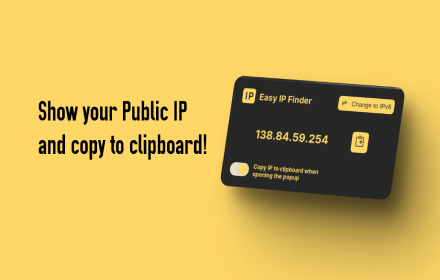
Easy IP Finder
This Chrome extension quickly shows your public IP in the browser toolbar, ideal for users often checking their IP.
109
★ 5.0

IP Info Viewer
View your IP address in multiple formats with detailed network information and educational flashcards
—

What Is My IP
Check What is my IP, see what's my public ip address, find what is my ip location, or confirm what's my external ip with VPN service
274
★ 3.0

IP Viewer
Shows the current IP address
49

WebsiteIP
Fetches the IP address of the current website automatically when clicked.
16
★ 1.0

My IP Address Checker: Test IP + IPv6 + VPN
Displays IP address info and details like location + VPN usage when clicking on the IP button
648
★ 3.0

My Public IP
Displays your public IP address with a copy button.
5

NetProbe - My IP Checker & Domain Tools
NetProbe: All-in-one IP address checker & domain toolkit. Real-time IP info (WebRTC, VPN leak, latency), SSL and DNS records Tools.
27
Data sourced from the Chrome Web Store · last verified Jun 8, 2026.