
TabulaRise
TabulaRise: Effortlessly fetch, display, and filter API data in advanced tables, for developers and data enthusiasts.
As of May 2026, TabulaRise has 9 users in the Developer Tools category.
Usersno change0%
9
9
Ratingno change0%
—
— reviews
Reviewsno change0%
—
Version
1.0
Manifest V3
History
2 snapshotsTracking since Apr 25, 2026.
View as table
| Date | Users | Rating | Reviews | Version |
|---|---|---|---|---|
| Apr 25, 2026 | 9 | — | — | 1.0 |
| May 21, 2026 | 10 | — | — | 1.0 |
| Now | 9 | — | — | 1.0 |
Permissions & access
- Permissions
- storagescripting
- Host access
- http://*/*, https://*/*
Screenshots



About
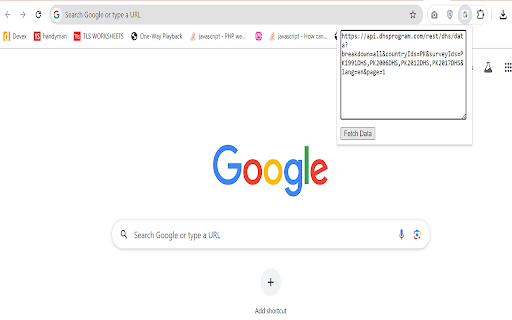
TabulaRise is a powerful browser extension designed for developers and data enthusiasts. With TabulaRise, you can effortlessly interact with API endpoints and display their responses in advanced data tables. The extension features built-in filters, allowing you to explore and analyze data seamlessly. Say goodbye to manual API testing – TabulaRise streamlines the process and enhances your productivity.


Supported JSON Structures for Data Import

This extension supports multiple JSON structures when fetching data from an API. Ensure your API response matches one of the following formats:

1. >>>>Simple Array of Objects>>>>
   If your data is a direct array of objects:

   [
       {"name": "John Doe", "age": 28, "city": "New York"},
       {"name": "Jane Smith", "age": 34, "city": "Los Angeles"}
   ]

   >>>>Note:>>>> In this structure, each object represents a row of data.

2. >>>>Nested Object with Data Array>>>>
   If your data is nested inside a key like `data`, `Data`, `results`, or `items`:

   {
       "Data": [
           {"product": "Laptop", "price": 799, "stock": 10},
           {"product": "Phone", "price": 599, "stock": 20}
       ]
   }

   This also works for keys like `data`, `results`, or `items`.

3. >>>>Empty or Invalid Data Handling>>>>
   If the response does not match the expected structure, an alert will be shown stating "No valid data found."

   Ensure that the JSON structure is either:
   - A direct array of objects.
   - An object containing an array under one of the recognized keys (e.g., `Data`, `data`, `results`, `items`).

>>>>Example API Response Formats>>>>
Valid response examples:

{
    "data": [
        {"id": 1, "title": "Task 1", "status": "Complete"},
        {"id": 2, "title": "Task 2", "status": "Pending"}
    ]
}

{
    "results": [
        {"country": "USA", "population": 331000000},
        {"country": "Canada", "population": 38000000}
    ]
}

If your API response uses a different key for the data array, consider renaming it or wrapping it under one of the recognized keys mentioned above.
Technical
- Version
- 1.0
- Manifest
- V3
- Size
- 325KiB
- Min Chrome
- 88
- Languages
- 1
- Featured
- No
Metadata
- ID
- bnihopoiokcnkikkimdbhmiapfolbglc
- Developer ID
- uda254bf21680ca36b09c43d98a02a9b7
- Developer Email
- [email protected]
- Created
- Sep 2, 2024
- Last Updated (Store)
- Sep 2, 2024
- Last Scraped
- May 21, 2026
- Website
- —
- Support URL
- —
- Privacy Policy
- —
Similar extensions
Alternatives to TabulaRise, ranked by description similarity.

JSON to Table Converter
Convert JSON data to HTML tables with CSV/Excel export
27

JSON to Table Converter - Easy Copy
The JSON to Table Converter is a powerful Chrome extension designed to streamline your data anlysis workflow.
390
★ 1.0

JSON Table Viewer
Convert JSON to table with CSV export, pivot view, and clipboard copy.
37
★ 5.0

JSON2Table
Convert JSON data to interactive, searchable tables
27
★ 5.0

JSON Clarity
Beautify and format JSON data with syntax highlighting, collapsible sections, and search functionality
1

JSON to Table Converter - Chiku Converter
Convert JSON data to a table and download as an Excel file.
108
★ 5.0

JSON Formatter
Paste JSON and format it with collapsible tree view, syntax highlighting, search, and dark mode.
2

OneClick Table Exporter
Instantly extract, preview and export any table from any webpage. CSV, Excel, JSON in one click.
12
★ 5.0
Data sourced from the Chrome Web Store · last verified May 21, 2026.