Snapseed for Pc,Windows and Mac (Free Download)
Edit your photos with Snapseed Chrome Extension.
As of June 2026, Snapseed for Pc,Windows and Mac (Free Download) has 10,000 users and a 2.20/5 rating from 5 reviews in the Communication category.
Usersno change0%
10.0K
10,000
Ratingno change0%
2.20
5 reviews
Reviewsno change0%
5
Version
1.1
Manifest V3
History
2 snapshotsTracking since Apr 22, 2026.
View as table
| Date | Users | Rating | Reviews | Version |
|---|---|---|---|---|
| Apr 22, 2026 | 10.0K | 2.20 | 5 | 1.1 |
| May 12, 2026 | 10.0K | 2.20 | 5 | 1.1 |
| Now | 10.0K | 2.20 | 5 | 1.1 |
Permissions & access
- Permissions
- None declared
- Host access
- None declared
Screenshots
About
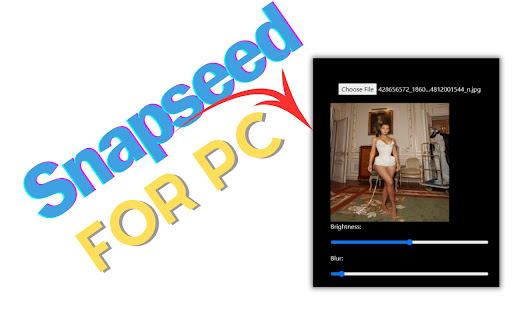
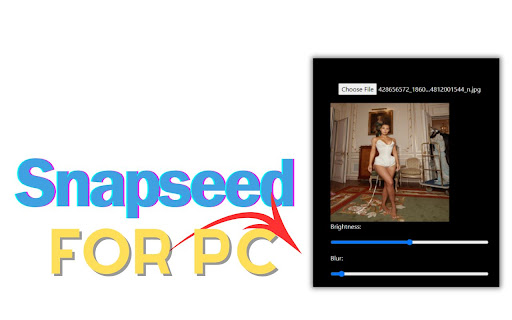
Snapseed for PC, Windows, and Mac offers easy-to-use editing features like brightness adjustment, blur effects, and custom dimensions. Simply upload your image, apply effects, and download your edited masterpiece. This simple extension brings Snapchat's fun editing capabilities to your desktop.

✅ Snapseed Extension Features

✔️Choose File: Upon uploading any image file here, you will discover options for editing the image.

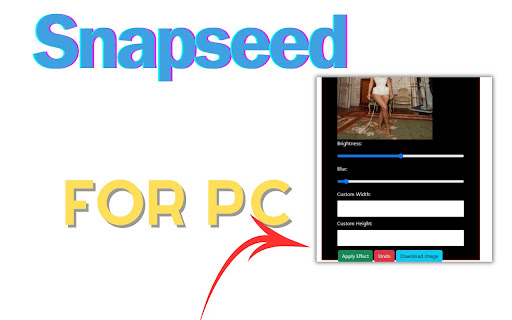
✔️Effect: After the image is uploaded, you can modify various aspects such as Brightness, Blur, custom width, and Custom Height of the image from this platform. Upon completing the image editing process, clicking on 'Apply Effect' will save the changes. Subsequently, upon clicking 'Download', the edited image will be downloaded. Clicking 'Undo' will revert the image to its previous state."

✔️Easy To use

✔️Simple Extension


✅ How To Use Snapseed on PC?

Step 1: Start by adding this extension to your Chrome browser by clicking "Add to Chrome."

Step 2: Next, click on the Extension icon.

Step 3: You will see:

"Choose File"
"Effect"
"Apply Effect"
"Undo"
"Download"

Step 4: Choose File,Here image is uploaded, you have the option to adjust several parameters including Brightness, Blur, custom width, and custom height directly within this platform. Upon finishing the editing process, selecting 'Apply Effect' will confirm the changes. Subsequently, clicking 'Download' will save the edited image. If needed, selecting 'Undo' will revert the image to its original state.

Step 5: Enjoy a safer browsing experience!

✅ Disclaimer:

Please note that "Snapseed for PC, Windows, and Mac" Chrome Extension is an independent product and is not associated, affiliated, or endorsed by the Snapseed Android app or its developers. We respect intellectual property rights and make no claim to any copyrights associated with the Snapseed Android app.
Technical
- Version
- 1.1
- Manifest
- V3
- Size
- 462KiB
- Min Chrome
- 88
- Languages
- 1
- Featured
- No
Metadata
- ID
- bnaaiimoblmafghgkojajefndfcgdccf
- Developer ID
- ub7d4d4cea561015c553501b989ff18a7
- Developer Email
- [email protected]
- Created
- Feb 29, 2024
- Last Updated (Store)
- Feb 29, 2024
- Last Scraped
- Jun 7, 2026
- Website
- snapseedforpcupdate.blogspot.com
Similar extensions
Alternatives to Snapseed for Pc,Windows and Mac (Free Download), ranked by description similarity.
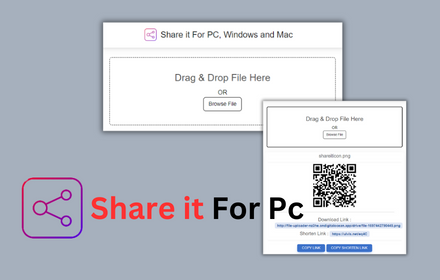
Shareit For PC, Windows and Mac Download
Shareit for PC Share files seamlessly on PC, Windows, and Mac with Share it - Lightning-fast,secure and free
7.0K
★ 3.7

Screen Capture Pro
Capture full-page screenshots, annotate them, and save instantly.
26
★ 5.0

Screenshot Enhancer Pro
Professional screenshot enhancement with cropping, backgrounds, annotations, and export options
5
★ 5.0

SnapChat™ for Web
Enhance Snapchat Web with desktop notifications, quick controls and a floating toolbar.
1.0K
★ 4.3

Screen Snap Lite
Capture and record your screen in high-quality 480p resolution with ease. Become a KOFIKLUB Member Today!
3
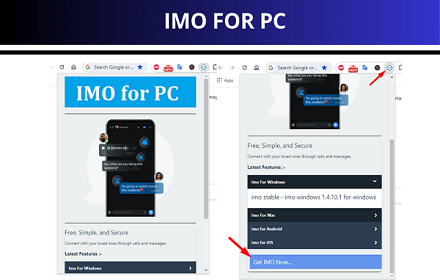
IMO For PC - Download IMO on your Windows, Mac, ios
IMO For PC Extension provide imo Lates Features and How To Download IMO on your Pc.
819
★ 5.0

Upload to Instagram. StoryTeller
Tool to upload Instagram Stories from desktop. Your Stories with no limits.
4.0K
★ 4.4

LookGood Live
Instantly improves the way you look on video calls and streams!
5.0K
★ 3.6
Data sourced from the Chrome Web Store · last verified Jun 7, 2026.