
GAT Shield Personal
Visualizing your browser experience
As of June 2026, GAT Shield Personal has 3,000 users and a 4.78/5 rating from 9 reviews in the Workflow & Planning category.
Usersno change0%
3.0K
3,000
Ratingno change0%
4.78
9 reviews
Reviewsno change0%
9
Version
87.0.0
Manifest V3
History
3 snapshotsTracking since Apr 22, 2026.
View as table
| Date | Users | Rating | Reviews | Version |
|---|---|---|---|---|
| Apr 22, 2026 | — | 4.78 | 9 | 87.0.0 |
| May 12, 2026 | 20.0K | 4.78 | 9 | 87.0.0 |
| Jun 7, 2026 | — | 4.78 | 9 | 87.0.0 |
| Now | 3.0K | 4.78 | 9 | 87.0.0 |
Permissions & access
- Permissions
- tabsmanagementdownloadsidentityidentity.emailhistorystorageunlimitedStorageidlealarmssystem.cpusystem.memorysystem.storage
- Host access
- None declared
Screenshots

About
GAT Shield Personal is a powerful utility tool to analyse and audit your Chrome environment.
It will allow you to track your usage time, analyse and risk asses your extensions, discover your environment variables,
including space used, ip address, hardware, versions etc. In addition it can be configured to track time spent not just
on sites but on specific pages and tasks. Part of the GAT family of tools, this is a powerful free utility which everyone who
uses Chrome for work or business should have.

NOTE: The extension should not be installed if you have purchased GAT Shield as part of your GAT+ subscription.

GAT Shield Personal has 5 main sections.

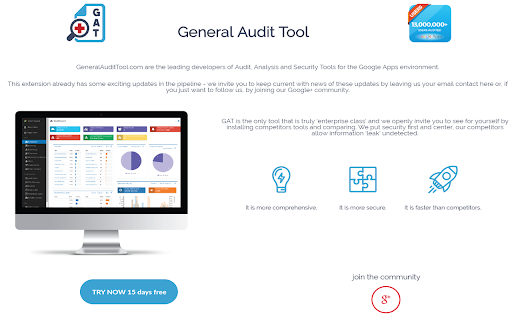
In the first section it provides ‘Browsing Activity Visualization’, where it tracks the time you spend on each site and gives you a detailed breakdown of when you started and when you finished browsing on that site, detailing graphically the visits to the site across the time of the day. In addition it also gives to a graph showing you the percentage of time each site takes up in your browsing day. Finally it gives you the combined picture showing you the full working timeline for the day. A calendar lets you look back across your previous usage history.
When you press the large Refresh button the display will update with any new browsing activity since you opened the tab.
This feature set is ideal for measuring self productivity or for client billing, as well as just seeing where your day went.

The second section shows you all your Chrome environment settings from IP address to the CPU you are running on, from memory total to memory available and much more.

The third section allows you to see all your downloads, the names of the files, size, where they came from, where they are stored and if the download completed or not.

The fourth section discovers all your installed extensions and rates them based on the amount of access they require to your Chrome environment. We also developed a scoring system to identify the total level of access required.

The fifth section lets you configure particular pages to track for usage. This is ideal for separating out your time spent on different parts of the one site, it can be used for example to let you see how much time you spend on Google spreadsheets, or Google slides or Google docs. For specific site tasks billable to clients it will allow you to track time spent.
Technical
- Version
- 87.0.0
- Manifest
- V3
- Size
- 2.82MiB
- Min Chrome
- 88
- Languages
- 1
- Featured
- No
Metadata
- ID
- bmolaacbagnmpdfhgaomcfhgofgnfgif
- Developer ID
- ubdc39df9c4984a81d3ae101ecaa99af8
- Developer Email
- [email protected]
- Created
- Aug 28, 2014
- Last Updated (Store)
- Jul 25, 2024
- Last Scraped
- Jun 7, 2026
- Website
- —
- Support URL
- —
- Privacy Policy
- https://gatlabs.com/security-policy-statement/
Similar extensions
Alternatives to GAT Shield Personal, ranked by description similarity.

WebControl
Track time spent on websites
12

Extension Manager Pro
Disable, Toggle, Whitelist, Debug, and Manage Chrome Extensions.
6

GPT Mentor
A Google Chrome extension that tracks user activity and generates daily reports
6
★ 5.0

No Limits - Web Tracker and Personal Notebook
A simple and efficient Web Activity Tracker and personal notebook for your daily needs.
8

Time Tax
Tracks time spent on websites, calculating a 'mental cost' for distractions while encouraging learning.
2

Time Tracker
Tracks time spent on browser tabs.
—

Browser Statistic
Track visited sites, dwell time, new-tab site opens, and the first site after browser startup.
5

Web Activity Tracker
Track website use & screen time. A powerful tool to manage time, understand browsing habits, and improve digital wellbeing.
153
★ 5.0
Data sourced from the Chrome Web Store · last verified Jun 7, 2026.