
AddressCleaner
Standardizes text by replacing accented characters with normal equivalents on the Canada Post postal code lookup page.
As of June 2026, AddressCleaner has 6 users in the Productivity category.
Usersdown 14.3 percent−14.3%
6
6
Ratingno change0%
—
— reviews
Reviewsno change0%
—
Version
1.0
Manifest V3
History
3 snapshotsTracking since Apr 23, 2026.
View as table
| Date | Users | Rating | Reviews | Version |
|---|---|---|---|---|
| Apr 23, 2026 | 7 | — | — | 1.0 |
| May 13, 2026 | 10 | — | — | 1.0 |
| Jun 8, 2026 | 8 | — | — | 1.0 |
| Now | 6 | — | — | 1.0 |
Permissions & access
- Permissions
- None declared
- Host access
- None declared
Screenshots


About
AddressCleaner is a Chrome extension designed to streamline address handling by automatically replacing accented characters with their standard equivalents on the Canada Post postal code lookup page. This enhancement ensures that addresses are standardized, making them more compatible with external systems and reducing potential issues with data validation and processing.

Features:

Automatic Character Replacement: Seamlessly converts accented characters to their plain equivalents.
Targeted Functionality: Specifically designed for use on the Canada Post postal code lookup page.
Enhanced Compatibility: Helps ensure that addresses are in a format that meets the requirements of various validation systems and delivery services.
Why Use AddressCleaner? Special characters in addresses can sometimes cause issues with validation and processing systems. AddressCleaner resolves this by standardizing address data, which can improve accuracy and prevent disruptions in address handling workflows.

How It Works: Once installed, AddressCleaner automatically applies the necessary character replacements on the Canada Post postal code lookup page, ensuring that all address data is formatted correctly for downstream systems.

Note: This extension operates exclusively on the Canada Post postal code lookup page, maintaining a focused approach to address standardization.

Privacy and Security: AddressCleaner only interacts with the specified page and does not collect or store any personal data. Your privacy is a top priority.

Get Started:

Install AddressCleaner from the Chrome Web Store.
Visit the Canada Post postal code lookup page.
The extension will automatically handle character replacements as you use the site.
Technical
- Version
- 1.0
- Manifest
- V3
- Size
- 381KiB
- Min Chrome
- 88
- Languages
- 1
- Featured
- No
Metadata
- ID
- bmicgfnhadidhjcfelhebjcjibnkjcld
- Developer ID
- ude76b68bdffe6c0296ced18da495fdb0
- Developer Email
- [email protected]
- Created
- Sep 10, 2024
- Last Updated (Store)
- Sep 10, 2024
- Last Scraped
- Jun 8, 2026
- Website
- —
- Support URL
- —
- Privacy Policy
- —
Similar extensions
Alternatives to AddressCleaner, ranked by description similarity.
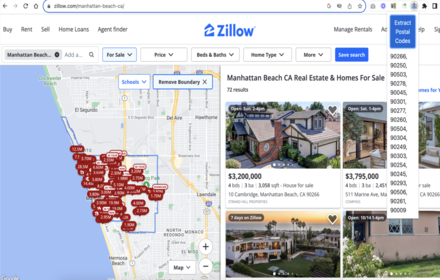
Data Scraper Worldwide Postal & Zip Codes
Free Web Data Scraping Worldwide Postal Code & ZIP Code Extractor from any web page
10.0K

Email Checker
Find and validate email addresses on any webpage with professional email validation
60
★ 5.0

Hopewiser Address Extension
Base Level Extension
5

Fetchify Address Lookup
Fetchify Address Lookup extension for various systems, including BigCommerce, Shopify, Shopify Plus and Salesforce.
946
★ 5.0

Contact Catch
Extract all email addresses from any webpage, including obfuscated formats
15
★ 5.0

LetterCarrier - Certified Mail Online Service
Certified Mail Online Service
15
★ 5.0

URL List Cleaner
Trim, organize and clean lists of URLs. Download results as XLS.
20

Courier Address Printing
Courier Address Printing
8
Data sourced from the Chrome Web Store · last verified Jun 8, 2026.