
LitMarks.ai
Export your Kindle highlights from read.amazon.com/notebook
As of June 2026, LitMarks.ai has 15 users in the Productivity category.
Usersup 15.4 percent+15.4%
15
15
Ratingno change0%
—
— reviews
Reviewsno change0%
—
Version
1.1.1
Manifest V3
History
9 snapshotsTracking since Apr 1, 2026.
View as table
| Date | Users | Rating | Reviews | Version |
|---|---|---|---|---|
| Apr 1, 2026 | 13 | — | — | 1.1.1 |
| Apr 16, 2026 | 15 | — | — | 1.1.1 |
| Apr 27, 2026 | 15 | — | — | 1.1.1 |
| May 4, 2026 | 16 | — | — | 1.1.1 |
| May 10, 2026 | 17 | — | — | 1.1.1 |
| May 15, 2026 | 20 | — | — | 1.1.1 |
| May 21, 2026 | 17 | — | — | 1.1.1 |
| May 31, 2026 | 15 | — | — | 1.1.1 |
| Jun 8, 2026 | 16 | — | — | 1.1.1 |
| Now | 15 | — | — | 1.1.1 |
Permissions & access
- Permissions
- activeTab
- Host access
- https://read.amazon.com/*, https://m.media-amazon.com/*
Screenshots

About
LitMarks.ai makes it easy to export your Kindle highlights.
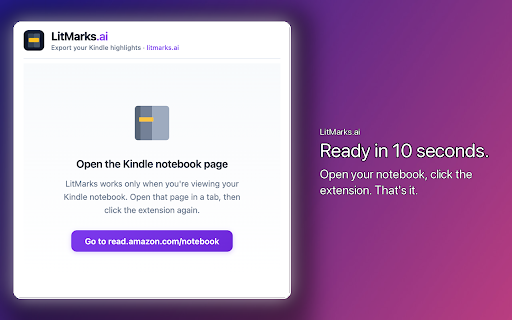
Open your Kindle notebook at read.amazon.com/notebook, click the LitMarks icon, and choose which books to export. Your highlights (and notes) are exported as JSON so you can import them into note-taking apps, spreadsheets, or the LitMarks.ai web app.

Features
  • Export highlights from any book in your Kindle notebook
  • Select specific books or export everything
  • Download as JSON and import into any app or integration you use
  • See highlight counts before exporting
  • Works entirely in your browser — no data sent to third parties

How to use
  1. Open read.amazon.com/notebook in Chrome
  2. Click the LitMarks icon
  3. Select the books you want
  4. Click "Export selected" and download the JSON file

Your JSON file can be parsed, imported, or integrated with any tool or workflow. LitMarks.ai helps you keep your highlights in one place for learning, research, and note-taking.
Technical
- Version
- 1.1.1
- Manifest
- V3
- Size
- 17.84KiB
- Min Chrome
- 88
- Languages
- 1
- Featured
- No
Metadata
- ID
- bljccpocaddlmlklnmackbdiffpgjmda
- Developer ID
- u44baa1f5e4e6ea2eae3473229556f8b0
- Developer Email
- [email protected]
- Created
- Feb 7, 2026
- Last Updated (Store)
- Feb 15, 2026
- Last Scraped
- Jun 8, 2026
- Website
- https://litmarks.ai/
- Support URL
- —
- Privacy Policy
- http://litmarks.ai/privacy.html
Similar extensions
Alternatives to LitMarks.ai, ranked by description similarity.

Kindle to Notion - Export Highlights in 1 Click Free
Export Kindle highlights to Notion instantly. One-click sync for book notes, annotations & reading insights. Free, no signup.
120
★ 4.7

Hianchor
Hianchor offical extension for getting highlights.
—
★ 5.0

Highlight - Kindle Sync
One-click import of your Kindle highlights to the Highlight app
—

Kindle Clipping Reader
Import, browse, and organize Kindle clippings with highlights, notes, and bookmarks. Copy to clipboard. Export to PDF.
6

WebNoteMate: Web Highlighter & AI Prompt Tools
Highlight text & organize notes. Manage prompts, inject into ChatGPT/Gemini/Perplexity, and navigate chat history instantly.
208
★ 4.4

Brevio - Kindle Highlights Exporter
Export your Kindle highlights to Brevio
—
★ 5.0

Highlighter's Guilt
Your Kindle highlights, guilt-tripped into your inbox daily.
3

Readmomo
Extracts your Kindle highlights and save your online selections.
—
Data sourced from the Chrome Web Store · last verified Jun 8, 2026.