
ChatGPT That
Enabling ChatGPT to see what you see
As of June 2026, ChatGPT That has 10 users in the Workflow & Planning category.
Usersup 11.1 percent+11.1%
10
10
Ratingno change0%
—
— reviews
Reviewsno change0%
—
Version
3.0.0
Manifest V3
History
2 snapshotsTracking since Apr 23, 2026.
View as table
| Date | Users | Rating | Reviews | Version |
|---|---|---|---|---|
| Apr 23, 2026 | 9 | — | — | 3.0.0 |
| Jun 7, 2026 | 11 | — | — | 3.0.0 |
| Now | 10 | — | — | 3.0.0 |
Permissions & access
- Permissions
- storageactiveTab
- Host access
- <all_urls>
Screenshots


About
Select part of your screen, ask a question, get a response, all while never leaving the website you're browsing.

A personal AI assistant on every website you visit, thats ChatGPT That. It's a seamless way to get instant insights without ever needing to context switch. Whether you're browsing articles, shopping online, or working on a project, ChatGPT That is two clicks away; We double click around here.

IMPORTANT MESSAGE: Selected parts of your screen (snips) are sent to a publicly trained LLM, DO NOT snip sensitive data under any circumstances!!

Getting Started:
1. Install the extension
2. Double click the ChatGPT That Icon
3. Sign in with Google (If not already)
4. Select part of the screen - Drag Icon to move, and drag bottom right circle to resize.
5. Ask away...

Trouble Shoot:
Not seeing the ChatGPT That Icon? Make sure you refresh the page so the browser knows there is a new extension.

Nothing happening after double click? This is likely due to your browser blocking popups, please allow the popups.
Technical
- Version
- 3.0.0
- Manifest
- V3
- Size
- 35.4KiB
- Min Chrome
- 88
- Languages
- 1
- Featured
- No
Metadata
- ID
- blcgpfjbeleilmpmhlcmmeokfmpbmlch
- Developer ID
- u6b1d92bd9c0d30332c12cea0febfdd38
- Developer Email
- [email protected]
- Created
- Nov 21, 2024
- Last Updated (Store)
- Dec 16, 2024
- Last Scraped
- Jun 7, 2026
- Website
- —
- Support URL
- —
- Privacy Policy
- —
Similar extensions
Alternatives to ChatGPT That, ranked by description similarity.

aiPromptPal
aiPromptPal makes using ChatGPT easy in search engines, to write emails, and on any website
122
★ 5.0

Handy - ChatGPT Context
Use ChatGPT right on the page!
1
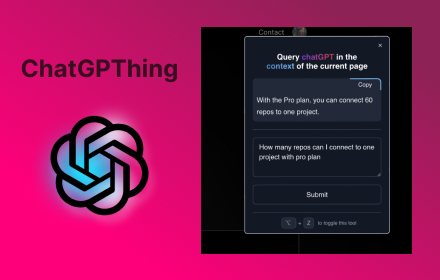
ChatGPThing
Query ChatGPT in the context of the current page
17

ChatGpt Popup
ChatGpt Popup is a chrome extension that allows users to chat with ChatGpt.
710
★ 4.0

ChatGPT for Chrome
Display ChatGPT (or Bard) response alongside search engine results
351
★ 4.3

Floating ChatGPT
This extension for use ChatGPT in floating popup inside any website.
666
★ 4.0

ChatGenie for Chatgpt
The ultimate browser extension for accessing Chatgpt
70.0K
★ 4.1

GPT Here
Get answers from chatGPT anywhere while browsing
6
★ 2.0
Data sourced from the Chrome Web Store · last verified Jun 7, 2026.