
Youfy - YouTube to Spotify
Youfy is a quick and easy way to transfer YouTube songs and playlists to your Spotify account without leaving YouTube!
As of June 2026, Youfy - YouTube to Spotify has 7,000 users and a 3.07/5 rating from 27 reviews in the Workflow & Planning category.
Usersdown 12.5 percent−12.5%
7.0K
7,000
Ratingno change0%
3.07
27 reviews
Reviewsno change0%
27
Version
1.2.1
Manifest V3
90-day change · In the last 90 days this extension lost 1.0K users.
History
2 snapshotsTracking since Apr 23, 2026.
View as table
| Date | Users | Rating | Reviews | Version |
|---|---|---|---|---|
| Apr 23, 2026 | 8.0K | 3.07 | 27 | 1.2.1 |
| Jun 8, 2026 | 8.0K | 3.07 | 27 | 1.2.1 |
| Now | 7.0K | 3.07 | 27 | 1.2.1 |
Permissions & access
- Permissions
- activeTabtabsidentitycookies
- Host access
- https://accounts.spotify.com/*, https://*.youfyapp.com/*
Screenshots



About
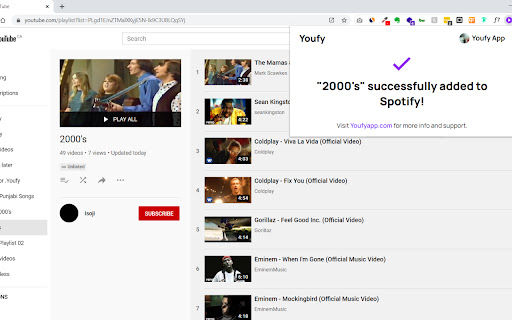
With Youfy, you can quickly and easily transfer your favorite YouTube songs and playlists to your Spotify account without ever leaving YouTube. Our extension is simple to use - just navigate to any YouTube video or playlist page, click on our extension icon from your extensions list, and start converting your music.

You can even export YouTube playlists as .txt files. Plus, with Youfy, you can open YouTube songs on Apple Music and Amazon Music. Try it out today and see how easy it is to move your music to your preferred platform!

Features:
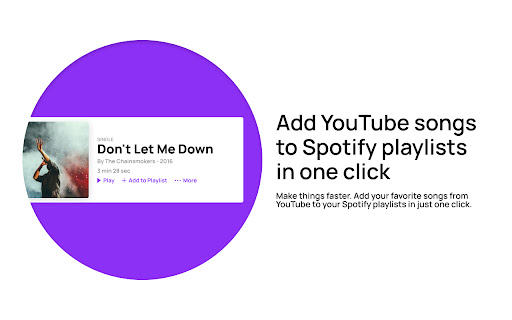
🌟 Add any YouTube song to your Spotify account
🌟 Transfer any YouTube playlist to your Spotify account (up to 50 videos per playlist)
🌟 Open YouTube songs on Apple Music and Amazon Music
🌟 Export any YouTube playlist as a .txt file

Frequently Asked Questions:

Q: Am I required to pay to use any feature of the extension?
A: No, our extension is completely free to use.

Q: Do I need to provide any personal information?
A: No, we do not store or ask for any personal information from our users. The only requirement is for users to log in to their Spotify account.

Q: How many songs can I transfer at once?
A: Currently, our extension allows up to 50 songs per playlist to be transferred at once. This number might increase in the near future.

Q: Can I transfer any type of playlist?
A: Since we don’t require users to log in to their YouTube account, users can only transfer public and unlisted playlists. If you wish to transfer a private playlist, we suggest making it public or unlisted beforehand.

Don't miss out on the convenience and ease of use that Youfy offers - try it today and start transferring your favorite YouTube songs and playlists to your Spotify account in just a few clicks! With Youfy, you can take your music with you wherever you go and never miss a beat. Plus, our extension is constantly being updated with new features and improvements, so you can always enjoy the best possible experience. Give Youfy a try now and see the difference it can make for your music collection!


Changelog:

v1.2.0
- Upgraded manifest version to 3

v1.1.1
- Changed Spotify URLs to use open.spotify.com again because spotify: URLs don't work when the user doesn't have the desktop app installed

v1.1.0
- Minor bug fixes
- Changed Spotify URLs to use Spotify encoding instead of open.spotify.com
- Changed Spotify playlist page to show only collaborative or owned playlists

v1.0.0
- Initial Release


If you enjoy using Youfy, would you mind taking a moment to rate it? Thanks for your support!
Technical
- Version
- 1.2.1
- Manifest
- V3
- Size
- 1.37MiB
- Min Chrome
- 88
- Languages
- 1
- Featured
- Yes
Metadata
- ID
- bkdmpkmdoncbkipfnmhhmhklcchbjeon
- Developer ID
- u83328b62afe8b6578930357bca90cafb
- Developer Email
- [email protected]
- Created
- Mar 23, 2021
- Last Updated (Store)
- May 19, 2023
- Last Scraped
- Jun 8, 2026
- Website
- youfyapp.com
- Support URL
- https://youfyapp.com/
- Privacy Policy
- —
Similar extensions
Alternatives to Youfy - YouTube to Spotify, ranked by description similarity.

Tubify - YouTube to Spotify
Easily Add Songs from YouTube to a Spotify Playlist
422
★ 3.8

Playlist generator
Turns your unused, youtube bookmarks that are laying around into a playlist loop for hours of entertainment!
711
★ 4.2

YouTube Playlist-Time Calculator
Effortlessly calculate total watch time for any YouTube playlist! 🎥⏳
The YouTube Playlist-Time Calculator is a powerful yet…
28
★ 5.0

YouTubeFast
YouTube playback speed controller that lets you experience more in less time. YouTubeFast, your time is valuable.
3.0K
★ 5.0

YouTube Video Control
Control YouTube videos with play, pause, seek, and floating window features seamlessly
74
★ 5.0

Playlist Subscriber for Youtube
Enables you to subscribe to Youtube playlists.
30
★ 2.0

SPOT
SPOTTED a song on the web? Add it to your cross-platform playlists - on the spot!
152
★ 5.0

MiniTune
MiniTune is a Spotify extension that lets you control playback, skip tracks, adjust volume, and more—right from your Chrome browser.
16
★ 5.0
Data sourced from the Chrome Web Store · last verified Jun 8, 2026.