
Update Timer Values
Used to mass update AYPO timer values in lessons
As of June 2026, Update Timer Values has 12 users in the Workflow & Planning category.
Usersup 50.0 percent+50.0%
12
12
Ratingno change0%
—
— reviews
Reviewsno change0%
—
Version
1.0
Manifest V3
History
3 snapshotsTracking since Apr 23, 2026.
View as table
| Date | Users | Rating | Reviews | Version |
|---|---|---|---|---|
| Apr 23, 2026 | 8 | — | — | 1.0 |
| May 12, 2026 | 11 | — | — | 1.0 |
| Jun 7, 2026 | 11 | — | — | 1.0 |
| Now | 12 | — | — | 1.0 |
Permissions & access
- Permissions
- tabsactiveTabstorage
- Host access
- None declared
Screenshots

About
This is a productivity booster extension to automate a process for certain users working in the moodle LMS. As part of the workflow, to update slide timers in the LMS for lesson pages, you must manually open each lesson page in a tab and update the timer, and submit the form. This extension automates this process, by adding a button to the lesson page and allowing the user to set a slide timer value. When the user clicks the injected button on the lesson page, the extension runs and updates the slide timer value, submits the form, and automatically moves to the next tab to update the slide timer there, and repeats this process until the final tab is reached. This automates the slide timer update process, reducing something that would take 15 minutes down to around 15 seconds.

The extension requires that all lesson pages be open in their own tabs, and that the "Run" button be clicked on the lesson page tab that is furthest on the left.
Technical
- Version
- 1.0
- Manifest
- V3
- Size
- 5.11KiB
- Min Chrome
- 88
- Languages
- 1
- Featured
- No
Metadata
- ID
- bkaonkblmdeoolgllgifmhlmmfihajlf
- Developer ID
- u56cc101c4c0d5c039043aa501818ffd6
- Developer Email
- [email protected]
- Created
- Feb 15, 2023
- Last Updated (Store)
- Feb 15, 2023
- Last Scraped
- Jun 7, 2026
- Website
- —
- Support URL
- —
- Privacy Policy
- —
Similar extensions
Alternatives to Update Timer Values, ranked by description similarity.

CMS Enrollment extension
Enroll in courses on CMS with just one click!
150
★ 5.0

Better TSU LMS
Improves the LMS experience for TSU students.
43

OTJ Autofill
Autofills the Add Off-the-Job Hours form on Smart Assessor
—

New Tab for School
Add schedule and quick links to new tab page from Powerschool
5

FHTWMP
This extension will host additional css and js for the FHTW moodle website!
9

Student Stars
A student management and reward system designed to motivate and engage learners through a browser extension.
227
★ 5.0
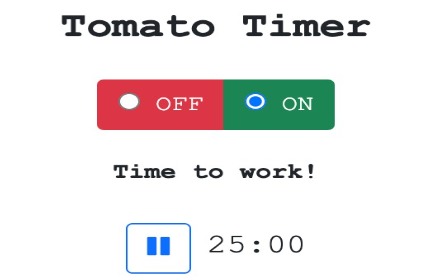
Tomato Timer
A productivity timer modeled after the Pomodoro Technique that alerts users when it is time to work and take breaks
485
★ 5.0

Timer
just timer
4
Data sourced from the Chrome Web Store · last verified Jun 7, 2026.